
Continuas
Recover stalled sales conversations with follow-ups drafted in your own voice.
Key Takeaways
- What it is
- Recover stalled sales conversations with follow-ups drafted in your own voice.
- Pricing
- Freemium · $29 per month · $79 per month
- Best for
- Missed Opportunity Detection
- Writing Profile
- Autopilot
- Rating
- 4.1/5
What is Continuas?
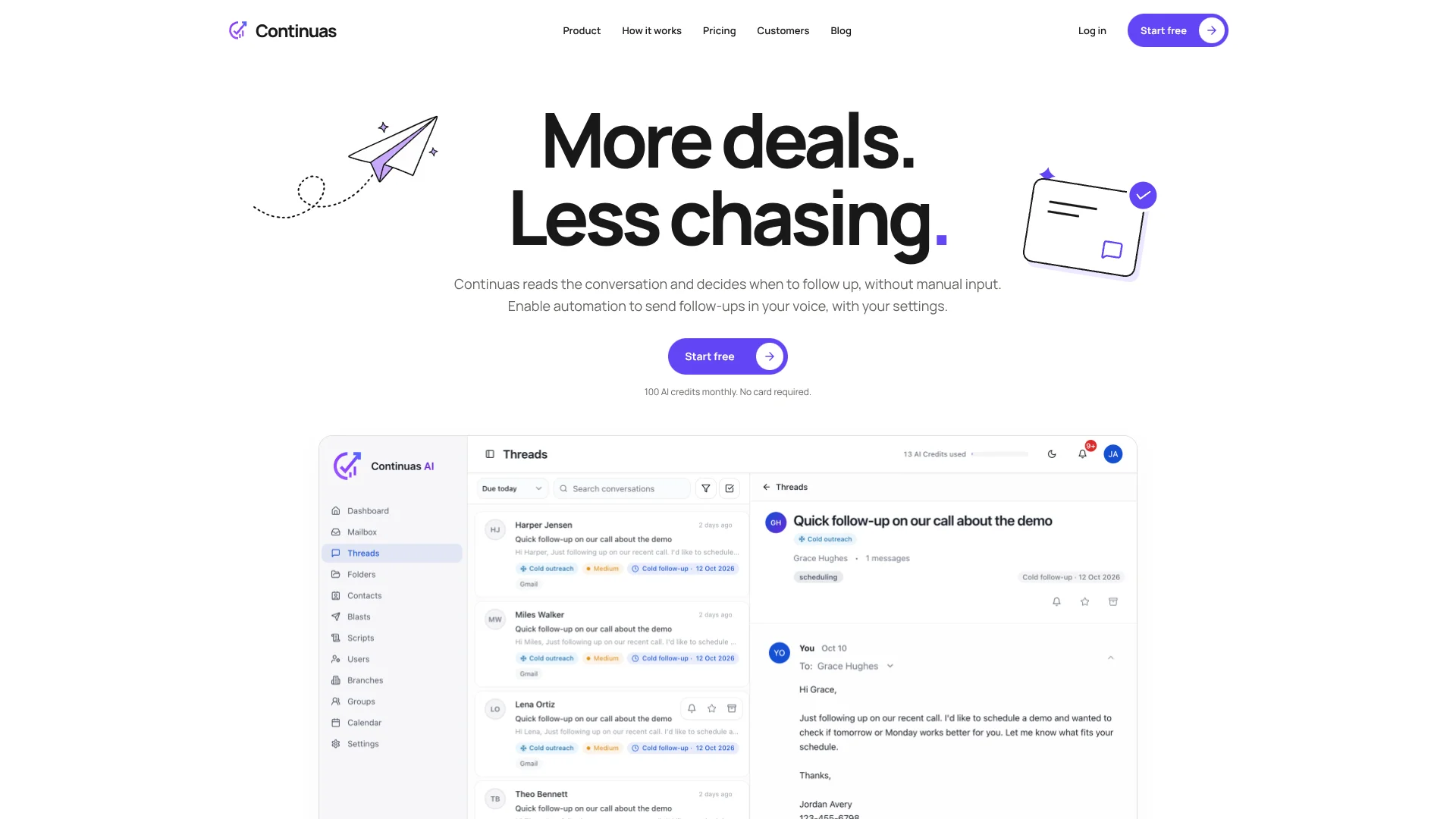
Continuas connects to Gmail or Microsoft Outlook, reads email conversations, and finds opportunities that went quiet. It drafts follow-ups in your writing voice, recommends when to send them, and can schedule or send them in the background. Sales reps, recruiters, agencies, and founders use it to keep promising conversations moving without relying on inbox memory.
Its clearest distinction is the Follow-up Frequency Audit, which compares team follow-up behavior against a baseline from the last 90 days and tracks progress through Follow-up 5. That gives managers a way to see where outreach drops off instead of relying only on pipeline reports.
Continuas fits teams whose sales or recruiting work lives in email and who need consistent follow-up more than a full customer relationship management system. Its strongest use is recovering missed opportunities and keeping follow-up cadence running from the inbox you already have.
Who is Using Continuas?
Sales Reps
Stalled opportunities, open commitments, and suggested next touches appear from existing email threads.
Recruiters
Candidate and client conversations stay active through automated or review-first follow-ups.
Sales Managers
The manager dashboard shows where representatives follow up consistently and where conversations are slipping.
Founders and Solo Sellers
A writing profile and scheduled follow-ups help one person maintain a steady outbound rhythm.
Uncommon Use Cases
Quarterly measurement of follow-up behavior through the Follow-up Frequency Audit; scheduled individual delivery for a larger personal outreach blast.
Key Features
Rating Breakdown
Pricing Plans
Free
Free
- 100 AI credits every month
- Every Continuas feature
- No card required
Solo
$29 per month
- 500 AI credits every month
- Everything in Free
- Billed monthly
- Cancel anytime
Premium
$79 per month
- 1,000 AI credits every month
- Team management and shared visibility
- Add extra seats and buy extra credits
- Billed monthly
- Cancel anytime
Enterprise
- For organizations and larger teams
- Roll Continuas out across your team
- Book a demo to discuss requirements
Which Continuas plan should you pick?
Start with Free to test missed-opportunity detection and drafting, choose Solo for regular individual outbound, and move to Premium when you need team visibility or more credits.
Free
Good for trying Continuas with every feature and 100 AI credits each month.
Solo
Good for one person doing outbound and follow-up who needs 500 monthly AI credits.
Premium
Good for teams and individuals managing more conversations who need 1,000 credits, team management, and shared visibility.
Enterprise
Good for organizations rolling Continuas out across many users with a custom scope and pricing agreement.
Continuas Use Cases
Recover Stalled Deals
Quiet conversations are surfaced with context for why they may be worth reopening.
Outcome: Fewer promising opportunities remain buried in the inbox.
Automate Sales Follow-Up
Continuas drafts, schedules, and sends messages according to conversation context and the chosen cadence.
Outcome: Follow-ups continue even when the rep is not working through the inbox.
Keep Messages in Your Voice
The writing profile shapes drafts around your writing style and the specific thread.
Outcome: Follow-ups need less rewriting before they are sent.
Measure Team Consistency
The Follow-up Frequency Audit compares recent team behavior with a 90-day baseline.
Outcome: Managers can see where outreach stops and whether consistency improves.
Run Personalized Outreach
A blast sends individual emails from your inbox across a scheduled sending window.
Outcome: One message can reach more prospects while each email is delivered separately.
Workflow Ideas with Continuas
Recover a Quiet Opportunity
- 1Connect Gmail or Outlook and import the relevant conversation history.
- 2Review the opportunity Continuas identifies as worth reopening.
- 3Edit or approve the drafted follow-up and schedule the next touch.
Set Up Background Follow-Up
- 1Set your writing profile and preferred follow-up cadence.
- 2Choose the conversations or follow-up settings that can run automatically.
- 3Review scheduled activity and let Autopilot send messages in the background.
Run a Team Follow-Up Review
- 1Use the last 90 days of qualifying conversations to establish a baseline.
- 2Review the Follow-up Frequency Audit for drop-off points and rep activity.
- 3Refresh the audit quarterly to measure changes over time.
How Continuas fits into your stack
Gmail and Outlook
Continuas works from the inbox you already use, so conversations and follow-ups stay connected to your existing email address.
Sales Follow-Up
It adds a layer for finding stalled conversations, drafting replies, and choosing the next follow-up time.
Automation
Autopilot handles scheduled follow-ups in the background after you set your writing profile, cadence, and automation preferences.
Team Analytics
Premium adds shared visibility, team management, individual and team analytics, and a manager dashboard for follow-up activity.
Pros
- +Background automation: Follow-ups can keep moving without leaving Continuas open.
- +Existing inboxes: Gmail and Outlook connections let users keep their current email address.
- +Personalized drafts: The writing profile uses conversation context and your voice instead of generic templates.
- +Team visibility: Premium includes team management, shared visibility, analytics, and a manager dashboard.
- +Free access: The free plan includes every Continuas feature and 100 AI credits each month.
Cons
- −Email-first scope: The product is built around Gmail and Outlook conversations rather than a broad business software stack.
- −Credit limits: Monthly plans cap AI usage, with 100 credits on Free, 500 on Solo, and 1,000 on Premium.
- −Automation risk: Background sending needs careful settings and review when a conversation is sensitive.
Limitations & when to consider alternatives
Known limitations
- Monthly AI Credits. Free includes 100 AI credits each month, Solo includes 500, and Premium includes 1,000; Continuas says one credit is approximately two emails.
- Inbox-Based Access. Continuas requires a connected Gmail or Microsoft Outlook account to bring conversations into its workspace.
- Automation Requires Configuration. Background sending begins only after automation is enabled and your cadence and preferences are set.
- Enterprise Pricing. Enterprise uses a custom scope and pricing agreement rather than a published standard price.
Look elsewhere when
- You need a documented developer API for custom software workflows.
- You need a native iOS or Android app.
- Your team needs integrations beyond Gmail and Microsoft Outlook.
How to Use Continuas
- 1
Connect Your Inbox
Link your existing Gmail or Microsoft Outlook account so Continuas can read conversations and surface follow-up opportunities.
- 2
Set Your Writing Profile
Define how you write and how often you want to follow up so drafts and scheduling match your working style.
- 3
Review a Promising Thread
Open an opportunity Continuas found, check the conversation context, and decide whether to draft, schedule, or dismiss it.
- 4
Choose Your Automation Level
Keep review before sending or enable automation so Continuas schedules and sends follow-ups on your cadence.
- 5
Track Follow-Up Activity
Use individual, team, and manager analytics to see what is being sent and where conversations are being missed.
Who is Continuas For?
B2B Sales Teams
Reps can recover stalled buyer conversations and keep follow-ups consistent across active opportunities.
Staffing and Recruiting Teams
Recruiters can keep candidates and clients warm during long placement cycles.
Agencies and Consultants
Proposal follow-ups can stay active instead of disappearing in individual inboxes.
Founders and Solo Sellers
Solo operators get help maintaining outbound and follow-up without adding another sales hire.
Frequently Asked Questions
Does Continuas have a free plan?
Yes. The Free plan includes every Continuas feature and 100 AI credits each month, with no card required.
Which email accounts does Continuas support?
Continuas connects to existing Gmail and Microsoft Outlook accounts, so you can keep your current email address.
Can Continuas send follow-ups without the app being open?
Yes. After automation is enabled, Continuas can draft, schedule, and send follow-ups in the background on your chosen cadence.
Can I review a message before it is sent?
Yes. You can review and edit drafts before sending, or enable automation for messages to be scheduled and sent without individual review.
What does an AI credit represent?
Continuas states that one AI credit is approximately equal to two emails.
Does Continuas encrypt email data?
Continuas says data is encrypted in transit with TLS and protected with strong encryption at rest.
Community reviews
Be the first to share your experience.
Sign in to leave a review for Continuas.
Continuas Alternatives
Looking for alternatives to Continuas? Here are similar tools in the same category:
Learn to Master Continuas
With Skill Leap courses
Get in-depth training on Continuas and 50+ other AI tools with our expert-led video courses.
Start 7-Day Free Trial