
Cardina
An AI-driven support tool offering real-time screen sharing and secure data handling for efficient customer assistance.
Watch Cardina in Action
Key Takeaways
- What it is
- An AI-driven support tool offering real-time screen sharing and secure data handling for efficient customer assistance.
- Pricing
- Freemium · $69 per seat / month
- Best for
- Real-Time Screen Sharing
- Screen Control
- Increased First-Contact Resolutions
- Rating
- 4.4/5
What is Cardina?
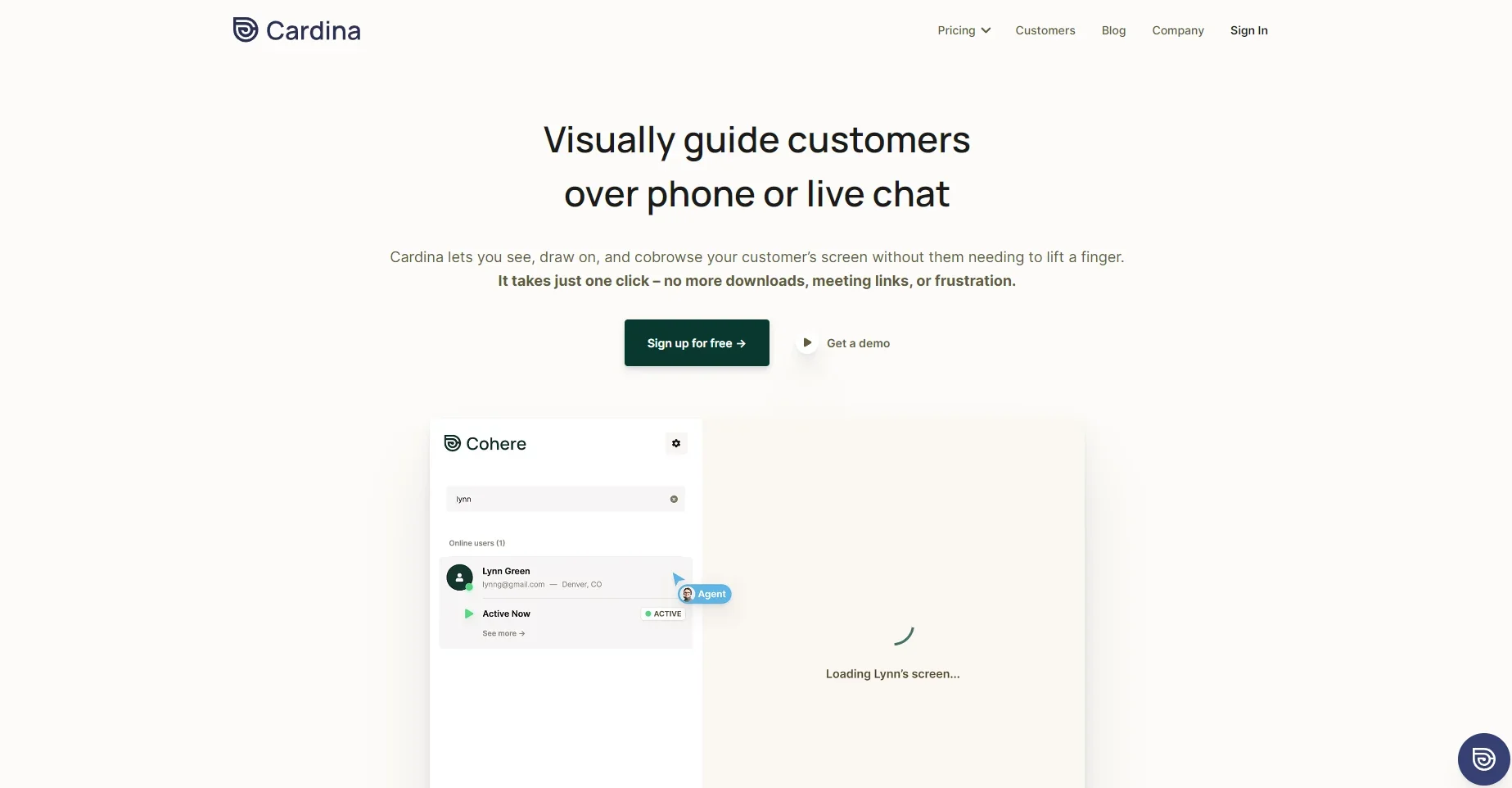
Cardina is an innovative AI-powered support assistance tool designed to revolutionize customer service interactions. Its primary purpose is to facilitate faster and more efficient resolution of customer issues by allowing support agents to view and interact with a customer's screen in real-time. This capability mainly benefits businesses and customer support teams, enhancing the overall customer experience by reducing resolution times and improving satisfaction rates.
Cardina stands out in the AI space with its unique approach to customer support. Unlike traditional support tools that rely heavily on verbal or written communication, Cardina introduces a visual element that significantly enhances understanding and efficiency. This direct visual interaction speeds up the resolution process and adds a personal touch to customer support, making it more effective and user-friendly. The combination of real-time screen sharing, control capabilities, and stringent data protection measures makes Cardina a valuable asset for any customer-centric business.
Cardina is a game-changer in customer support, offering a unique blend of real-time visual assistance and robust data protection. It caters to businesses and customer support teams looking to enhance efficiency and customer satisfaction. The tool's ability to quickly resolve issues, user-friendly interface, and robust security measures make it a valuable asset for any customer-focused organization. As someone who values efficient and effective customer support, I find Cardina indispensable in today's fast-paced business environment.
Who is Using Cardina?
Customer Support Teams
For guiding, teaching, and troubleshooting software issues.
Sales Representatives
To maintain engagement with prospects through instant connectivity.
Operations Managers
For overseeing and ensuring efficient customer support processes.
Data Security Officers
To control and monitor access to sensitive customer data.
Key Features
Rating Breakdown
Pricing Plans
Free
Free
- No credit card required
Pro
$69 per seat / month
- Billed monthly or annually
- Everything in Free +
Enterprise
- Minimum 6 months w/ 20 seats
- Everything in Pro +
Which Cardina plan should you pick?
Start with Free to evaluate Cardina, move to Pro for ongoing seat-based use, and choose Enterprise for larger teams needing custom terms and support.
Free
Good for first users who need to try Cardina without a credit card.
Pro
Good for teams needing ongoing personalized customer help at scale; listed at $69 per seat per month.
Enterprise
Good for organizations needing tailored solutions and support, with custom pricing.
Cardina Use Cases
Live customer support
View a customer’s screen and guide them by drawing, clicking, scrolling, or typing with permission.
Outcome: Resolve customer issues faster.
Customer onboarding
Show customers where to click and provide visibility into enrollment workflows.
Outcome: Reduce onboarding friction and abandonment.
Sales assistance
Use two-way screen sharing to help prospects complete workflows during sales conversations.
Outcome: Improve engagement and first-contact resolution.
Session review and training
Record, replay, and review previous customer sessions.
Outcome: Help agents learn from previous resolutions.
Sensitive-data protection
Automatically hide passwords and selectively block sensitive page elements.
Outcome: Prevent blocked information from being sent or saved.
Workflow Ideas with Cardina
Resolve a customer issue
- 1Start a Cardina session while speaking with the customer
- 2View the customer’s screen and draw attention to the relevant control
- 3Request permission to scroll, click, or type on the customer’s behalf
Guide customer onboarding
- 1Open the customer’s onboarding workflow
- 2Share the agent’s screen or draw on the customer’s screen
- 3Help the customer complete the enrollment steps
Review support resolutions
- 1Enable session recording when appropriate
- 2Replay past customer sessions
- 3Review previous resolutions to help agents learn
How Cardina fits into your stack
Browser
Cardina is a web-based cobrowsing tool embedded into a customer’s web application. Agents can view, draw on, and control a customer’s screen through the browser without requiring downloads.
Team chat and tickets
Cardina integrates with Intercom, Zendesk, Salesforce, Sentry, and Slack to support customer support, onboarding, and troubleshooting workflows.
Pros
- +Enhanced Customer Satisfaction: Improves CSAT/NPS by resolving issues more efficiently.
- +Operational Efficiency: Decreases handling times for customer support teams.
- +Data Security: Offers robust features for protecting customer data.
- +Improved Resolution Rate: Increases the likelihood of resolving issues on the first contact.
Cons
- −Dependency on Customer Participation: Requires customers to be willing to share their screens.
- −Potential Privacy Concerns: Screen sharing could raise privacy issues if not appropriately managed.
Limitations & when to consider alternatives
Known limitations
- Free access is limited. The pricing page describes the Free offering as a 14-day trial.
- Seat plans cannot be mixed. Cardina says it does not support seats on different plans.
- Additional replay capacity costs extra. The pricing page lists an add-on for 10,000 additional sessions per month.
- Customer consent is required for control. Taking control requires the customer’s permission.
- Session data is deleted by default. Data is deleted immediately after a session unless recordings are explicitly enabled.
How to Use Cardina
- 1
Create a Cardina account
Start with the Free offering to evaluate the product without entering a credit card.
- 2
Integrate Cardina into your site
Have an engineer insert the required lines of code; Cardina says setup can take under five minutes.
- 3
Start a customer session
Open Cardina while assisting a customer to view their live in-app activity.
- 4
Guide or control the session
Draw on the customer’s screen or request permission to scroll, click, and type.
- 5
Protect sensitive information
Use automatic password masking and selectively block additional page elements.
- 6
Review recordings
Enable recording when needed, then replay sessions to review resolutions and train agents.
Who is Cardina For?
Customer experience teams
Cardina is positioned for CX teams that need to guide customers through digital experiences.
Support agents
Agents can view customer screens, draw guidance, request control, and review previous resolutions.
Sales representatives
Reps can use live connectivity and two-way screen sharing to help prospects during engagement.
Onboarding teams
Onboarding teams can guide customers through enrollment and product workflows without traditional meeting links.
Customer success teams
Customer success teams can troubleshoot issues and help users complete tasks in real time.
Frequently Asked Questions
What does Cardina do?
Cardina lets you see what users are doing within your app live and take control with one click.
How long does it take to learn Cardina?
Cardina says users can get started in just a few minutes.
How long does it take to integrate Cardina?
An engineer can complete the integration in under five minutes by inserting a few lines of code.
Will Cardina slow my site down?
Cardina says data is sent only while actively viewing a session and that its internal webpage representation avoids website performance impact.
What if sensitive parts of a customer’s screen should not be visible?
Users can selectively block page items. Password fields are automatically blocked, and blocked information is not sent through Cardina’s servers.
Does Cardina integrate with support and onboarding tools?
Cardina lists integrations with Intercom, Zendesk, Salesforce, Sentry, and Slack.
Community reviews
Be the first to share your experience.
Sign in to leave a review for Cardina.
Cardina Alternatives
Looking for alternatives to Cardina? Here are similar tools in the same category:
Learn to Master Cardina
With Skill Leap courses
Get in-depth training on Cardina and 50+ other AI tools with our expert-led video courses.
Start 7-Day Free Trial