
Civitai
Open-source platform for AI model creation and collaboration.
Watch Civitai in Action
Key Takeaways
- What it is
- Open-source platform for AI model creation and collaboration.
- Best for
- Open-Source Models
- Community-Driven Content
- Diverse Media Support
- Rating
- 4.4/5
What is Civitai?
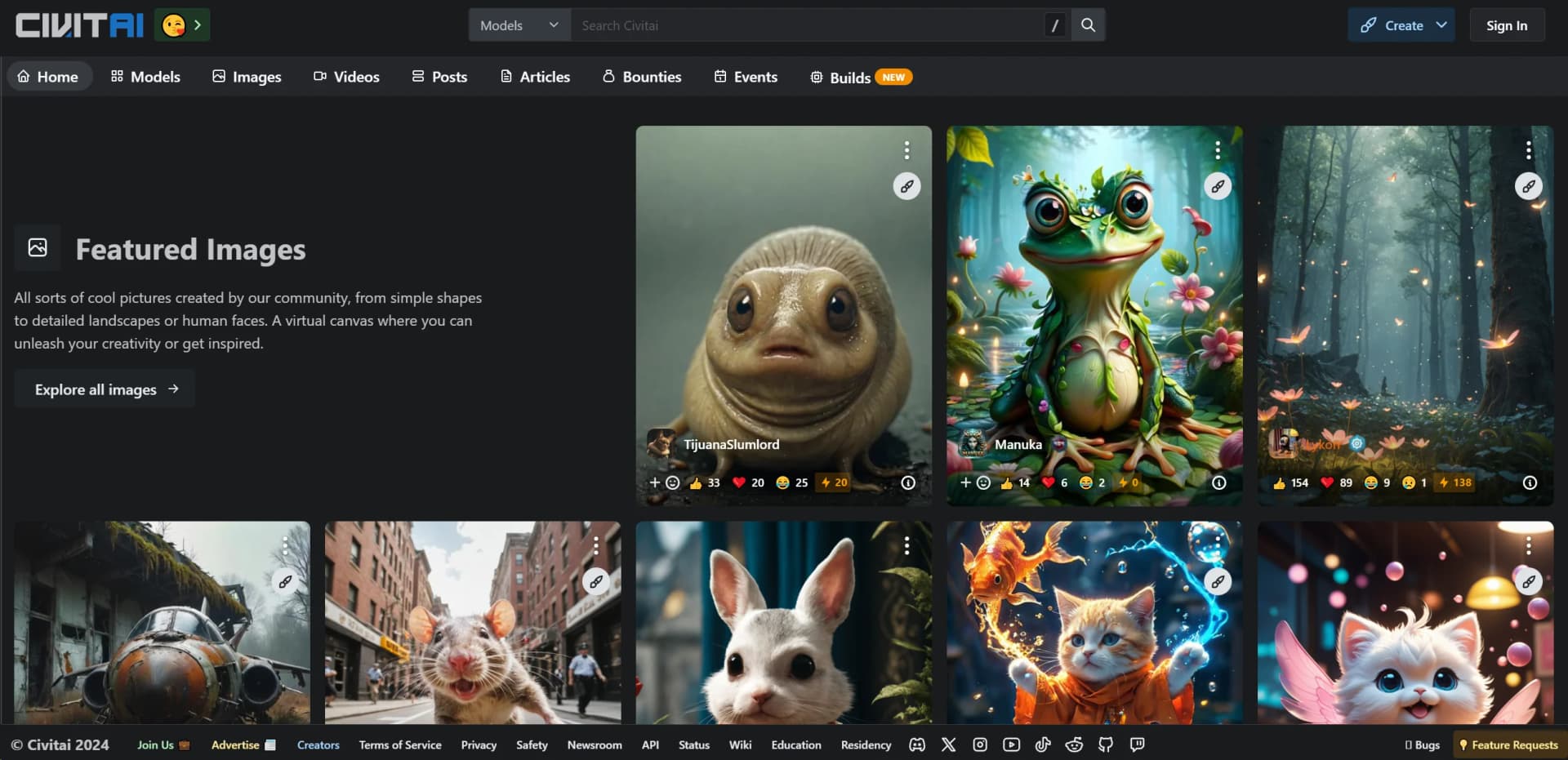
Civitai is a comprehensive platform dedicated to open-source generative AI, providing a dynamic space for creativity and innovation. Through its diverse offerings, Civitai revolutionizes the way individuals and professionals interact with AI-driven content creation. Designed for artists, developers, and AI enthusiasts, it simplifies the process of creating, sharing, and exploring AI-generated images, models, and other digital assets.
Civitai stands out with its strong focus on open-source generative AI, creating a unique ecosystem where users can freely access, modify, and share AI models. This open-source commitment not only fosters transparency but also encourages community-driven innovation, making Civitai a leader in the field of collaborative AI development.
Civitai offers a robust platform for anyone interested in generative AI, providing the tools, community, and resources necessary to explore and create. Its dedication to open-source principles and community engagement makes it a valuable resource for artists, developers, and educators alike. Whether you're looking to innovate in your field or simply explore the possibilities of AI, Civitai provides a supportive and dynamic environment to do so.
Who is Using Civitai?
Artists and Designers
Utilizing the platform for creating and showcasing AI-generated art and design projects.
AI Researchers and Developers
Engaging with the open-source models for research and development in generative AI.
Content Creators
Leveraging the tools to produce innovative media content for various platforms.
Educators and Students
Using Civitai as a resource for teaching and learning about AI and digital creativity.
Uncommon Use Cases
Adopted by filmmakers for experimental film projects; employed by game developers for creating unique game assets.
Key Features
Rating Breakdown
Pricing Plans
Free Access
- Civitai offers free access to its platform
- Allowing users to explore and utilize available resources without an upfront cost
Which Civitai plan should you pick?
Start with Free to explore models and generation; upgrade to Bronze, Silver, or Gold when you need higher creator monetization limits or banking capacity.
Free
Good for casual users and creators who need basic access and can monetize up to three model versions per month.
Bronze
Good for creators who need higher monetization limits and a 100,000 Buzz monthly banking cap.
Silver
Good for established creators who need up to 25 monetized model versions monthly and a higher banking cap.
Gold
Good for high-volume creators who need unlimited monthly monetized model versions and no stated banking-cap ceiling.
Civitai Use Cases
Generate AI images
Choose a hosted model, enter a prompt, and generate images in the browser.
Outcome: Create images without installing a local GPU workflow.
Train a custom LoRA
Provide training images, configure the on-site trainer, and run a LoRA training job.
Outcome: Produce a reusable model for a character, style, pose, or concept.
Discover and download models
Search models, model versions, creators, tags, and example images through the marketplace and API.
Outcome: Find resources for local or hosted image-generation workflows.
Edit images with reference inputs
Supply a reference image and describe the desired change using supported hosted image-editing models.
Outcome: Create an edited or transformed version of an existing image.
Monetize AI resources
Use Creator Studio to manage analytics, licensing fees, paid access, and creator-program earnings.
Outcome: Earn Buzz and potentially cash out through the Creator Program.
Workflow Ideas with Civitai
Create and publish a LoRA
- 1Collect and upload representative training images
- 2Run the on-site LoRA Trainer and review test generations
- 3Publish the resulting model and configure its creator settings
Find and use a community model
- 1Search Civitai by model type, tag, creator, or base model
- 2Review model-version files, images, metadata, and licensing
- 3Download the selected version or generate with it on Civitai
Generate from a reference image
- 1Open a hosted image-editing model
- 2Attach one or more reference images
- 3Describe the requested edit and generate the result
How Civitai fits into your stack
Browser
Civitai is primarily used as a web marketplace, community, hosted generator, model browser, and LoRA-training interface.
Knowledge and files
Users browse model files, model versions, generation metadata, creator profiles, collections, and uploaded images.
Automation and APIs
Developers can access models, images, creators, tags, users, and generation orchestration through documented REST, OAuth, and API-token workflows.
Desktop / IDE
Civitai Link can connect browser activity with a local Stable Diffusion environment, including resource management and local generation workflows.
Pros
- +Creative Freedom: Provides a platform for users to unleash their creativity with minimal restrictions, promoting innovation.
- +Community Engagement: A strong community presence enhances collaboration and knowledge sharing among users.
- +Resource Availability: Offers extensive tutorials and guides, making it easier for newcomers to get started and for experienced users to expand their skills.
- +Open-Source Commitment: The emphasis on open source allows for transparency and encourages user contributions to model development.
Cons
- −Initial Complexity: New users may find the broad range of features overwhelming at first.
- −Limited Direct Support: While community support is robust, direct customer support options are somewhat limited.
Limitations & when to consider alternatives
Known limitations
- Some generation and training features consume Buzz. Although basic generation is described as free, Buzz may be required for LoRA training, hosted models, advanced features, or certain generation types.
- Blue Buzz is SFW-only. Civitai states that Blue Buzz can only be used to generate SFW content; NSFW generation requires Yellow Buzz.
- Hosted models may have no local option. Some hosted model families are API-only on Civitai, with no downloadable weights or offline/local execution.
- LoRA training is model-family specific. The official on-site trainer guide documents support for SD 1.5 and SDXL training rather than every model family.
- Content availability depends on policy and browsing level. Civitai applies content filtering, metadata requirements, regional restrictions, and policy-based removals.
Look elsewhere when
- You need offline or local execution.
- You need a native mobile application.
- You need SSO or SAML administration.
- You need third-party SaaS integrations.
How to Use Civitai
- 1
Browse models and examples
Search models, versions, creators, tags, and example images to identify a suitable generation resource.
- 2
Generate in the browser
Open a hosted model, enter a prompt or attach a reference image, and submit a generation.
- 3
Train a LoRA
Open the on-site LoRA Trainer, upload or select training images, configure the wizard, and run training.
- 4
Review and publish
Test generated samples, select the best model version, and publish it with metadata and licensing details.
- 5
Use the API
Create an API token or OAuth application, then call documented REST or Orchestration endpoints programmatically.
- 6
Manage creator earnings
Use Creator Studio to review analytics, configure licensing or paid access, and participate in the Creator Program when eligible.
Who is Civitai For?
AI image creators
Civitai provides hosted image generation, model discovery, remixing, and generation workflows.
LoRA trainers
The on-site LoRA Trainer is designed to help users create custom image-generation resources without local GPU hardware.
Model creators
Creators can publish models, manage model versions, set licensing or paid-access options, and earn Buzz.
AI art enthusiasts
The platform combines model and image discovery with community posts, reactions, comments, and creator profiles.
Developers
Developers can use documented REST, OAuth, and Orchestration APIs to access Civitai resources and generation workflows.
Frequently Asked Questions
Is Civitai free to use?
Civitai states that its Image Generator remains free to use, while Buzz may be required for some generation, training, or advanced features.
Can I train a LoRA on Civitai?
Yes. Civitai provides an on-site LoRA Trainer with a wizard-based workflow and support for SD 1.5 and SDXL training.
Do I need a GPU to train a LoRA?
No. Civitai's on-site trainer is hosted and is designed to work without the user's own GPU.
What is Buzz used for?
Buzz can be used for creator tips, bounties, LoRA training, and generation-related features.
Does Civitai provide an API?
Yes. Civitai documents REST APIs for models, images, creators, tags, users, collections, and generation orchestration.
Can I use Civitai on mobile?
Civitai's hosted generation experience runs in a browser and is described as working on mobile, without requiring a native app installation.
Community reviews
Be the first to share your experience.
Sign in to leave a review for Civitai.
Civitai Alternatives
Looking for alternatives to Civitai? Here are similar tools in the same category:
Learn to Master Civitai
With Skill Leap courses
Get in-depth training on Civitai and 50+ other AI tools with our expert-led video courses.
Start 7-Day Free Trial