
Chronicle
Create stunning presentations with AI-driven storytelling.
Key Takeaways
- What it is
- Create stunning presentations with AI-driven storytelling.
- Pricing
- $30 per month · $40 per user/month
- Best for
- Widgets
- Customization
- Integration
- Rating
- 4.6/5
What is Chronicle?
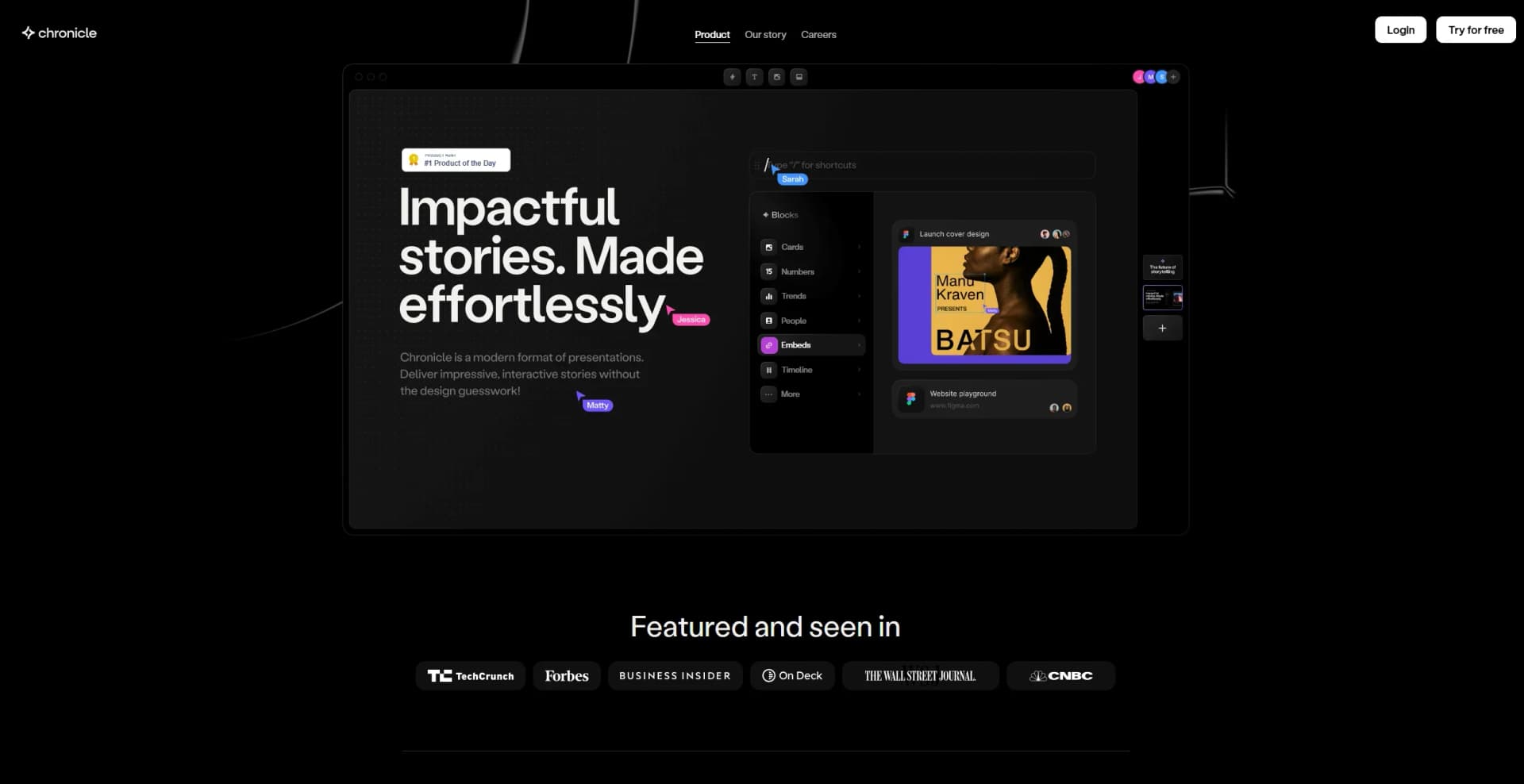
Chronicle is an innovative AI-powered tool designed to help you create amazing presentations. With a focus on storytelling, Chronicle offers a unique platform that allows users to craft visually stunning presentations without requiring any design expertise. The tool is perfectly suited for individuals and businesses aiming to transform complex information into engaging and impactful stories.
Chronicle stands out with its widget-based approach to presentation design, which simplifies the creation process while ensuring high-quality outputs. Its ability to integrate AI seamlessly into the storytelling process sets it apart, making it a powerful tool for those seeking to enhance their presentations with minimal effort.
Chronicle offers an exceptional platform for creating presentations that are both visually appealing and deeply engaging. With its innovative use of AI and widgets, it simplifies the storytelling process while maintaining high quality and professionalism. Whether you're a corporate team or a freelancer, Chronicle makes the art of storytelling accessible and enjoyable.
Who is Using Chronicle?
Corporate Teams
Utilizing Chronicle to create dynamic presentations for meetings and pitches.
Educational Institutions
Employing the tool to enhance educational materials and lectures.
Marketing Professionals
Leveraging the platform for creating captivating marketing strategies and product roadmaps.
Freelancers
Using Chronicle for client presentations and creative storytelling.
Uncommon Use Cases
Used by non-profit organizations for impactful storytelling; adopted by content creators to enhance video scripts and presentations.
Key Features
Rating Breakdown
Pricing Plans
Free trial
- Create up to 3 Chronicle creations before choosing a plan
Pro
$30 per month
- Includes 1,500 tokens, PDF/URL import, extra fonts and themes, watermark removal, up to 3 guest editors, and priority support
Team
$40 per user/month
- Includes 3,000 tokens, custom fonts, branding, shared workspace, unlimited guests, shared content database, admin controls, and priority support
Which Chronicle plan should you pick?
Start with Free for basic decks, move to Pro for AI and shared workspaces, and upgrade to Plus or Max for advanced AI, PowerPoint export, branding, and support.
Free
Good for users who need up to 10 decks, professional editing, web publishing, and PDF or social exports.
Pro
Good for users who need AI features, unlimited decks, larger video uploads, custom themes, and shared workspaces.
Plus
Good for teams who need the Muse agent, high-quality image models, templates, unlimited guests, and PowerPoint export.
Max
Good for organizations that need advanced branding, custom fonts, and priority support.
Chronicle Use Cases
Product roadmaps
Create roadmap presentations showing timelines, priorities, and strategy.
Outcome: Stakeholders understand the product vision and priorities.
Launch presentations
Build launch decks covering product vision, features, go-to-market plans, and adoption strategies.
Outcome: Present launches with consistent visual storytelling.
Campaign reporting
Turn campaign performance data and insights into polished marketing reports.
Outcome: Share clearer reports with leadership and stakeholders.
Sales proposals
Generate tailored proposals from account context, discovery notes, and customer research.
Outcome: Produce customer-ready sales decks faster.
Recurring business reviews
Use API or workflow automation to create recurring board, client, or leadership presentations.
Outcome: Automate recurring reporting presentations.
Workflow Ideas with Chronicle
Automated weekly business review
- 1Send spreadsheet or structured business data to Chronicle
- 2Generate a presentation using a selected template
- 3Receive the presentation URL and share it with stakeholders
AI-assisted sales proposal
- 1Collect account notes, discovery notes, and customer research
- 2Generate a tailored sales presentation in Chronicle
- 3Edit, brand, and share the finished deck
Brand-approved presentation generation
- 1Create or select approved templates and brand assets
- 2Generate presentation content through the API or AI workflow
- 3Deliver an editable deck aligned with the organization's visual system
How Chronicle fits into your stack
Browser
Chronicle is a browser-based presentation workspace for creating, editing, presenting, publishing, and sharing interactive decks.
Docs and writing
Users can start from notes, outlines, documents, PDFs, PowerPoint files, Markdown, Google Docs, and Notion pages, then turn that source material into editable presentations.
Knowledge and files
Chronicle imports business context and files, while integrations bring in pages, spreadsheets, forms, videos, calendars, research, and other reference material.
Automation and APIs
The Chronicle API and MCP connect agents, internal tools, CRM records, dashboards, and workflow triggers; documented automation options include Zapier, Make, and n8n.
Pros
- +User-Friendly Design: The intuitive interface makes it easy for anyone to create professional presentations.
- +Real-Time Collaboration: Enables teams to work together on presentations with seamless real-time collaboration features.
- +Time-Saving: The AI-driven tools and shortcuts significantly reduce the time needed to create presentations.
- +Engaging Outputs: With interactive effects and emotes, presentations become more engaging and fun.
Cons
- −Learning Curve: Although user-friendly, some users might need time to explore all the features fully.
- −Limited Mobile Features: While offering a mobile experience, some advanced features are best utilized on a desktop.
Limitations & when to consider alternatives
Known limitations
- Free plan limits. The Free plan is limited to 10 decks and does not include Chronicle's AI features.
- AI usage is token-based. AI-powered actions consume tokens, and unused tokens expire at the end of each month.
- Video uploads are plan-limited. Larger video upload limits are available on the Pro plan and above.
- PowerPoint export is not on every plan. PowerPoint export is listed as a Plus-plan feature.
- Enterprise integrations are still developing. Direct Google Workspace and Microsoft 365 integrations are described as being in development.
How to Use Chronicle
- 1
Choose a starting point
Sign up, select a template, or start from a blank canvas depending on how much structure you need.
- 2
Add source material
Import notes, documents, templates, links, or brand assets to provide content and visual context.
- 3
Generate the presentation
Use Chronicle AI or a template-based workflow to create the initial deck.
- 4
Refine the story
Edit content, apply themes, use AI rewriting or Muse where available, and adjust layouts.
- 5
Collaborate
Invite teammates or guest editors to review, comment, and co-create the presentation.
- 6
Export or share
Publish to the web, present from Chronicle, export to PDF or social formats, or export to PowerPoint on Plus.
Who is Chronicle For?
Sales teams
Create proposals, RFP materials, and customer-facing presentations.
Marketing teams
Build campaign presentations, strategy decks, and performance reports.
Product teams
Communicate roadmaps, launch plans, feature updates, and product strategy.
Agencies
Produce branded client pitch decks, case studies, and visual proposals.
Startups
Create investor, fundraising, product, and internal communication decks quickly.
Frequently Asked Questions
What is Chronicle?
Chronicle is an AI-powered presentation platform for generating, customizing, and sharing polished decks.
Do I need design skills to use Chronicle?
No. Chronicle provides templates, layouts, and AI tools that handle much of the design work.
Does Chronicle support collaboration?
Yes. Teams can co-create decks in real time, leave comments, and keep work aligned in one place.
Can I add my company’s branding?
Yes. Upload logos, colors, and fonts to apply consistent branding across presentations.
What export options are available?
Chronicle supports web sharing, PDF export, direct presenting, social exports, and PowerPoint export on the Plus plan.
Do you offer enterprise plans?
Yes. Chronicle offers tailored enterprise solutions with security, admin controls, permissions, and onboarding.
Community reviews
Be the first to share your experience.
Sign in to leave a review for Chronicle.
Chronicle Alternatives
Looking for alternatives to Chronicle? Here are similar tools in the same category:
Learn to Master Chronicle
With Skill Leap courses
Get in-depth training on Chronicle and 50+ other AI tools with our expert-led video courses.
Start 7-Day Free Trial