
Cheq
AI-driven platform optimizing digital ads by preventing fraud.
Key Takeaways
- What it is
- AI-driven platform optimizing digital ads by preventing fraud.
- Pricing
- $500 per month
- Best for
- Advanced Fraud Prevention
- Real-Time Data Analysis
- Customizable Dashboards
- Rating
- 4.5/5
What is Cheq?
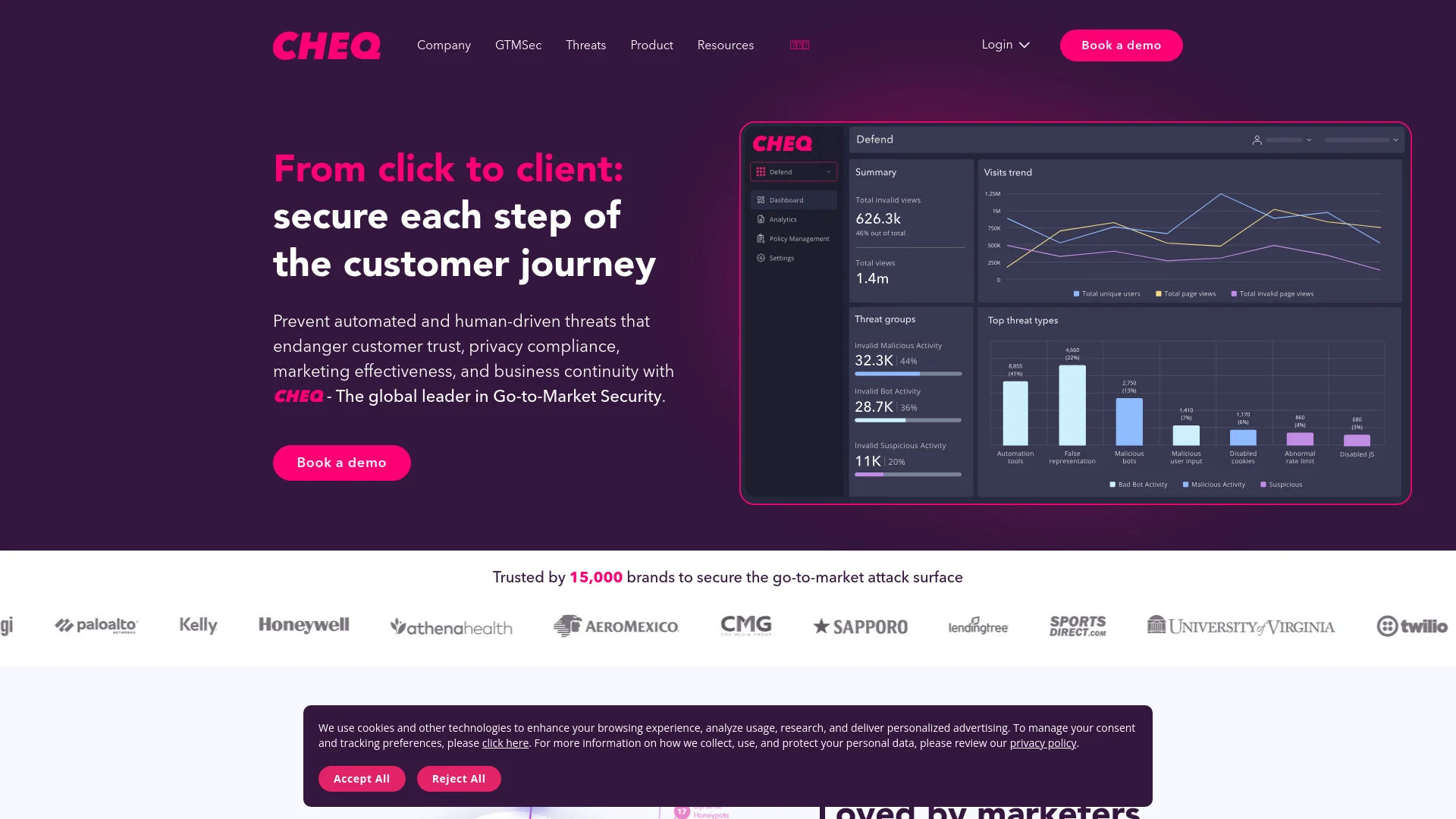
Cheq is an innovative AI-driven platform designed to revolutionize the way businesses manage and secure their digital advertising efforts. With a focus on preventing ad fraud and enhancing data accuracy, Cheq offers a suite of tools that ensures your advertising spend is efficient and effective. Tailored primarily for digital marketers, advertisers, and online businesses, Cheq simplifies the complex challenges of online advertising by providing real-time, AI-powered insights and solutions.
Cheq stands out with its proprietary AI technology, which not only detects existing ad fraud but also predicts and prevents future threats. This proactive approach in a real-time environment sets it apart from competitors. Its ability to integrate seamlessly across multiple advertising platforms offers unmatched convenience and control to its users.
Cheq excels in providing robust ad fraud protection and real-time analytics, making it an essential tool for any digital advertising entity. Its advanced AI-driven features, particularly the predictive fraud prevention, offer a significant advantage in safeguarding advertising investments.
Who is Using Cheq?
E-commerce Businesses
Utilizing the tool to safeguard their online ad campaigns.
Digital Marketing Agencies
Employing Cheq to ensure the integrity and effectiveness of their clients' campaigns.
Media Buyers
Leveraging the platform to optimize ad spend and reduce fraud.
Online Publishers
Using Cheq to protect their websites from fraudulent ad traffic.
Uncommon Use Cases
Non-profits using Cheq to ensure their limited advertising budgets are spent effectively; Educational institutions teaching digital marketing and ad security.
Key Features
Rating Breakdown
Pricing Plans
Free Trial
- Experience Cheq with a 14-day free trial
Standard Plan
$500 per month
- Basic features
Enterprise Solutions
- Custom pricing based on the specific needs and scale of the business
Cheq Use Cases
Paid marketing protection
Monitor advertising campaigns and identify or block invalid clicks, bots, and other non-human activity.
Outcome: Reduce wasted ad spend and improve lead quality.
Web form and lead protection
Detect fake users, spam submissions, and malicious activity entering website forms.
Outcome: Protect sales pipelines from junk leads.
Invalid traffic analysis
Analyze how human and non-human traffic interacts with digital properties and marketing initiatives.
Outcome: Improve the accuracy of analytics and business decisions.
Bot and scraper management
Identify, manage, mitigate, and block malicious bots and web scrapers.
Outcome: Protect websites, content, pricing information, and customer experience.
Consent and privacy enforcement
Enforce consent preferences and prevent unauthorized third-party data collection.
Outcome: Simplify privacy compliance and improve data governance.
Workflow Ideas with Cheq
Deploy CHEQ on a website
- 1Create or find the CHEQ tag in Account Settings
- 2Install the tag inline or through Google Tag Manager, Adobe Launch, Tealium, or CHEQ Manage
- 3Validate the tag and configure analytics connectors
Send CHEQ classifications to analytics
- 1Configure the Data Layer Connector
- 2Create triggers and variables in the selected tag manager
- 3Send CHEQ data to Google Analytics, Adobe Analytics, Amplitude, or cloud storage
Protect marketing campaigns
- 1Connect advertising platforms such as Google Ads or Meta
- 2Detect invalid traffic and classify visitor activity
- 3Apply exclusion, blocking, mitigation, or audience-targeting paths
How Cheq fits into your stack
Google Ads Integration
Enhances the security and efficiency of ad campaigns on Google's platform.
Social Media Platforms
Works across major social networks to prevent ad fraud.
Analytics Tools Compatibility
Integrates with popular analytics tools to provide deeper insights into ad performance.
API Access
Offers API for custom integrations, allowing businesses to tailor solutions to their needs.
Pros
- +Enhanced ROI: Significantly improves return on investment by minimizing wasted ad spend on fraudulent activities.
- +User-Friendly Interface: Features an intuitive interface that simplifies navigation and usability.
- +Scalability: Easily scales to accommodate the needs of both small businesses and large enterprises.
- +Support for Multiple Platforms: Integrates seamlessly with various digital advertising platforms.
Cons
- −Initial Setup Complexity: Setting up and customizing the system can be complex without prior training.
- −Premium Pricing: While effective, the cost may be a barrier for smaller businesses or startups.
- −Requires Continuous Updates: To effectively combat fraud, the system needs regular updates and maintenance.
Limitations & when to consider alternatives
Known limitations
- Implementation requires website or tag-manager deployment. CHEQ is installed through JavaScript and non-JavaScript tags placed on website pages or configured in supported tag-management systems.
- Some data-layer features are customer-tier dependent. The data layer is available to all Analytics customers and only select Acquisition customers.
- Asynchronous classification can create race conditions. Analytics calls may occur before CHEQ classification completes, producing unspecified or not-set values.
- Adobe Launch does not support the noscript tag. Adobe Launch is exclusively JavaScript-based, so customers needing noscript coverage must deploy it separately.
- CHEQ is not a backup service. The CHEQ Essentials terms state that the service does not provide or function as a data-backup service.
Look elsewhere when
- You need a native mobile application.
- You need document or image analysis.
- You need a general-purpose coding assistant.
How to Use Cheq
- 1
Explore a range of tutorials on the Cheq website, covering everything from basic setup to advanced features and fraud prevention techniques.
Who is Cheq For?
Marketing teams
CHEQ protects paid campaigns, marketing funnels, lead quality, and advertising budgets from invalid traffic and fake users.
Analytics teams
CHEQ helps analytics teams distinguish human and non-human traffic and improve the accuracy of marketing data.
Security and privacy teams
CHEQ provides bot detection, fraud protection, tag governance, consent enforcement, and data-security controls.
Retail and e-commerce organizations
CHEQ addresses fraudulent orders, inventory scalping, promo abuse, chargebacks, and malicious automation.
Financial services organizations
CHEQ helps detect synthetic identity fraud, credential abuse, fraudulent account openings, and transaction fraud.
Frequently Asked Questions
What is CHEQ?
CHEQ is a go-to-market security platform that detects invalid traffic, fake users, bots, malicious activity, and privacy risks across the customer journey.
How do I get started with CHEQ?
Create a CHEQ tag, deploy it inline or through a tag manager, validate it, and configure analytics data connectors.
How can users access the CHEQ platform?
Users can sign in with CHEQ single sign-on or through an email-based activation and login flow.
Does CHEQ provide APIs?
CHEQ documents Defend, Form Guard, Data, and Extended Response Data APIs, plus Node.js and Python server-side modules.
Which tools integrate with CHEQ?
Supported integrations include Google Ads, Meta, HubSpot, Salesforce, Google Analytics, AWS S3, Cloudflare, WordPress, and Drupal.
How does CHEQ protect data?
CHEQ states that data in transit is encrypted with TLS 1.2 or higher and data at rest with AES-256.
Community reviews
Be the first to share your experience.
Sign in to leave a review for Cheq.
Cheq Alternatives
Looking for alternatives to Cheq? Here are similar tools in the same category:
Learn to Master Cheq
With Skill Leap courses
Get in-depth training on Cheq and 50+ other AI tools with our expert-led video courses.
Start 7-Day Free Trial