
ChatMap
Revolutionize information interaction with AI-driven, multi-threaded, 2D chat navigation.
Key Takeaways
- What it is
- Revolutionize information interaction with AI-driven, multi-threaded, 2D chat navigation.
- Pricing
- Freemium
- Best for
- Multi-Threaded Conversations
- 2D Spatial Interface
- Intelligent Search Capabilities
- Rating
- 4.3/5
What is ChatMap?
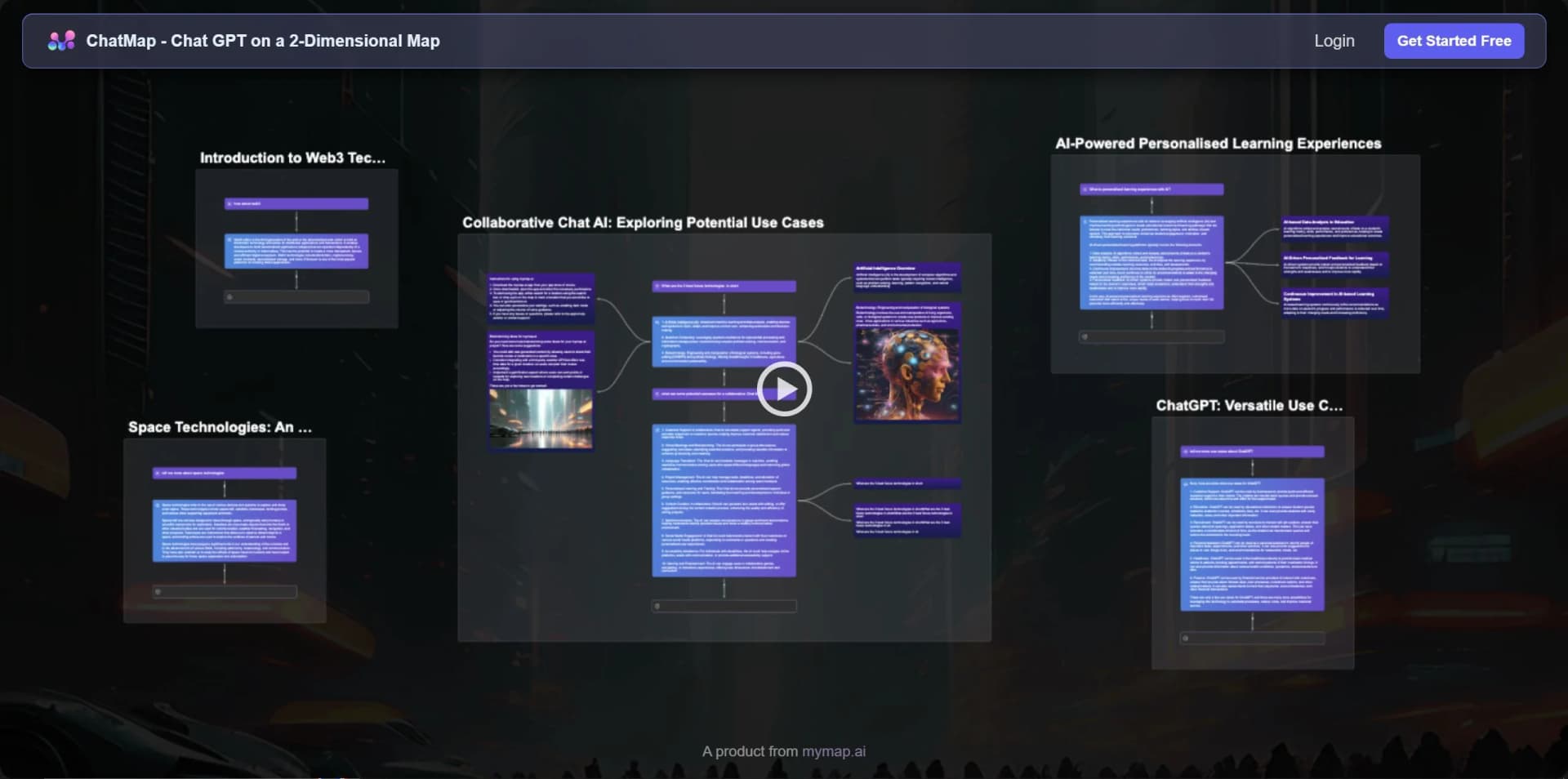
ChatMap is a cutting-edge AI tool that transforms the way we interact with information in a digital space. At its core, ChatMap leverages the power of multi-threaded Generative Pre-trained Transformers (GPTs) on a two-dimensional plane, offering users a unique and dynamic way to navigate through conversations and data. Designed for both individuals and professionals, Nexus - Clay aims to enhance productivity and streamline the process of information retrieval and communication.
ChatMap stands out with its innovative approach to handling conversations in a 2D spatial environment. This unique feature is a game-changer for users who require a visual and interactive method to manage complex discussions. Its ability to integrate multiple GPTs in one unified space sets it apart from traditional communication tools.
ChatMap excels in providing an innovative and visually intuitive platform for managing conversations and data, making it an essential tool for users across various sectors. Its unique 2D spatial interface and the integration of multiple GPTs offer an unmatched advantage for those seeking a more dynamic and productive communication experience.
Who is Using ChatMap?
Project Managers
Utilizing the tool to oversee multiple project conversations.
Customer Support Teams
Employing ChatMap to handle various customer queries more effectively.
Researchers
Leveraging the tool to organize and sift through extensive data and discussion threads.
Educators and Students
Using ChatMap for collaborative learning and group discussions.
Uncommon Use Cases
Utilized by event planners for managing vendor and client communications; Adopted by writers and creatives for brainstorming sessions.
Key Features
Rating Breakdown
Pricing Plans
Free Tier
Free
- ChatMap can be experienced with a limited-feature free version
Premium Tier
- The Premium Tier offers full access to all features
- Pricing available upon request
Which ChatMap plan should you pick?
Start with Free to test visual mapping; upgrade to Pro for unlimited maps, premium models, and higher usage, or Max for very high monthly credit needs.
Free
Good for individuals who need to try AI maps with 20 monthly credits and up to 3 canvas maps.
Pro
Good for frequent users who need unlimited canvas maps, 1,000 monthly credits, premium models, and priority generation.
Max
Good for heavy users who need 10,000 monthly credits and the highest AI generation priority.
ChatMap Use Cases
Document to presentation
Upload a report, brief, proposal, or memo and let MyMap extract its structure into presentation slides.
Outcome: A focused, editable slide deck that can be exported or shared.
Text to flowchart
Describe a process, decision tree, or workflow in plain English.
Outcome: An editable flowchart with steps, branches, shapes, and connections.
Scanned notes to mind map
Upload a scan or photo of printed or handwritten notes.
Outcome: A structured, color-coded mind map that can be edited and exported.
Collaborative workshop
Invite a team to a shared canvas, collect ideas in real time, and ask AI to organize contributions.
Outcome: A synthesized visual board that can be exported or shared by live link.
Software architecture mapping
Describe services, databases, gateways, queues, or system relationships.
Outcome: A labeled architecture or UML diagram for reviews and technical documentation.
Workflow Ideas with ChatMap
Turn a report into a presentation
- 1Upload a report or paste its text
- 2Let MyMap identify sections and key points
- 3Edit the slides and export or share the deck
Run an AI-assisted team workshop
- 1Create or describe a shared canvas
- 2Invite teammates to add ideas simultaneously
- 3Ask AI to group themes and suggest next steps
Document a software process
- 1Describe the system, services, and decision logic
- 2Generate a flowchart, state diagram, or architecture diagram
- 3Refine labels and connections, then export for documentation
How ChatMap fits into your stack
Browser Compatibility
ChatMap is accessible through modern web browsers, ensuring ease of access.
API for Custom Integrations
Developers can use ChatMap's API to create bespoke integrations.
Data Export Options
Users can export their data for use in other applications.
Real-time Collaboration
Supports real-time interactions, making it ideal for team collaborations.
Pros
- +Enhanced Productivity: Empowers users to handle various discussions more efficiently.
- +Innovative Visualization: The 2D space concept provides a fresh perspective on data interaction.
- +AI-Driven Assistance: ChatMap's AI helps in sorting, searching, and summarizing conversations.
- +User-Centric Design: Focuses on a seamless user experience with intuitive navigation and controls.
Cons
- −Learning Curve: New users may need time to adjust to the unique 2D interface.
- −Platform Dependency: As a cutting-edge tool, it may not yet integrate with all existing communication platforms.
- −Resource Intensity: The advanced features might require more processing power from user devices.
Limitations & when to consider alternatives
Known limitations
- Free-plan usage limits. The Free plan provides 20 credits per month and supports up to 3 canvas maps.
- Premium model access. Premium models and higher credit allocations require a paid plan.
- Direct PDF upload. The PDF-to-flowchart tool says direct PDF upload is available for Pro users; free users can paste PDF text.
- Long-document summarization. For very long pasted text, MyMap focuses on the most important themes to keep the map clear and readable.
- AI accuracy. The Terms state that AI outputs are for assistance and are not guaranteed to be accurate, complete, or suitable.
Look elsewhere when
- You need direct code generation.
- You need a native mobile app.
- You need an API for programmatic access.
- You need automated cross-tool workflows.
How to Use ChatMap
- 1
ChatMap offers a range of tutorials that guide users from the basics to more advanced features, ensuring a smooth learning curve and proficient use of the tool.
Who is ChatMap For?
Students
Create study guides, mind maps, flashcards, and visual learning materials from topics or notes.
Teachers
Design lecture slides, study materials, diagrams, and classroom-ready visual explanations.
Business professionals
Build presentations, roadmaps, customer journeys, strategy maps, and business frameworks quickly.
Marketers
Create sales materials, marketing funnels, customer journey maps, and presentation decks.
Engineering teams
Map software architectures, UML diagrams, workflows, wireframes, and technical systems.
Frequently Asked Questions
Is MyMap free to use?
Yes. The free tier includes 20 AI credits per month, up to 3 canvas maps, and no credit card is required.
What can I create with MyMap?
You can create mind maps, flowcharts, SWOT analyses, comparisons, timelines, database schemas, project roadmaps, study guides, and brainstorm maps.
Do I need to sign up to try it?
No. You can start creating from the homepage as a guest and sign up later to save and access your maps.
Can multiple people collaborate on a canvas?
Yes. Multiple people can edit a shared canvas simultaneously, and collaborators' contributions appear in real time.
What file types can I upload?
MyMap supports common document formats, PDFs, documents, and images. Direct PDF upload is available for Pro users in the PDF flowchart tool.
Can MyMap generate code?
No. MyMap can create diagrams and blueprints, but its UML documentation states that it does not generate code directly.
Community reviews
Be the first to share your experience.
Sign in to leave a review for ChatMap.
ChatMap Alternatives
Looking for alternatives to ChatMap? Here are similar tools in the same category:
Learn to Master ChatMap
With Skill Leap courses
Get in-depth training on ChatMap and 50+ other AI tools with our expert-led video courses.
Start 7-Day Free Trial