
ChatComparison.ai
Side-by-side comparisons of leading chatbot models.
Key Takeaways
- What it is
- Side-by-side comparisons of leading chatbot models.
- Pricing
- $33.50 per month · $17.50 per month (billed annually) · $575
- Best for
- Comprehensive Comparisons
- User-Friendly Interface
- Regular Updates
- Rating
- 4.5/5
What is ChatComparison.ai?
ChatComparison.ai is a specialized platform designed to help users evaluate and compare various AI chatbot models. It offers detailed insights into the capabilities, performance, and features of leading AI chatbots, enabling users to make informed decisions based on their specific needs and preferences.
ChatComparison.ai stands out with its dedicated focus on AI chatbot comparisons, providing users with a centralized resource for detailed evaluations. Its commitment to regular updates and expert analyses ensures that users have access to the most current and comprehensive information available.
ChatComparison.ai serves as a valuable tool for anyone seeking to navigate the complex landscape of AI chatbots. By offering detailed comparisons and expert insights, it simplifies the decision-making process, ensuring users select the AI chatbot that best aligns with their specific requirements and objectives.
Who is Using ChatComparison.ai?
Business Professionals
Utilizing the platform to select AI chatbots that enhance customer service and operational efficiency.
Educators and Students
Employing the tool to understand AI chatbot functionalities for academic purposes.
Developers
Leveraging the comparisons to integrate suitable AI chatbots into applications.
Researchers
Using the platform to study the evolution and capabilities of AI chatbots.
Uncommon Use Cases
Adopted by content creators to select AI tools for scriptwriting; Utilized by healthcare professionals to choose AI chatbots for patient interaction simulations.
Key Features
Rating Breakdown
Pricing Plans
Monthly Plan
$33.50 per month
- Grants full and unlimited access to all features with flexible month-to-month billing
Annual Plan
$17.50 per month (billed annually)
- Includes full and unlimited access, offering the most popular option at a reduced rate for long-term users
Lifetime Deal
$575
- One-time payment. Best value for full and unlimited access forever—no recurring fees
ChatComparison.ai Use Cases
Draft client work
Run the same writing task through multiple AI models and compare the results.
Outcome: Choose the model that produces the most client-ready response.
Compare model economics
Review response quality alongside pricing and response time.
Outcome: Reduce AI costs without sacrificing useful output.
Evaluate long-form writing
Compare subtle differences in tone and style across models.
Outcome: Select the response that best matches the desired voice.
Assess model latency
Compare response speed alongside quality and cost.
Outcome: Make a more informed choice for applications where latency matters.
Test campaign concepts
Run campaign prompts through multiple models before committing to a workflow.
Outcome: Get a reality check on tone and creative direction.
Workflow Ideas with ChatComparison.ai
Compare and select a model
- 1Submit the same prompt to multiple AI models
- 2Review side-by-side quality, cost, and speed
- 3Choose the recommended best-fit model
Reduce AI subscription costs
- 1Compare outputs from ChatGPT, Claude, Gemini, and other models
- 2Review the per-response cost differences
- 3Use the strongest lower-cost model for the task
Validate a production model
- 1Test a representative prompt across available models
- 2Compare reliability, quality, and latency
- 3Select the model before wiring it into a workflow
How ChatComparison.ai fits into your stack
Browser
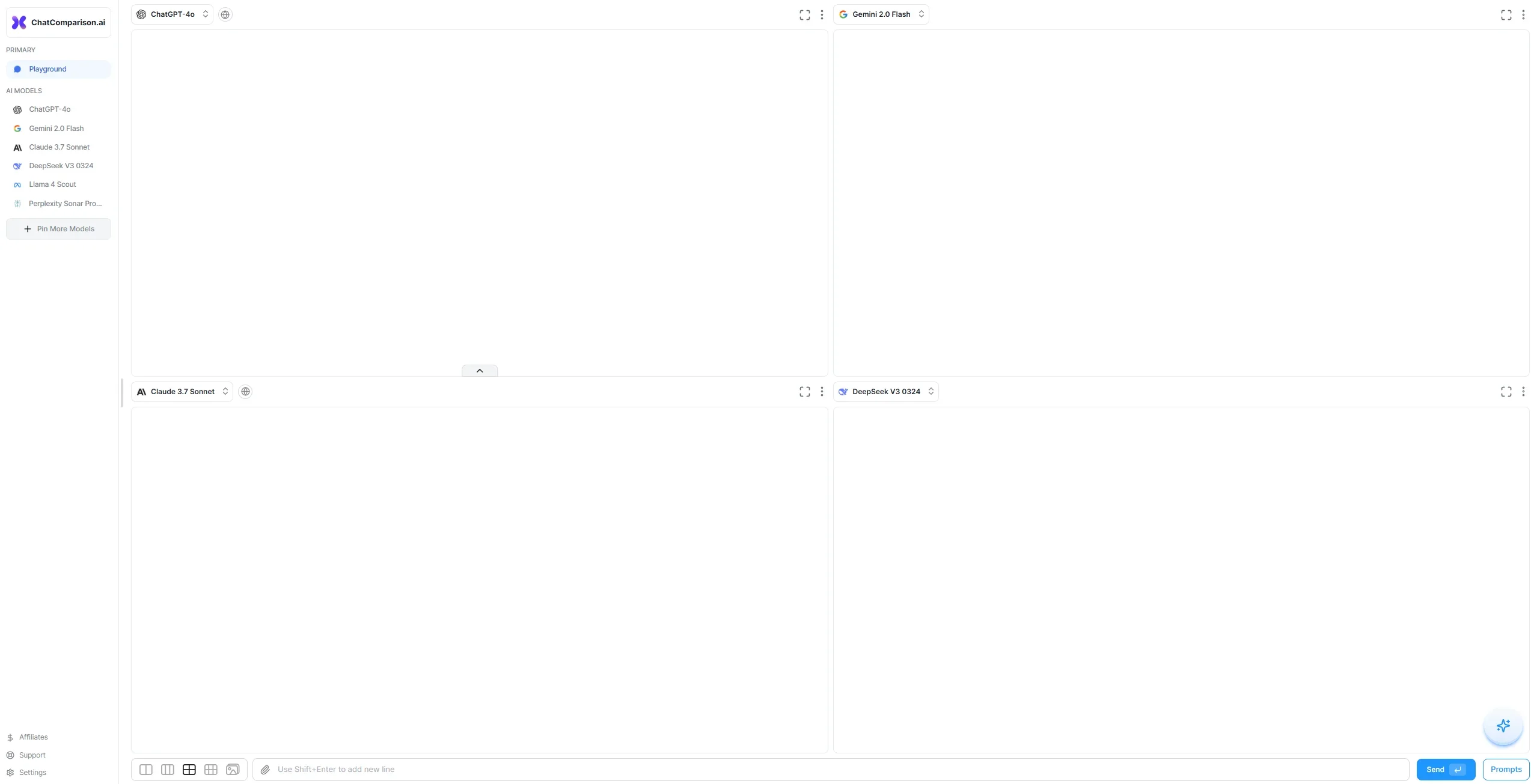
ChatComparison is accessed through its web application, where users compare multiple AI-model responses side by side and review quality, cost, and speed.
Pros
- +Time Efficiency: Saves users time by consolidating information on multiple AI chatbots in one place.
- +Cost-Effective: Free access to detailed comparisons helps users avoid unnecessary expenditures on unsuitable AI tools.
- +Enhanced Decision-Making: Empowers users with comprehensive data to choose the most suitable AI chatbot for their needs.
- +Accessibility: Available online without the need for downloads or installations.
Cons
- −Limited Scope: Focuses solely on AI chatbots, excluding other types of AI tools.
- −Potential Bias: Reliance on expert reviews may introduce subjective opinions.
- −Data Overload: The abundance of information might be overwhelming for some users.
Limitations & when to consider alternatives
Known limitations
- Mobile comparisons are limited. The site says mobile comparisons are focused on up to two models.
- Model availability may vary. The homepage advertises access to more than 40 models, but does not document every model or availability condition.
- No documented developer platform. The site describes a consumer comparison workflow but does not publish API documentation, endpoints, or API-key guidance.
Look elsewhere when
- You need native mobile or desktop installers.
- You need file, image, or code-specific workflows.
How to Use ChatComparison.ai
- 1
Open the comparison workspace
Use the ChatComparison web application to access the model-comparison interface.
- 2
Enter one prompt
Submit the task you want evaluated across multiple AI models.
- 3
Review side-by-side answers
Compare each response using the displayed quality, cost, and speed indicators.
- 4
Follow the recommendation
Use ChatComparison’s best-fit recommendation as a starting point for model selection.
- 5
Optimize the workflow
Choose the model that provides the best balance of output quality, cost, and response time.
Who is ChatComparison.ai For?
Content leads
Compare models for client work and identify which produces the strongest draft.
Founders
Compare output quality against model costs to reduce unnecessary AI spending.
ML engineers
Evaluate model quality, latency, and pricing before selecting a model.
AI product managers
Use side-by-side comparisons to choose models for different product tasks.
AI researchers
Sanity-check which models are worth testing for a specific project.
Community reviews
Be the first to share your experience.
Sign in to leave a review for ChatComparison.ai.
ChatComparison.ai Alternatives
Looking for alternatives to ChatComparison.ai? Here are similar tools in the same category:
Learn to Master ChatComparison.ai
With Skill Leap courses
Get in-depth training on ChatComparison.ai and 50+ other AI tools with our expert-led video courses.
Start 7-Day Free Trial