
Cades
AI-powered app builder transforms ideas into functional applications.
Key Takeaways
- What it is
- AI-powered app builder transforms ideas into functional applications.
- Pricing
- Freemium · $18 per month · $45 per month · $90 per month
- Best for
- AI-Powered App Creation
- Design AI Agent
- Intelligent Cloud IDE
- Rating
- 4.5/5
What is Cades?
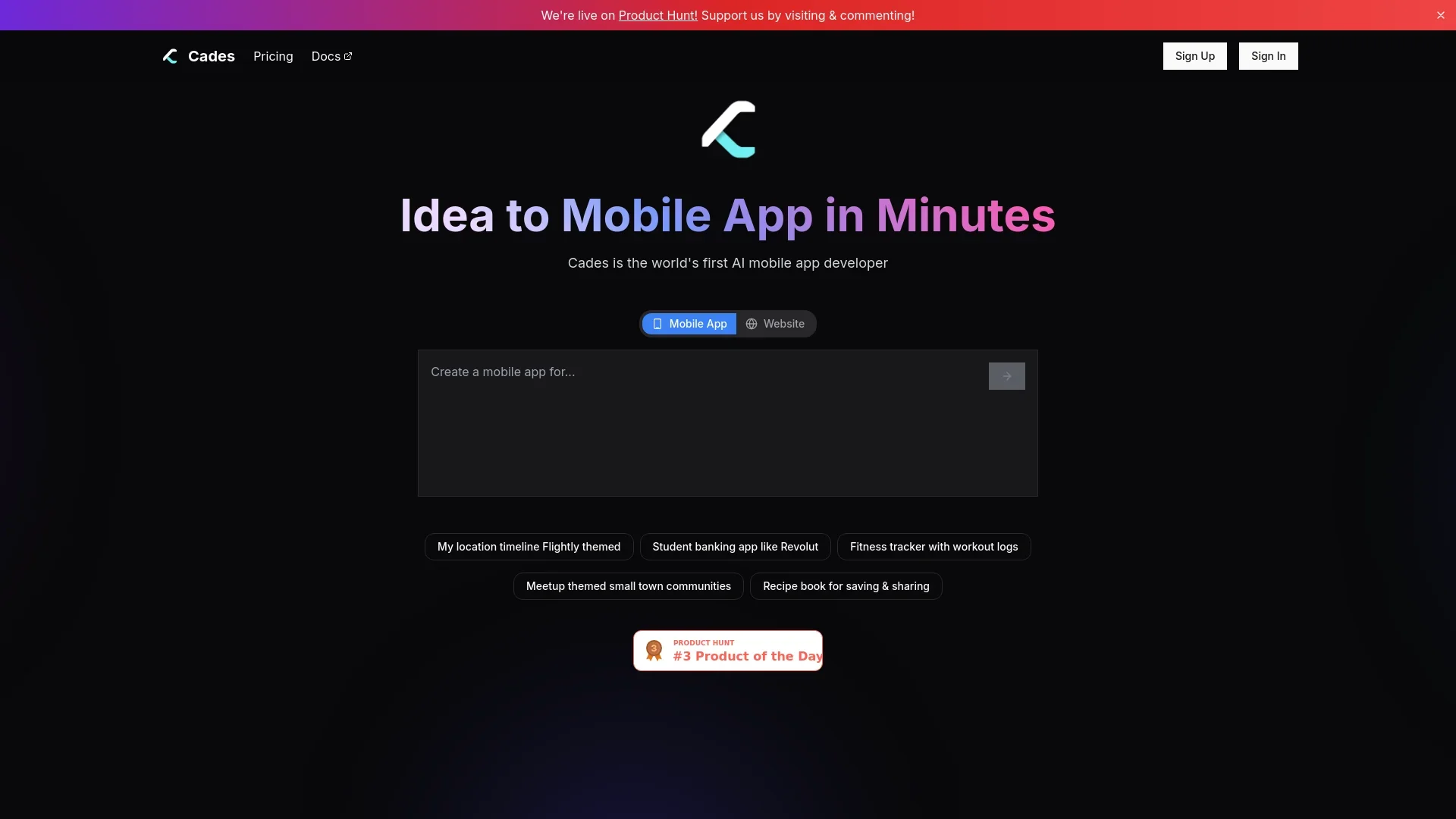
Cades is an innovative AI-powered mobile app builder designed to transform ideas into fully functional applications within minutes. By leveraging advanced AI technology, Cades simplifies the app creation process, making it accessible to individuals and professionals without extensive programming knowledge. With features like AI-assisted design generation and automated app publishing, Cades is ideal for aspiring app developers looking to streamline the development process and bring their mobile app concepts to life quickly and efficiently.
Cades stands out with its ability to convert a simple app idea into a fully functional mobile application in just minutes. Its unique combination of AI-driven design and development features, coupled with automated publishing capabilities, sets it apart from traditional app development tools. This approach not only accelerates the app creation process but also democratizes it, enabling anyone with an idea to create a mobile app without needing extensive coding expertise.
Cades offers a groundbreaking solution in the realm of mobile app development, making it an invaluable tool for both novice and experienced developers. By combining AI-powered design and development with automated publishing, Cades significantly reduces the barriers to entry in app creation. Whether you're a startup looking to quickly prototype an MVP or a designer wanting to bring your concepts to life, Cades provides a comprehensive platform to achieve your goals efficiently and affordably.
Who is Using Cades?
Software Engineers
Utilizing Cades to ship mobile app ideas quickly with production-ready code.
Startups
Employing Cades for rapid MVP creation and launching new business ideas.
Designers
Transforming static designs into real mobile apps, saving time on manual coding.
Freelancers
Leveraging Cades to expand their service offerings and deliver apps faster to clients.
Uncommon Use Cases
Used by educational institutions to teach app development concepts; Adopted by hobbyists for personal project development.
Key Features
Rating Breakdown
Pricing Plans
Free Tier
Free
- Includes 500K tokens with limited usage and access to all models
Pro Tier
$18 per month
- Offering 10M tokens
- Priority support
- Advanced features
Pro 50 Tier
$45 per month
- Suitable for medium use with 26M tokens and additional benefits
Pro 100 Tier
$90 per month
- Catering to heavy usage with 55M tokens and auto publish access
Enterprise Plan
- Tailored token allocation and dedicated support
Which Cades plan should you pick?
Start with Free for prototyping; upgrade to Premium for website deployment or Enterprise for custom AI development and dedicated support.
Free
Good for exploring ideas, creating prototypes, and building one mobile app and one website.
Premium
Good for users who need custom domains, SSL, hosting, deployment, source-code access, and priority support.
Enterprise
Good for businesses needing custom AI agents, RAG pipelines, generative-AI integrations, dedicated engineering, and SLA support.
Business Plus
Good for early-stage startups needing unlimited functional apps and websites, custom APIs, backend development, and dedicated support.
Business Express
Good for fast-growing startups needing engineering-team support, custom integrations, enterprise features, and advanced security support.
Cades Use Cases
Create an app prototype
Describe an app idea through AI chat, generate interactive screens, and share the prototype for feedback.
Outcome: A shareable interactive prototype.
Build a mobile app
Convert an approved prototype into a functional mobile app and prepare it for App Store or Google Play deployment.
Outcome: A production-ready mobile application.
Build a website
Use the AI platform to create and edit a website, then upgrade for hosting, deployment, and a custom domain.
Outcome: A deployable website.
Add custom backend services
Use the Business offering for custom APIs and backend hosting when launching an application.
Outcome: Backend infrastructure for the product.
Automate app-store publishing
Grant publishing access so Cades or Fenado can generate listings, app bundles, metadata, screenshots, and submit apps.
Outcome: A reviewed app-store submission.
Workflow Ideas with Cades
Prototype to production app
- 1Describe the app idea through AI chat
- 2Review and share the interactive prototype
- 3Convert the approved prototype into a functional app
App-store deployment
- 1Set up the Apple Developer or Google Play account
- 2Invite the Fenado publishing account with the documented permissions
- 3Review the generated listing and approve submission
Website launch
- 1Create the website with the AI builder
- 2Edit the design and content in the live preview
- 3Upgrade for hosting, custom domain, and deployment
How Cades fits into your stack
Browser
Fenado is used through its web platform to describe app or website ideas, design screens through chat, preview prototypes, and make changes.
Desktop / IDE
The archived Cades product included a cloud IDE with AI assistance and code autocomplete for developing and editing applications.
Automation and APIs
Business plans can include custom APIs and backend development, while Fenado handles production deployment and app-store publishing.
Pros
- +Time Efficiency: Reduces the time to develop and launch mobile apps significantly, allowing quick turnaround from idea to app.
- +Cost-Effective: Offers a range of pricing plans to suit different usage needs, making it affordable for startups and individual developers.
- +User-Friendly Interface: Intuitive design makes it easy for users of all skill levels to navigate and utilize the tool.
- +Comprehensive Support: Provides priority support in higher-tier plans, ensuring users have access to help when needed.
Cons
- −Initial Learning Curve: Despite its user-friendly design, some users might need time to fully understand and utilize the more advanced features.
- −Limited Customization in Free Tier: The free plan offers limited tokens and features, which may not suffice for larger projects.
Limitations & when to consider alternatives
Known limitations
- Some publishing capabilities are labeled alpha. The archived Cades documentation labels automated publishing and virtual testing as alpha features.
- Free usage is limited for mobile apps. The FAQ says the Free plan includes one mobile app and one website.
- Deployment requires an upgrade or business plan. The current pricing positions Free for building and Premium or Enterprise for deployment and advanced services.
- Advanced services are not self-serve in the published pricing. Business plans are high-cost service plans with dedicated support, account management, and engineering assistance.
Look elsewhere when
- You need a documented public developer API
- You need a native desktop application
- You need named third-party integrations
How to Use Cades
- 1
Describe your idea
Explain the app or website you want to create; the platform uses the description to begin the build.
- 2
Design through AI chat
Chat with the AI to generate and revise screens, layouts, and the product flow.
- 3
Create and share a prototype
Generate an interactive prototype and share it with others for feedback before production.
- 4
Convert to production
Move the approved prototype into a functional app or website with the required backend services.
- 5
Prepare publishing access
Set up Apple Developer or Google Play access and invite the Fenado publishing account with the required permissions.
- 6
Review and deploy
Review the generated store listing and approve submission to the App Store or Google Play.
Who is Cades For?
Founders
Fenado AI is positioned for founders who want to launch apps and websites quickly.
Early-stage startups
Business Plus is described as ideal for early-stage startups needing app creation, backend development, and support.
Fast-growing startups
Business Express is positioned for fast-growing startups needing engineering support, integrations, and enterprise features.
People without programming knowledge
The platform is designed for users who can describe an idea instead of writing code.
Frequently Asked Questions
What is Cades now called?
Cades has evolved into Fenado AI, which supports creating both mobile apps and websites.
What can I create?
You can create mobile apps and websites, including business apps, social platforms, e-commerce solutions, and personal projects.
Do I need programming knowledge?
No. The platform says users can create apps and websites by describing their ideas.
What is a prototype?
A prototype is a set of interactive screens that can be designed through AI chat, previewed, and shared for feedback.
What is included in the Free plan?
The Free plan lets you create one mobile app and one website using the AI platform.
How can I get support?
Support is available through the developer community on Discord or the support team on WhatsApp.
Community reviews
Be the first to share your experience.
Sign in to leave a review for Cades.
Cades Alternatives
Looking for alternatives to Cades? Here are similar tools in the same category:
Learn to Master Cades
With Skill Leap courses
Get in-depth training on Cades and 50+ other AI tools with our expert-led video courses.
Start 7-Day Free Trial