Build AI
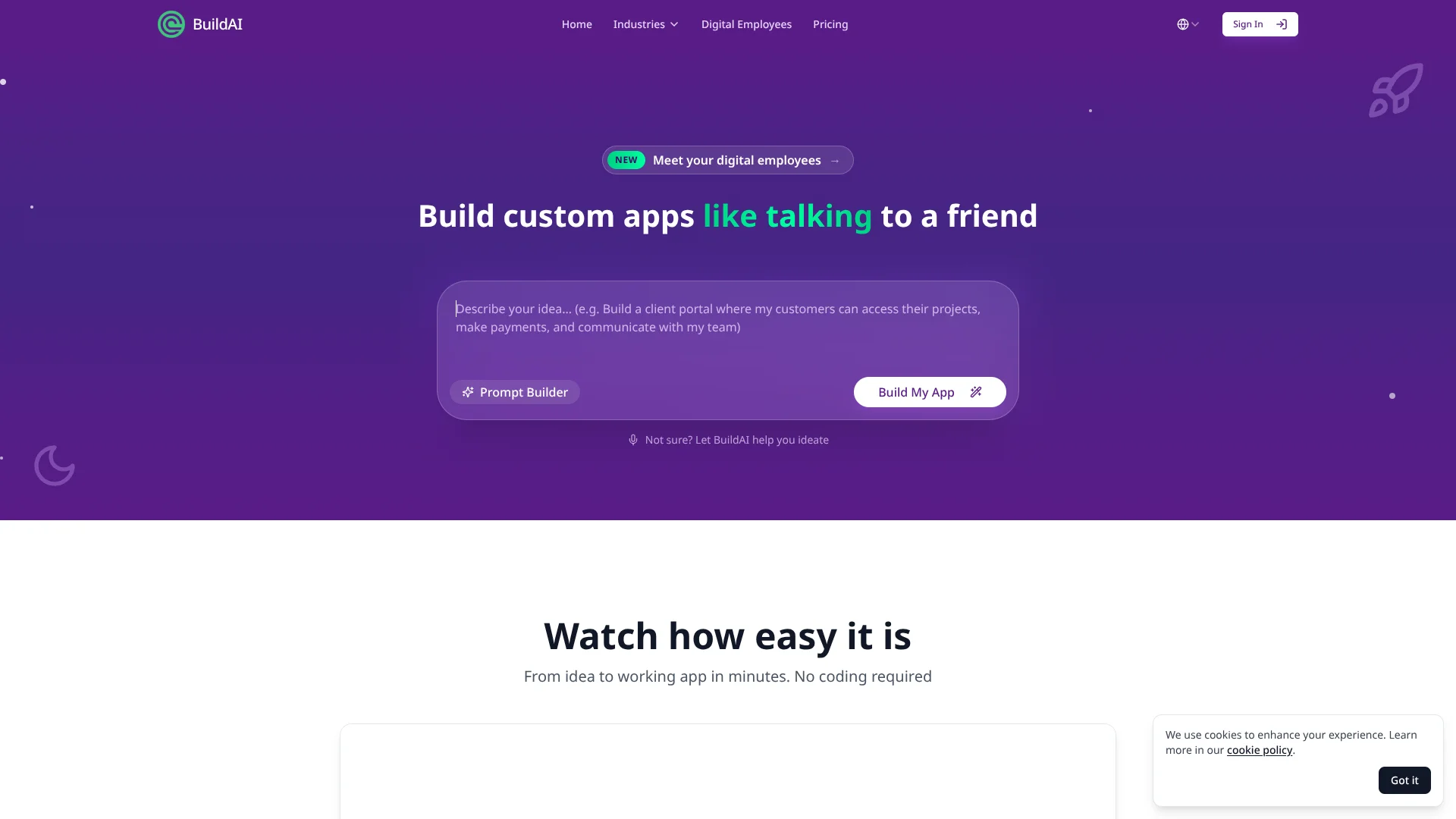
Create and sell custom AI apps for your business without coding.
Watch Build AI in Action
Key Takeaways
- What it is
- Create and sell custom AI apps for your business without coding.
- Pricing
- Freemium · $25 per month · $49 per month · $99 per month · $199 per month
- Best for
- Chat-based app builder
- Built-in database and user management
- Payments and subscriptions
- Rating
- 4.1/5
What is Build AI?
BuildAI turns a business idea into a published app through a chat-based builder, without requiring coding skills. Small businesses can make customer-facing tools such as portals and intake forms, or build internal dashboards and workflows. AI-powered digital employees can also handle tasks like drafting emails and following up with leads.
A defining feature is that BuildAI lets a business publish its own AI app, then charge customers for access through built-in payments and subscriptions. Its digital employees can also connect to business tools and take actions, such as sending emails or booking meetings. This makes the product about running custom business services, not only generating text.
BuildAI is best suited to business owners, coaches, and service providers who want custom software without hiring developers. Its plans limit monthly AI and message credits, and the company warns that digital employees can take unexpected actions or produce inaccurate results. It fits best when a person can review important work before it reaches customers.
Who is Using Build AI?
Business owners
Replace a generic tool or spreadsheet with an app made for a specific business process.
Coaches and consultants
Turn their expertise into customer-facing apps, portals, and paid experiences.
Sales and growth managers
Have digital employees qualify leads, draft outreach, and follow up with prospects.
Marketing managers
Delegate social posts, newsletters, and video content tasks to digital employees.
Uncommon Use Cases
A podcast producer can build a guest preparation portal; a service business can create a paid customer resource hub.
Key Features
Rating Breakdown
Pricing Plans
Discover
Free
- 1 Space App
- 20 message credits per month, with a 5-per-day limit
- 20 monthly AI credits
- 1 Digital Employee
Rocket
$25 per month
- 1,000 monthly AI credits and 100 message credits per month
- Up to 3 Digital Employees
- Unlimited Apps and app publishing
- $20.00 per month when billed annually
Moon
$49 per month
- 5,000 monthly AI credits and 250 message credits per month
- Up to 6 Digital Employees
- Custom domain, payment system, priority support, and custom integrations
- $39.00 per month when billed annually
Spaceship
$99 per month
- 15,000 monthly AI credits and 500 message credits per month
- Up to 10 Digital Employees
- Custom domain, payment system, premium support, and custom integrations
- $79.00 per month when billed annually
Galaxy
$199 per month
- 40,000 monthly AI credits and 1,200 message credits per month
- Up to 20 Digital Employees
- Custom domain, payment system, premium support, and custom integrations
- $159.00 per month when billed annually
Which Build AI plan should you pick?
Start with Discover to try app building; choose a paid plan when you need more credits, more digital employees, or business features such as custom domains and integrations.
Discover
Good for exploring app building with one app and limited monthly credits.
Rocket
Good for building multiple apps and using up to three digital employees.
Moon
Good for businesses that need a custom domain, payments, priority support, or custom integrations.
Spaceship
Good for businesses that need more monthly credits and up to ten digital employees.
Galaxy
Good for businesses that need the largest listed credit allowance and up to twenty digital employees.
Build AI Use Cases
Customer portals
A custom portal can give clients a place to access services, information, or resources.
Outcome: A branded customer experience on a published app.
Paid AI services
An app can package a business's expertise or content as a paid AI experience.
Outcome: Customer access managed through payments and subscriptions.
Lead follow-up
A digital employee can draft or send personalized follow-ups and help book meetings.
Outcome: More consistent lead communication.
Internal workflows
Custom dashboards and intake forms can fit the way a business handles its operations.
Outcome: Business tools tailored to a specific process.
Social content production
A digital employee can create reels, shorts, and explainer videos from business materials.
Outcome: Social content prepared without filming every piece yourself.
Workflow Ideas with Build AI
Launch a paid customer app
- 1Describe the customer service or expertise the app should deliver.
- 2Build the app with user accounts and the needed information.
- 3Add payment access, publish it, and share the app with customers.
Keep new leads moving
- 1Connect a digital employee to the business tools it needs.
- 2Set the lead follow-up task and the information it should use.
- 3Review important outreach and meeting bookings before relying on them.
Create an internal client intake tool
- 1Describe the information the business needs from a new client.
- 2Build an intake form and a supporting dashboard.
- 3Publish the app and manage user access.
How Build AI fits into your stack
App building
The chat-based builder turns a business description into a working app. BuildAI includes a database and user management for the apps it creates.
Customer access and payments
Published apps can support user accounts, paid access, and subscriptions, making BuildAI useful for customer-facing services.
Business operations
Custom apps can handle internal needs such as dashboards, client portals, and intake forms.
Connected work tools
Digital employees can connect to tools such as Gmail, Calendar, Drive, Slack, Notion, and Sheets to read information or take actions.
Pros
- +Business apps without coding: Describe a tool in chat and publish it with user accounts and a database.
- +Built-in ways to charge: Customer apps can include paid access and subscriptions.
- +Ready-made digital employees: Roles such as website builder and social media manager offer concrete starting points.
- +Plan-based growth: Paid tiers raise app, credit, and digital employee limits as needs increase.
Cons
- −Credit limits: Monthly message and AI credits can constrain frequent app building or use.
- −Human review needed: Digital employees may make mistakes or take actions you did not intend.
- −Some business features cost more: Custom domains, integrations, and higher employee limits are reserved for paid plans.
Limitations & when to consider alternatives
Known limitations
- Monthly credit caps. Each plan has a set number of monthly AI credits and message credits; BuildAI says app credit limits apply and it may not notify you when they are reached.
- Digital employees can make mistakes. BuildAI says AI outputs and actions may be inaccurate, unexpected, or different from what you intended.
- Human oversight remains your responsibility. You are responsible for reviewing digital employee actions, setting permissions, and adding safeguards before connecting external systems.
- Some features may cost extra. The terms say certain digital employees, integrations, and other services may require separate fees beyond a subscription.
Look elsewhere when
- You need an app with a documented developer API.
- You need a native mobile or desktop app from this vendor.
- Your workflow requires AI actions to run without human review.
How to Use Build AI
- 1
Choose a business problem
Start with one clear need, such as a client portal, intake form, or paid customer app.
- 2
Describe the app in chat
Explain who will use it and what they need to do; BuildAI uses that description to create a working app.
- 3
Check the app and its access
Review the app's content, user accounts, and role-based access before sharing it.
- 4
Add payments if needed
Set up paid access or subscriptions if customers will pay to use the app.
- 5
Publish and share
Publish the app on a BuildAI address, or use a custom domain if your plan includes it.
- 6
Supervise digital employees
Check their outputs and connected actions, especially before they contact customers or change external systems.
Who is Build AI For?
Coaches and consultants
Build client-facing tools and AI experiences around the services you sell.
Small business owners
Create customer portals, intake forms, and internal tools without hiring a developer.
Online business builders
Publish an AI app and charge customers through built-in payments and subscriptions.
Service businesses
Use digital employees and custom apps to support customer service and day-to-day operations.
Frequently Asked Questions
Can I try BuildAI for free?
Yes. The Discover plan costs $0 and includes one app, one digital employee, and monthly message and AI credits.
Do I need coding skills to build an app?
No. BuildAI says you can describe what you need in chat and build an app without coding.
Can my app charge customers?
Yes. BuildAI lists payments and subscriptions as features for apps, and its pricing page includes a payment system on Moon and higher plans.
Can I connect BuildAI to other tools?
Yes. BuildAI describes digital employee connections to tools including Gmail, Calendar, Drive, Slack, Notion, and Sheets. Custom integrations are listed on Moon and higher plans.
Can digital employees take actions for me?
They can perform tasks through connected systems, but BuildAI says you are responsible for permissions, safeguards, and oversight.
Community reviews
Be the first to share your experience.
Sign in to leave a review for Build AI.
Build AI Alternatives
Looking for alternatives to Build AI? Here are similar tools in the same category: