Bria
Unlock creativity with ethically-driven, licensed AI visuals.
Key Takeaways
- What it is
- Unlock creativity with ethically-driven, licensed AI visuals.
- Pricing
- Freemium
- Best for
- Licensed Foundation Models
- Comprehensive API Suite
- Ethical AI Practices
- Rating
- 4.6/5
What is Bria?
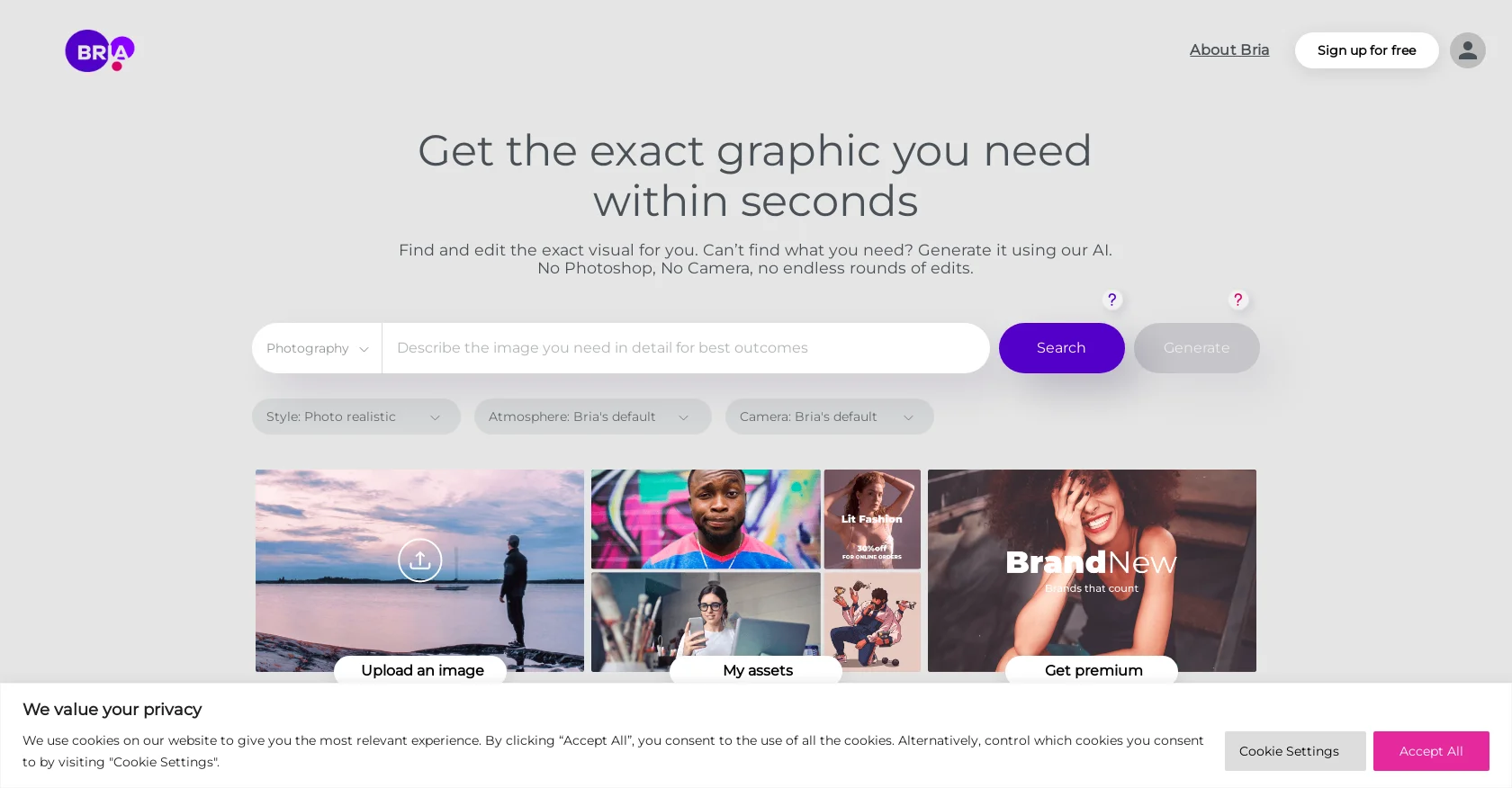
Bria is a cutting-edge Visual Generative AI platform designed to enhance creative processes across various industries. With a robust focus on responsible AI innovation, Bria offers a suite of tools that empower developers, artists, and businesses to build with confidence. This tool is particularly notable for its use of fully licensed, certified datasets, ensuring compliance with legal standards and ethical practices in AI deployment.
Bria stands out by combining high-tech AI capabilities with a strong commitment to ethical and legal responsibility. This dual focus not only enhances creative possibilities but also ensures that all creations are safe, making Bria a trusted partner in the Visual Generative AI space.
Bria excels in fostering innovation with a conscience, making it an indispensable tool for any business or creator aiming to leverage cutting-edge AI while adhering to the highest ethical and legal standards. Its powerful features and responsible AI framework provide a unique advantage in today's digital landscape.
Who is Using Bria?
Digital Marketers
Leveraging AI to craft personalized advertising content that resonates with diverse audiences.
Film and Media Production Companies
Using AI to generate and modify visual assets efficiently.
Educational Institutions
Implementing Bria in digital arts and technology curriculums.
Startups
Utilizing Bria's scalable AI tools to innovate and drive market competitiveness.
Uncommon Use Cases
Used by legal professionals to ensure compliance in digital content; adopted by healthcare providers for creating training materials.
Key Features
Rating Breakdown
Pricing Plans
Free Tier
Free
Pro Tier
- Contact Bria directly for customized pricing options based on specific business needs
Which Bria plan should you pick?
Start with Free to explore the platform and API, use Pay-as-you-go for uncapped usage, and upgrade to Enterprise for SSO, indemnification, dedicated support, and private deployment.
Free
Good for exploring Bria with 100 free generations, API access, integrations, and cloud-only deployment.
Pay-as-you-go
Good for teams shipping production work that need uncapped usage, priority queueing, and higher throughput.
Enterprise
Good for organizations needing SSO/SAML, audit logs, stronger indemnification, custom rate limits, and on-premises or private-cloud deployment.
Bria Use Cases
Product photography
Create packshots, cutouts, shadows, and lifestyle scenes from product images.
Outcome: Consistent, commerce-ready product visuals at scale.
Advertising campaigns
Generate multiple ad scenes and creative variations with unified branding, style, and messaging.
Outcome: Campaign assets across formats and markets.
Catalog automation
Process a folder of product photos, write descriptions, standardize layouts, and publish listings.
Outcome: A cohesive store-ready catalog.
Image editing and adaptation
Remove or replace backgrounds, erase objects, expand canvases, relight images, and generate fills.
Outcome: Channel-ready visual variants with less manual editing.
Brand-specific model training
Train tailored models using proprietary brand assets and configurable LoRA training modes.
Outcome: More consistent, on-brand generated visuals.
Workflow Ideas with Bria
E-commerce product catalog
- 1Upload a folder of raw product photos
- 2Remove backgrounds and create lifestyle shots
- 3Format and publish the catalog to Shopify or eBay
Commerce-grade product shot
- 1Create a clean product cutout
- 2Add a consistent product shadow
- 3Generate the final packshot or lifestyle scene
Tailored brand model
- 1Create a training project and dataset
- 2Start automated or expert fine-tuning
- 3Monitor the model and generate tailored images
How Bria fits into your stack
Web Applications
Direct integration into web platforms for seamless creative processes.
API Access
Broad API functionalities allow for extensive customization and integration.
Legal Compliance Tools
Ensures that all generated content is compliant with current copyright and privacy laws.
Flexible Data Handling
Supports a variety of data inputs and adjustments, ensuring broad usability across different sectors.
Pros
- +Innovation in Creativity: Facilitates the creation of unique and compelling visual content that stands out in the digital space.
- +Ethical Responsibility: Sets a high standard for ethical AI use, ensuring that all operations are legally sound and morally responsible.
- +Flexibility and Scalability: Adaptable to various business needs, allowing for scalability without compromising performance or compliance.
- +Enhanced User Engagement: Through its intuitive web application, Bria offers a playground where users can experiment with AI capabilities in real-time.
Cons
- −Complexity of Features: Some users might find the advanced features slightly intimidating initially.
- −Premium Cost Structure: While offering significant value, the pricing might be a barrier for smaller entities or startups without funding.
- −Limited Third-Party Integrations: As of now, integration options are somewhat restricted, which could be a limiting factor for some businesses.
Limitations & when to consider alternatives
Known limitations
- English-only prompts for some endpoints. Several image and product-shot endpoints document support for English prompts or descriptions only.
- 12MB image limit. Documented image-upload endpoints limit files to 12MB.
- Supported image formats are limited. Relevant endpoints support JPEG, JPG, PNG, and WEBP; image onboarding also documents color-mode constraints.
- Asynchronous processing is the default. Most API v2 endpoints return a request ID and status URL instead of an immediate result.
- Some output URLs expire. The product-packshot endpoint documents temporary result URLs that expire after one hour.
Look elsewhere when
- You need a native mobile application.
- You need programming-code generation.
How to Use Bria
- 1
Explore extensive resources in the Bria Resource Hub, featuring tutorials that guide users from basic operations to advanced functionalities.
Who is Bria For?
Enterprise marketing teams
They can produce campaign-ready visual assets across formats, markets, and languages.
Creative teams
They can generate and edit structured visual content while retaining brand control and consistency.
Creative directors
They can oversee on-brand production with visible, reproducible visual decisions.
Performance marketers
They can create scalable campaign variants and localized marketing assets.
E-commerce and retail teams
They can automate product cutouts, packshots, lifestyle imagery, and catalog production.
Frequently Asked Questions
What is Bria Create?
Bria Create is an enterprise visual production workspace for generating and editing on-brand, rights-clear visual assets.
Who is Bria Create built for?
It is built for enterprise marketing and creative teams, including creative directors, creative operations, performance marketers, and brand teams.
How does Bria support product-shot creation?
Bria creates packshots, cutouts, shadows, and lifestyle product scenes while preserving product color, texture, and shape.
How do I start using Bria's Product Shot Editing?
Users can explore APIs, iFrames, MCP, ComfyUI nodes, and Figma or Photoshop plugins before scaling with pay-as-you-go or enterprise deployment.
Is Bria suitable for commercial use?
Bria states that its models use fully licensed commercial-grade data and provides commercial-use protections through its plans.
What is Bria Build?
Bria Build is the developer-oriented infrastructure layer providing APIs, Skills, MCP, source code, and deployment options.
Community reviews
Be the first to share your experience.
Sign in to leave a review for Bria.
Bria Alternatives
Looking for alternatives to Bria? Here are similar tools in the same category: