
BrandCrowd
Logo and brand design for small businesses launching without a designer.
Key Takeaways
- What it is
- Logo and brand design for small businesses launching without a designer.
- Pricing
- $9/month · $14/month · $19/month
- Best for
- AI Logo Maker
- Logo Editor
- Brand-Matched Templates
- Rating
- 4.2/5
What is BrandCrowd?
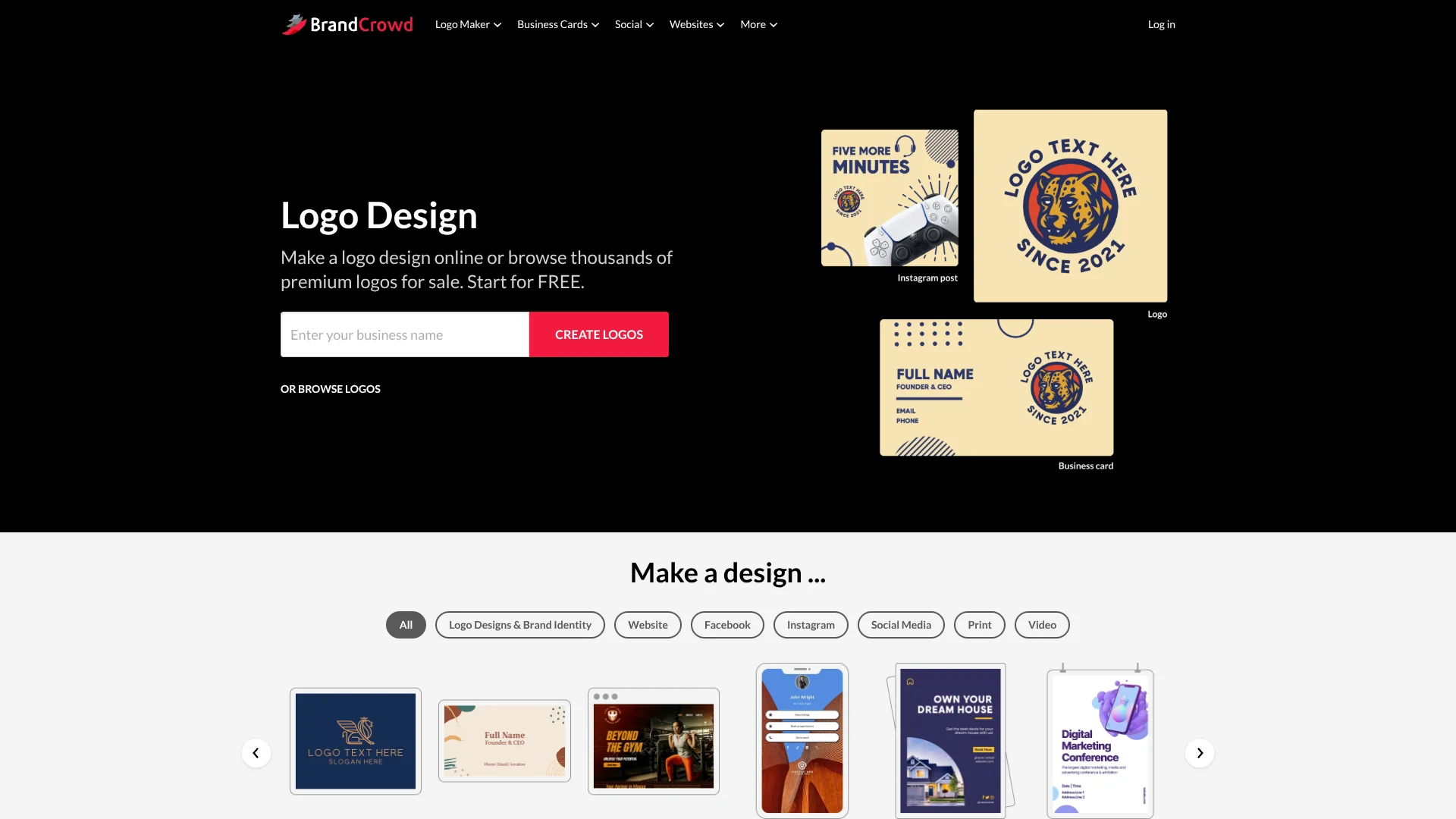
BrandCrowd helps small businesses, entrepreneurs, and creators turn a business name into a logo and matching brand materials. Its AI logo maker produces design ideas quickly, while the editor lets you adjust colors, fonts, layouts, shapes, and taglines. The same account also supports business cards, social posts, letterheads, email signatures, websites, and other marketing designs.
BrandCrowd carries the logo's visual style into related designs, so business cards, social graphics, websites, and email signatures can share the same colors and look.
It fits people who need a polished brand identity without hiring a designer for every asset. The tradeoff is that the experience is built around templates and guided editing rather than the deep control of professional design software, making BrandCrowd strongest for fast business launches and repeatable marketing materials.
Who is Using BrandCrowd?
Founders
A new company can move from its name to a logo, website, and launch materials without commissioning each item separately.
Social Media Managers
Platform-specific post, story, banner, and cover templates help keep campaign graphics visually aligned.
Freelance Designers
Template editing provides quick starting concepts for client presentations, early brand directions, or small collateral projects.
Sales and Networking Professionals
Digital business cards, email signatures, and printed cards make contact information easier to share under a consistent identity.
Uncommon Use Cases
Event organizers can create invitations, menus, and thank-you cards with a shared visual style; creators can build a branded link-in-bio page alongside social graphics.
Key Features
Rating Breakdown
Pricing Plans
Starter Plan
$9/month
- Logo downloads in high-resolution and vector formats
- Unlimited logo edits
- Business cards, social designs, email signatures, letterheads, and other design tools
- Annual billing: $3/month
Value Plan
$14/month
- Includes the Starter Plan features
- Website builder access
- Branded website templates and publishing tools
- Annual billing: $4/month
Premium Plan
$19/month
- Includes the Value Plan features
- Link in bio tool
- Digital business card features
- Annual billing: $5/month
Which BrandCrowd plan should you pick?
Start with Starter for logo files and branded collateral, choose Value when you need a website, and move to Premium for a website plus link-in-bio and digital business card features.
Starter Plan
Good for a logo, vector downloads, business cards, social designs, email signatures, letterheads, and other brand materials.
Value Plan
Good for users who also need BrandCrowd's website builder alongside the Starter features.
Premium Plan
Good for a broader launch presence that includes the website builder, link-in-bio, and digital business card tools.
BrandCrowd Use Cases
Launch a New Brand
A business name and a few keywords become an editable logo direction, followed by matching brand materials.
Outcome: A usable visual identity for a new business or project.
Create Social Media Graphics
Platform-specific templates provide layouts for posts, stories, banners, covers, ads, and short-form video designs.
Outcome: Branded social content sized for common channels.
Build a Basic Website
The website builder combines templates, logo colors, business information, images, videos, contact forms, and social links.
Outcome: A publishable branded website with a BrandCrowd URL or connected domain.
Prepare Print Materials
Business cards, flyers, posters, menus, letterheads, and invitations can be edited from professionally made templates.
Outcome: Print-ready designs with downloadable vector files where supported.
Centralize Contact Links
Digital business cards and link-in-bio pages gather contact information, social accounts, and key URLs in a branded page.
Outcome: A shareable destination for networking or social profiles.
Workflow Ideas with BrandCrowd
From Business Name to Launch Kit
- 1Enter the business name and keywords in the AI logo maker.
- 2Select and customize a logo with the desired colors, fonts, and layout.
- 3Apply the brand style to a website, business card, social posts, and email signature.
Social Content Sprint
- 1Choose a social design type such as an Instagram post, story, or YouTube banner.
- 2Adjust the template's text, colors, images, and layout.
- 3Download the finished design for the relevant social channel.
Networking Presence
- 1Create a digital business card or link-in-bio page from a template.
- 2Add contact details, social profiles, and important links.
- 3Publish the page and share its URL in profiles, email, or printed materials.
How BrandCrowd fits into your stack
Brand Creation
BrandCrowd sits at the start of a marketing workflow, turning a business name and keywords into a logo direction with AI-assisted suggestions.
Marketing Materials
The same brand style can feed business cards, letterheads, email signatures, social graphics, flyers, posters, and other collateral.
Web Presence
The website builder, link-in-bio tool, and digital business card extend the identity to lightweight web destinations.
Social Channels
Templates for Instagram, Facebook, LinkedIn, YouTube, TikTok, Pinterest, and other channels help prepare platform-specific visuals.
Print and File Delivery
PNG and JPG files suit digital use, while SVG, EPS, and PDF support print workflows and resizing.
Pros
- +Fast brand setup: AI-assisted logo ideas and ready-made templates reduce the time from business name to usable visuals.
- +Consistent materials: Logo colors can carry into social posts, business cards, websites, and email signatures.
- +Print-ready files: SVG, EPS, and PDF downloads support resizing and professional printing.
- +Free starting point: You can browse, edit, and try several design tools before paying for selected downloads or plan access.
Cons
- −Template-led results: The fastest path is adapting an existing design rather than building every detail from scratch.
- −Subscription model: Continued access to the wider design platform is tied to monthly or yearly plans.
- −Limited developer workflow: BrandCrowd does not present a public API or automation system for connecting design generation to other software.
Limitations & when to consider alternatives
Known limitations
- Template-Based Creation. The service centers on selecting and editing templates, so users wanting fully custom vector construction may need a dedicated design application.
- Website Builder Scope. BrandCrowd offers an advanced website builder and a one-page builder, but the public site does not position it as a full developer-focused website system.
- Subscription Access. The broader design platform is provided through monthly or yearly packages, even though some designs and tools can be tried for free.
Look elsewhere when
- You need a public developer API for programmatic logo or design generation.
- You need collaborative workspaces with named users, roles, and approval controls.
- Your workflow depends on advanced vector editing beyond template customization.
- Your project requires a native mobile or desktop application.
How to Use BrandCrowd
- 1
Start with a Business Name
Enter your business name and keywords so BrandCrowd can surface relevant logo or design templates.
- 2
Shortlist a Direction
Save promising designs while comparing styles, layouts, and industry-specific options.
- 3
Refine the Design
Change colors, fonts, shapes, text, and layout until the design matches the identity you want.
- 4
Preview the Brand
Check how the logo or design looks on items such as apparel, signage, business cards, and social graphics.
- 5
Build Matching Assets
Open the related design tools to create business cards, social posts, letterheads, email signatures, websites, or digital cards.
- 6
Download or Publish
Download the available file formats or publish a website, link-in-bio page, or digital business card.
Who is BrandCrowd For?
Small Businesses
A practical fit for companies that need a logo plus matching marketing materials for launch.
Entrepreneurs and Startups
The AI logo maker and website tools help turn an early business idea into a visible brand quickly.
Content Creators
Social templates, link-in-bio pages, and branded profile graphics support a consistent online presence.
Freelancers and Service Providers
Business cards, email signatures, websites, and digital cards cover common client-facing needs.
Local and Professional Businesses
Industry-specific templates provide a faster route to recognizable visuals for shops, agencies, consultants, and similar firms.
Frequently Asked Questions
Can I try BrandCrowd for free?
Yes. BrandCrowd lets you try its logo, website, digital business card, link-in-bio, and other design tools for free. Download and feature access vary by design and plan.
What file formats can I download?
Logo downloads can include PNG, JPG, SVG, EPS, and PDF. Some design types also support formats such as GIF or MP4.
Can I keep my designs if I cancel?
BrandCrowd says you can continue using the logo and designs you created after canceling a subscription, subject to the applicable license.
Can BrandCrowd host a website?
Yes. Its website products can host a site, provide a free URL, or connect a domain purchased through BrandCrowd or another provider.
Does BrandCrowd offer AI logo creation?
Yes. The AI logo maker uses a business name, keywords, and style inputs to produce logo ideas that you can refine in the editor.
What are BrandCrowd's paid plans?
The published monthly plans are Starter, Value, and Premium. They add broader access to logo files, design tools, website features, link-in-bio pages, and digital business cards depending on the plan.
Community reviews
Be the first to share your experience.
Sign in to leave a review for BrandCrowd.
BrandCrowd Alternatives
Looking for alternatives to BrandCrowd? Here are similar tools in the same category:
Learn to Master BrandCrowd
With Skill Leap courses
Get in-depth training on BrandCrowd and 50+ other AI tools with our expert-led video courses.
Start 7-Day Free Trial