
Box
Summarizes, extracts, and rewrites content from files.
Watch Box in Action
Key Takeaways
- What it is
- Summarizes, extracts, and rewrites content from files.
- Pricing
- $14 per month. Ideal for flexible personal use · $7 per user per month (min. 3 users). For team collaboration · $20 per user per month (min. 3 users). Essentials for team collaboration with AI · $33 per user per month (min. 3 users). Adds external collaboration and more storage · $47 per user per month (min. 3 users). For content protection and compliance
- Best for
- Advanced Document Querying
- Instant Summarization
- AI-Powered Data Extraction
- Rating
- 4.5/5
What is Box?
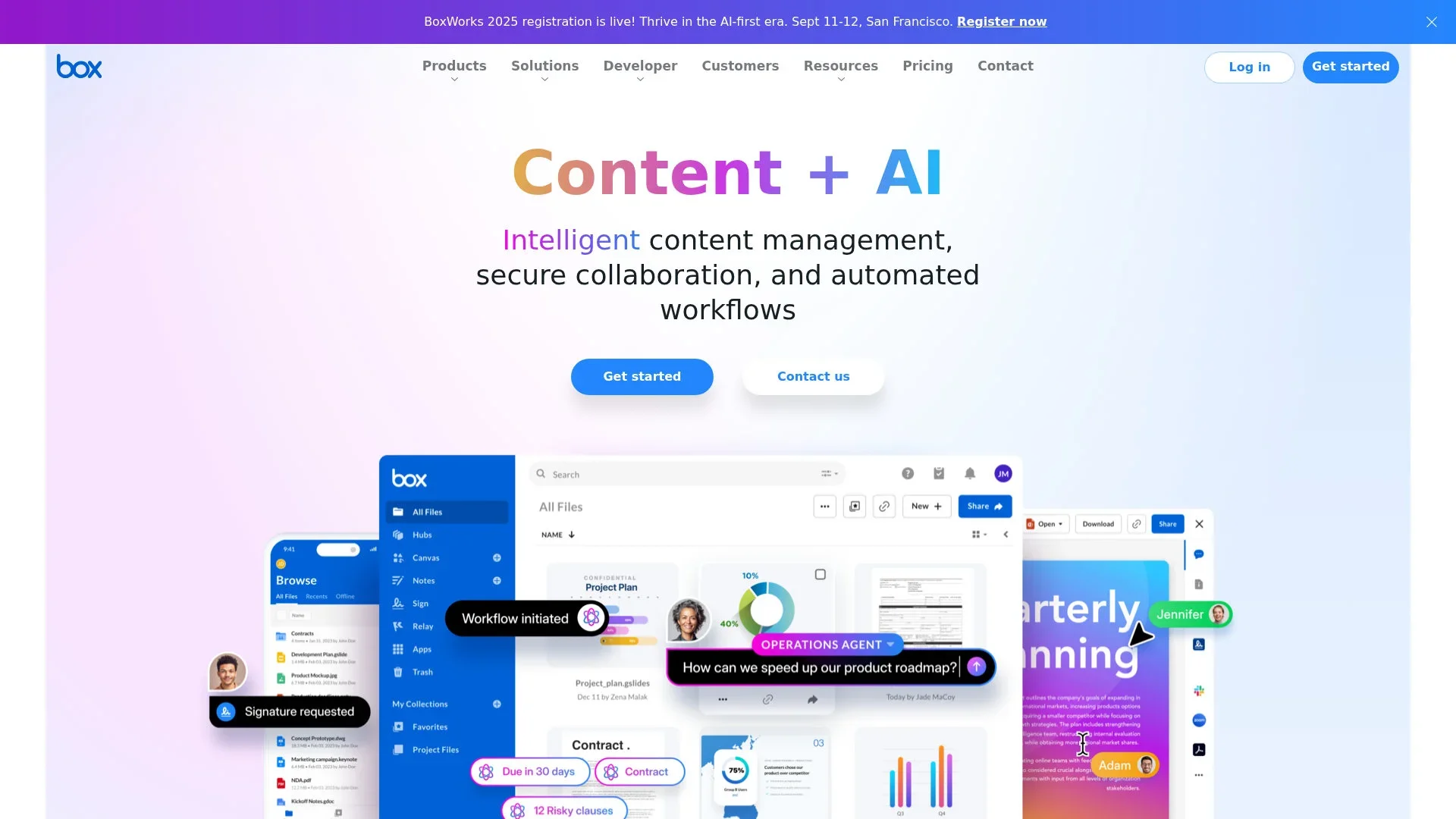
Box is an intelligent content management enhancement built into its secure cloud platform. It enables enterprise users to query, summarize, extract data, and create new content directly from documents stored in Box. Backed by integrations with leading AI providers, it's designed to transform unstructured data into insight and automate repetitive workflows.
By embedding AI throughout its content platform, Box combines secure document storage, permission-aware workflows, and customizable AI agents. This platform-neutral strategy lets organizations use models from multiple AI providers, without leaving Box.
Box delivers significant value to teams working heavily with documents and unstructured data. It not only simplifies repetitive tasks but also helps surface insights and generate new content efficiently. Governed by enterprise-grade security and flexible pricing models, it fits well in mature IT environments—even if smaller organizations may find setup and costs a barrier. For companies looking to bring intelligent capabilities directly into their content workflows, it’s a compelling option.
Who is Using Box?
Large Enterprises
For contract analytics, regulatory compliance, and cross-team content intelligence.
Legal Departments
To identify liability terms, extract contract timelines, and accelerate reviews.
Finance Teams
Automatically pull invoice information, contract dates, and key financial data.
Marketing & Communications
Generate content like blog posts, newsletters, and campaign briefs.
HR Teams
Summarize employee feedback and policy documents; facilitate onboarding.
Uncommon Use Cases
Utilized by educational institutions for summarizing research for faculty and staff; adopted by insurance auditors extracting policy terms and claim details from handwritten files.
Key Features
Rating Breakdown
Pricing Plans
Individuals
Individual Plan
- Includes 10 GB of storage, 250 MB upload limit, 1 file version, and Box Sign access for 5 documents per month
Personal Pro Plan
$14 per month. Ideal for flexible personal use
- Includes 100 GB storage, 5 GB upload, 10 file versions, Box Sign for 15 documents per month, and unlimited templates
Businesses
Business Starter Plan
$7 per user per month (min. 3 users). For team collaboration
- Includes 100 GB storage, 2 GB upload, 25 file versions, Box Sign access for 10 docs per user/month, and technical support
Business Plan
$20 per user per month (min. 3 users). Essentials for team collaboration with AI
- Includes unlimited storage, 5 GB upload, Box AI content generation and Q&A (single doc/image), and 50K API calls per month
Business Plus Plan
$33 per user per month (min. 3 users). Adds external collaboration and more storage
- Includes 15 GB upload, content generation, Q&A (single doc/image), unlimited collaborators, and 50K API calls
Enterprise Plan
$47 per user per month (min. 3 users). For content protection and compliance
- Includes 50 GB uploads, Box Hubs, advanced workflows, and higher compliance standards including HIPAA and FedRAMP Moderate
Enterprise Plus Plan
- Includes 150 GB uploads, multi-doc AI Q&A, advanced content generation, AI-powered content portals, and FedRAMP High compliance
Which Box plan should you pick?
Start with Individual for personal storage, use Business Starter for small teams, and upgrade to Business, Business Plus, Enterprise, or Enterprise Plus when you need more storage, collaboration, AI, security, workflows, or compliance.
Individual
Good for one person who needs free file storage, sharing, and basic e-signatures.
Personal Pro
Good for an individual who needs more storage, larger uploads, more file versions, and additional e-signature capacity.
Business Starter
Good for small teams of up to 10 users who need shared storage and collaboration.
Business
Good for teams that need unlimited storage, Box AI, integrations, e-signatures, and basic enterprise security.
Business Plus
Good for organizations needing unlimited external collaboration, advanced administration, and broader Box AI use.
Enterprise
Good for organizations needing advanced compliance, security controls, workflows, Box Hubs, and larger upload and API limits.
Enterprise Plus
Good for organizations needing advanced content management, Box Agents, enhanced Box AI capacity, advanced workflows, and enhanced support.
Box Use Cases
Document collaboration
Store files in shared folders, invite collaborators, co-edit Box Notes, annotate documents, and share content securely.
Outcome: Teams work together from a shared content repository.
Contract approval
Use Box Relay to trigger review tasks when contracts are uploaded and route approved documents to an approved folder.
Outcome: Contract reviews follow a repeatable approval process.
AI document analysis
Ask Box AI questions about documents, summarize reports, identify key points, and generate outlines or drafts.
Outcome: Users extract insights without manually reading every document.
Structured data extraction
Use Box Extract to process uploaded invoices, forms, and other supported files and write extracted values into Box metadata.
Outcome: Important fields become searchable and structured inside Box.
Mobile content capture
Use the Box mobile app to scan documents with OCR, take photos and videos, record audio, and upload captured content.
Outcome: Physical and mobile-created content is stored in Box.
Workflow Ideas with Box
Automated document approval
- 1Upload a document to a designated Box folder
- 2Use Box Relay to assign an approval task
- 3Move approved documents to an approved folder
AI-assisted contract processing
- 1Upload contracts to Box
- 2Use Box AI or Box Extract to summarize or extract key fields
- 3Write extracted values to metadata or trigger follow-up actions
Mobile capture and collaboration
- 1Capture or scan content with the Box mobile app
- 2Upload it to a shared Box folder
- 3Share, annotate, review, or co-edit the content with collaborators
How Box fits into your stack
Browser
Box’s web application provides browser-based access to files, collaboration, Box AI, sharing, and content management. https://www.box.com/pricing
Knowledge and files
Box serves as a centralized content repository for files, folders, permissions, search, document analysis, and AI-powered insights. https://support.box.com/hc/en-us/articles/50474599955219-Using-Box-AI
Docs and writing
Users can create and edit Box Notes, collaborate on documents, generate text, and work with Microsoft 365 and Google Workspace files. https://www.box.com/pricing
Automation and APIs
Box Automate orchestrates content workflows using triggers, branching, AI outcomes, notifications, document generation, and Box Sign; developers can extend Box through APIs. https://www.box.com/automate
Pros
- +Time-Saver: Speeds tasks like contract review, summarization, and report generation.
- +Automation-rich: Streamlines metadata capture and content tagging with little manual effort.
- +Context-Aware: Works within Box’s secure framework, respecting user permissions and privacy.
- +Flexible Development: Developers can build custom agents with existing content APIs.
- +Scalable: New “AI Units” usage-based model offers transparency and predictability.
Cons
- −Enterprise Focus: Primarily suited to medium-large organizations; individual users benefit less.
- −Complex Onboarding: Full potential requires admin setup and custom agent configuration.
Limitations & when to consider alternatives
Known limitations
- Free storage is limited. The free Individual plan includes 10 GB of storage and a 250 MB maximum file-upload size.
- Box AI has input limits. Box AI limits prompts to 10,000 characters, limits single-file text representations to 2 MB, and processes up to 25 files for multiple-file questions.
- Image processing is constrained. Box AI documents an image resolution limit of 1024 by 1024 pixels and processes a maximum of five images or pages per request on supported API endpoints.
- Box AI availability depends on plan. Box AI for Documents is available on Business plans and above, while some multi-document and agent features require higher Enterprise plans.
- Relay requires administrative enablement. Box Relay must be enabled by an administrator, and workflow builders need Editor access or higher on the trigger folder.
Look elsewhere when
- You need a dedicated browser extension.
- You need custom model fine-tuning.
- You need multimodal image-and-text requests in one AI call.
How to Use Box
- 1
Create or choose a plan
Start with the Individual plan for free personal storage or select a business plan when you need multiple users, collaboration, administration, or Box AI.
- 2
Create folders and upload content
Add documents, images, spreadsheets, presentations, and other supported files to Box folders so they can be searched, shared, reviewed, and processed.
- 3
Invite collaborators
Share folders or files with teammates and assign appropriate collaboration permissions for shared work.
- 4
Connect integrations
Install supported integrations such as Microsoft 365, Google Workspace, Slack, Microsoft Teams, Zoom, Salesforce, or DocuSign from the Box integrations area.
- 5
Use Box AI
Open supported files and ask Box AI to summarize content, answer questions, extract information, or generate drafts and outlines.
- 6
Automate recurring processes
Use Box Relay to configure triggers and ordered outcomes for approvals, routing, metadata updates, notifications, and e-signature requests.
Who is Box For?
Individuals
The Individual plan provides free personal file storage, sharing, and native e-signatures.
Business teams
Business plans provide shared storage, collaboration, external collaborators, integrations, security controls, and administrative features.
Enterprise organizations
Enterprise plans add advanced compliance, security, workflows, Box Hubs, Box AI capacity, and expanded API limits.
Developers
Box Platform provides API references, SDKs, authentication guides, developer tools, and AI endpoints for building applications.
Content and operations teams
Box supports content creation, document review, approvals, metadata extraction, e-signatures, and automated file-based processes.
Frequently Asked Questions
Can I use Box for free?
Yes. The Individual plan is free for one user and includes 10 GB of storage, a 250 MB file-upload limit, and one file version.
Can I share files with someone who does not have a Box account?
Yes. Box lets users create external links that can be shared with people who do not have Box accounts.
Does Box support mobile access?
Yes. Box provides a native mobile app for accessing, uploading, sharing, scanning, annotating, and managing content.
Does Box offer desktop access?
Yes. Box Drive provides access to Box content through Windows Explorer or Mac Finder, while Box Edit opens documents in native desktop applications.
What is Box Relay?
Box Relay is a no-code workflow automation tool for repeatable content processes such as reviews, approvals, routing, metadata updates, notifications, and e-signature requests.
What can Box AI do?
Box AI can ask questions about files, summarize documents, extract structured data, generate drafts, and provide insights from supported content.
Community reviews
Be the first to share your experience.
Sign in to leave a review for Box.
Box Alternatives
Looking for alternatives to Box? Here are similar tools in the same category:
Learn to Master Box
With Skill Leap courses
Get in-depth training on Box and 50+ other AI tools with our expert-led video courses.
Start 7-Day Free Trial