Bluesheets
Revolutionize finance with AI, 100+ integrations, utmost accuracy.
Key Takeaways
- What it is
- Revolutionize finance with AI, 100+ integrations, utmost accuracy.
- Best for
- AI-Powered Automation
- Extensive Integration Capabilities
- Multi-Language and Currency Support
- Rating
- 4.6/5
What is Bluesheets?
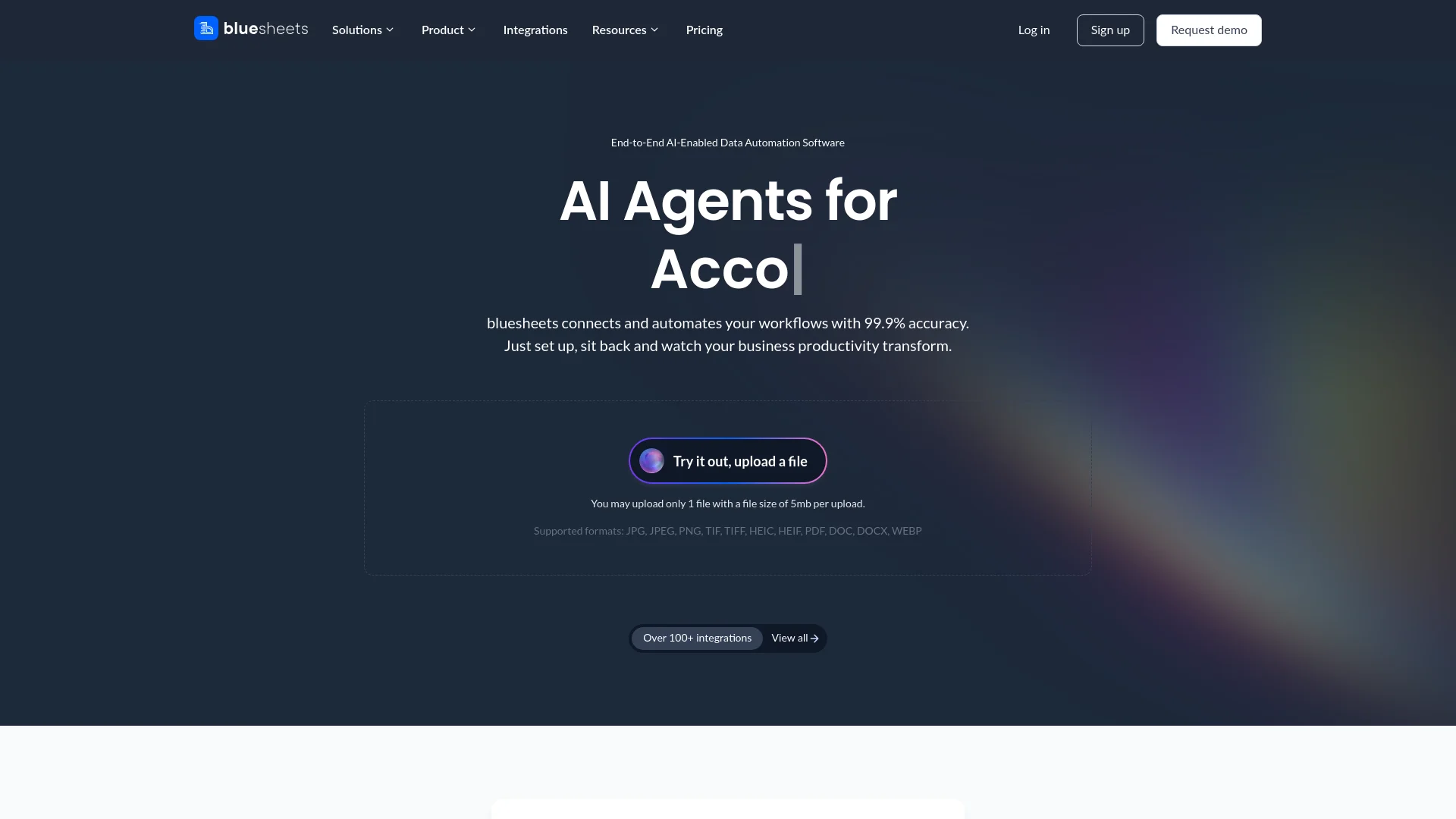
Bluesheets is a cutting-edge AI tool designed to revolutionize the way businesses handle finance, accounting, and data automation. With a focus on providing end-to-end AI-enabled data automation software, bluesheets offers a solution that integrates seamlessly with over 100 platforms, ensuring that your business workflows are connected and automated with 99.9% accuracy. Whether you're looking to streamline your accounting processes, enhance back-office operations, or automate complex reconciliation problems, bluesheets is tailored to empower professionals and businesses to maximize efficiency and productivity.
bluesheets sets itself apart by offering a highly accurate, secure, and integrative platform that supports a wide range of languages and currencies. Its capability to automate nearly 100% of data workflows with precision and ease is unmatched in the industry. The tool's flexibility in integrating with existing systems and its mobile accessibility make it a top choice for businesses looking to enhance productivity and operational efficiency.
bluesheets excels in transforming business productivity through its highly accurate and secure automated data processing solutions. It is particularly valuable for finance teams, accounting firms, and logistics companies looking to cut costs and improve efficiency. The tool's robust integration capabilities and support for a wide array of languages and currencies make it a versatile and indispensable resource in today’s digital landscape.
Who is Using Bluesheets?
Accounting Firms
Employ bluesheets for efficient management of large-scale accounting data.
Finance Teams
Utilize the tool to get real-time views and error-free reporting of financial data.
Insurance Companies
Adopt bluesheets for streamlined and autonomous claims processing.
Logistics Companies
Leverage the tool to enhance back-office operations and customer service.
Uncommon Use Cases
Utilized by CFOs for ESG compliance reporting; Helps operations teams in various industries manage their workflows efficiently.
Key Features
Rating Breakdown
Pricing Plans
Free Trial
- Start with a robust free trial to explore the functionalities of bluesheets
Subscription Plans
- Detailed subscription plans are available
- Tailored to different business sizes and needs
Which Bluesheets plan should you pick?
Start with Self-serve for individuals or small teams; upgrade to Enterprise for custom models, unlimited schemas, custom integrations, orchestration, or private deployment.
Self-serve
Good for individuals or small teams who need free entry, standard OCR models, limited schemas, file processing, and basic integrations.
Enterprise
Good for organizations needing custom-trained models, unlimited schemas, custom exports, workflow orchestration, private deployment, SLA coverage, and dedicated support.
Bluesheets Use Cases
Invoice and financial document processing
Users upload or forward invoices and other financial documents for automated extraction and processing.
Outcome: Reduced manual data entry and faster financial operations.
Accounting exports
Users configure export rules to send processed data to tools such as Xero, QuickBooks, Netsuite, Google Sheets, and Zoho Books.
Outcome: Structured data reaches accounting systems automatically.
Expense claims
Users capture receipts through the mobile app and submit them for processing.
Outcome: Expense submissions and downstream processing are automated.
Client account management
Accountants create separate client entities and manage each client through its own dashboard.
Outcome: Multiple client accounts can be managed from one login.
Document matching and reconciliation
fileAI matches records, resolves discrepancies, and supports financial reconciliation workflows.
Outcome: More consistent and auditable financial data.
Workflow Ideas with Bluesheets
Automated invoice-to-accounting workflow
- 1Connect an accounting or source system
- 2Upload or forward invoices to fileAI
- 3Apply export rules and send processed data to the destination system
Mobile expense-claim workflow
- 1Open the fileAI mobile app
- 2Capture a receipt using the camera or select a document
- 3Submit it for processing and export
Accountant multi-client workflow
- 1Create separate client entities from the master account
- 2Upload or connect each client's documents and software
- 3Monitor each client through its dedicated dashboard
How Bluesheets fits into your stack
Major Accounting Software
Integrates with platforms like Xero, QuickBooks, and NetSuite.
CRM Systems
Compatible with leading CRM systems to enhance customer relationship management.
Custom API Access
Offers developers extensive API documentation to create bespoke integrations.
Data Management Tools
Seamlessly works with Google Sheets, Microsoft Dynamics, and other major data platforms.
Pros
- +Efficiency Gains: Automates time-consuming tasks, potentially saving days of manual work per year.
- +Cost Reduction: Reduces operational expenses by up to 90%, particularly in shipping, logistics, and banking automation.
- +Enhanced Accuracy: Minimizes errors in financial processing and reporting, ensuring reliability in critical business operations.
- +Scalability: Easily scales to meet the needs of businesses of all sizes, from small teams to large enterprises.
Cons
- −Complexity in Initial Setup: Some users may experience a learning curve when setting up highly customized integrations.
- −Dependency on Internet Connectivity: As a cloud-based platform, continuous internet access is required for optimal functionality.
- −Limited Offline Capabilities: Lacks extensive offline functionalities which might be necessary for some users.
Limitations & when to consider alternatives
Known limitations
- Self-serve limits AI schemas. The Self-serve plan includes up to two AI schemas; Enterprise includes unlimited AI schemas.
- Self-serve includes one export integration. Self-serve includes unlimited import integrations but only one out-of-the-box export integration.
- Usage-based processing charges. The free Self-serve plan charges based on the number of pages processed.
- Mobile feature limitations. The mobile app supports document capture and submission, but the documented workflow is narrower than the full platform.
- Custom exports require Enterprise. Custom export integrations are listed as an Enterprise feature rather than a Self-serve feature.
Look elsewhere when
- You need more than two AI schemas on a self-serve plan.
- Your workflow requires custom export integrations without an Enterprise plan.
How to Use Bluesheets
- 1
Explore a range of tutorials from basic setup to advanced features on the bluesheets website and YouTube channel, designed to help users maximize the tool’s potential.
Who is Bluesheets For?
Accountants
fileAI helps bookkeeping firms manage client accounts, upload documents, and connect accounting software in one place.
Finance and accounting teams
The platform automates data capture, matching, reconciliation, and financial workflow execution.
Insurance organizations
fileAI supports claims processing, underwriting, compliance, and policy administration workflows.
Banking and financial services organizations
The platform targets KYC, lending, compliance, and core banking operations.
BPO and back-office teams
fileAI is designed for high-volume back-office and customer-support operations.
Frequently Asked Questions
Which tools does fileAI integrate with?
fileAI lists Xero, QuickBooks, Gmail, Google Drive, WhatsApp, Dropbox, Roubler, Netsuite, and SAP, with additional integrations available on request.
How does fileAI actually work?
Users connect, upload, or send files; configure export rules; and let fileAI process and export data automatically.
What business sizes and industries can use fileAI?
fileAI states that it supports businesses of any size and any industry, from paper-based systems to cloud systems.
Who has access to my financial data and how is it managed?
fileAI states that it is SOC 2 and ISO 27001 certified and provides security controls for managing customer data.
Can I manage multiple clients from one login?
Yes. Users can create separate client entities, each with its own account dashboard, from a master account.
What file types does fileAI support?
Supported formats include JPEG, PNG, TIF, TIFF, HEIC, HEIF, PDF, CSV, XLSX, XLS, DOC, DOCX, ZIP, and WEBP.
Community reviews
Be the first to share your experience.
Sign in to leave a review for Bluesheets.
Bluesheets Alternatives
Looking for alternatives to Bluesheets? Here are similar tools in the same category: