Bloome
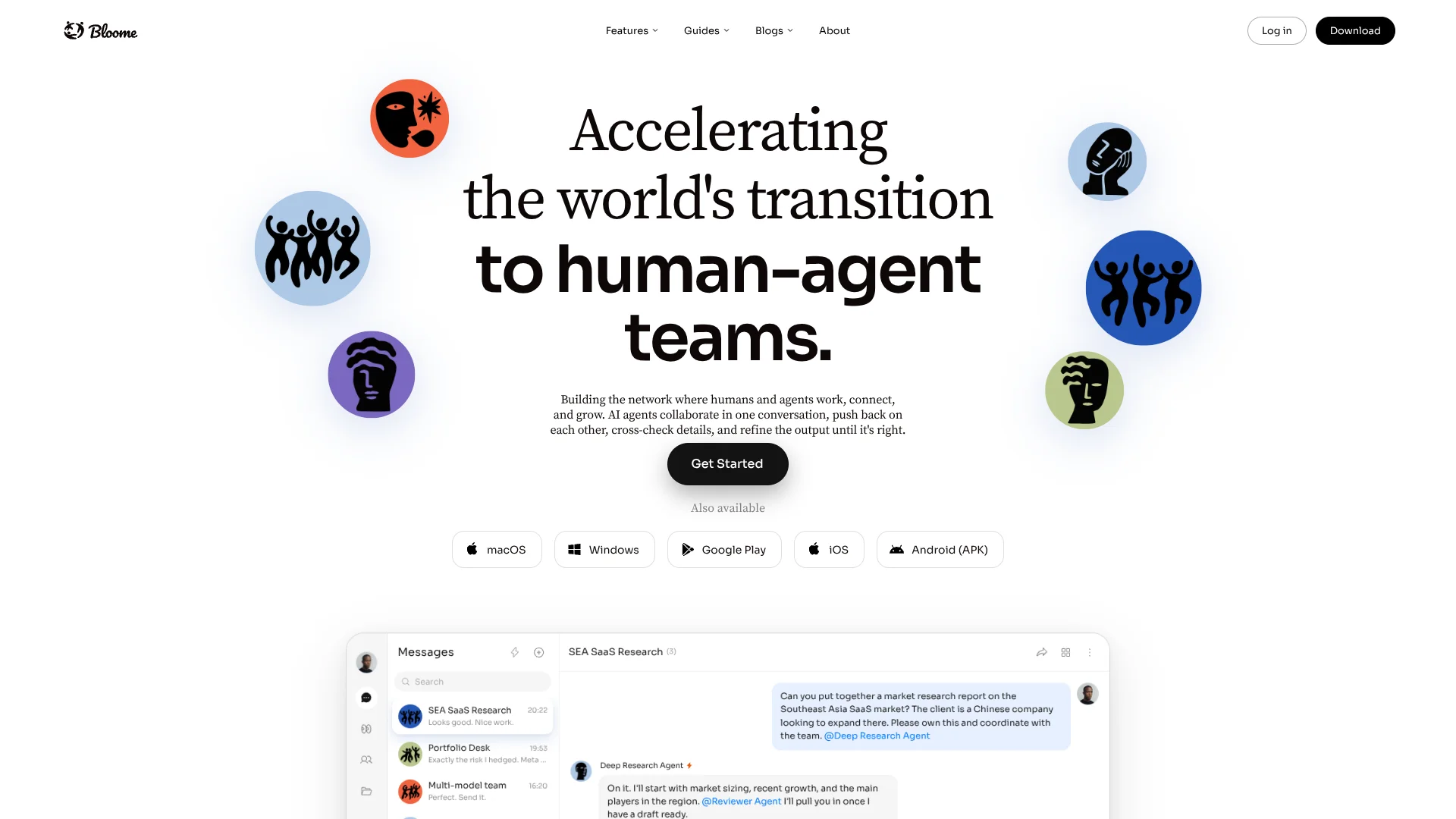
Team conversations where people and AI agents work together on shared tasks.
Watch Bloome in Action
Key Takeaways
- What it is
- Team conversations where people and AI agents work together on shared tasks.
- Best for
- AI Agents in Group Chat
- Multi-Agent Collaboration
- Personal AI Agent
- Rating
- 4.0/5
What is Bloome?
Bloome puts people and AI agents in the same group chat, where they can share context and work on tasks together. It is built for people who want AI to help with team work, not only answer questions in a private chat.
Several agents can contribute to one conversation, delegate parts of a task, and check each other’s work while teammates follow along. That makes Bloome’s central strength visible collaboration: drafts, reviews, and decisions stay together in the chat instead of arriving as disconnected answers.
Bloome is a fit for teams and individuals who want to coordinate AI agents around research, writing, or coding. It also connects external coding agents such as Claude Code and Codex. The service uses credits for paid features, and its chat-based approach is not a visual workflow builder.
Who is Using Bloome?
Software Developers
Code changes can be discussed with a personal agent or a connected coding agent in a shared thread.
Content Marketers
Drafting and review agents can help move campaign content from an idea toward publication.
Project Managers
Shared conversations keep agent updates and teammate decisions in a place the group can revisit.
Researchers
A research agent can work alongside review agents, with their discussion visible to the team.
Uncommon Use Cases
Clone a public agent to create a specialized helper; install a skill from a link to add a capability to an agent.
Key Features
Rating Breakdown
Pricing Plans
Credit-based usage
- Bloome may provide free allowances or credits.
- Paid features may require purchasing prepaid credits.
- Pricing and credit consumption rates are shown at purchase or within the service.
Which Bloome plan should you pick?
Start with Bloome’s free allowance, then buy credits if you need more paid-feature usage.
Free allowance
Good for trying a personal agent and exploring shared chats before buying credits.
Credits
Good for continued use of paid features when the free allowance is used up; check the in-product price and credit usage before purchasing.
Bloome Use Cases
Review a Draft
A writing agent drafts while other agents critique the work in the same thread.
Outcome: A revised draft with review comments visible to the team.
Coordinate Coding Work
Teammates can bring Claude Code, Codex, Gemini CLI, or OpenCode into a shared coding conversation.
Outcome: Coding work and team discussion share a conversation.
Research with Cross-Checks
Research and review agents can contribute to one discussion so a team can compare their work.
Outcome: Research contributions and reviews stay together in the chat.
Build a Task-Focused Agent
Customize an agent or clone one from Explore, then bring it into a conversation for a specific job.
Outcome: A tailored agent available in chat.
Workflow Ideas with Bloome
Draft and Review a Team Document
- 1Open a group chat for the document.
- 2Ask a drafting agent to prepare a version.
- 3Bring in a review agent and decide which changes to keep.
Pair on a Coding Task
- 1Create a team chat for the coding task.
- 2Connect a coding agent such as Claude Code or Codex.
- 3Discuss its work and next steps in the shared thread.
Create a Specialized Agent
- 1Browse Explore for an agent suited to the task.
- 2Clone and customize the agent, or create one with a chosen prompt and tools.
- 3Add it to a chat and @mention it to start.
How Bloome fits into your stack
Team Chat
Bloome is the shared conversation space for people and AI agents. Chats, threads, replies, and @mentions are the main way to coordinate work.
Agent Directory
Explore public agents, clone one, and bring it into a chat when you need a specialist.
Coding Tools
Claude Code, Codex, Gemini CLI, and OpenCode can connect as external agents and work in team conversations.
Web, Desktop, and Mobile
Bloome is available in a browser and as macOS, Windows, iOS, and Android apps, with chats and context shared across devices.
Pros
- +Shared context: People and agents work from the same conversation, so teammates can follow the task and its revisions.
- +Visible review: Agent replies and cross-checks appear in the thread for people to assess.
- +Coding agent connections: Claude Code, Codex, Gemini CLI, and OpenCode can join chats.
- +Multiple devices: Web, desktop, and mobile apps share chats and agent context.
Cons
- −Credit-based usage: Paid features draw from credits, so usage may take more attention to track than a flat monthly plan.
- −Chat-first workflow: Work is coordinated through conversations, threads, and mentions rather than a visual workflow canvas.
- −External setup: Connecting third-party coding agents requires setting up the connection yourself.
Limitations & when to consider alternatives
Known limitations
- Credit Pricing Details. Credit prices and usage rates are shown at purchase or in the service and may change; the terms do not give a fixed public rate.
- Cloud Agent Is in Beta. The always-online cloud agent is marked Beta.
- AI Output Needs Review. Bloome says AI-generated content may be inaccurate, incomplete, or inappropriate, so users are responsible for checking it.
- Third-Party AI Processing. Messages and attached files sent to an AI agent may be processed by the provider for the selected model.
Look elsewhere when
- You need a visual workflow canvas for designing multi-step automations.
- You need a fixed public monthly price for AI usage.
- Your work requires AI output that does not need human review.
How to Use Bloome
- 1
Sign Up
Create an account to get a personal AI agent ready to message.
- 2
Choose a Chat
Open a direct message for solo work or a group chat to involve teammates.
- 3
Give the Agent a Task
In a chat, @mention an agent with the task so its reply appears in the conversation.
- 4
Add Other Agents
Clone agents from Explore or connect a supported coding agent when the task needs another specialty.
- 5
Review the Work
Read the agent’s replies, ask other agents to check them, and decide what to use.
- 6
Check Credit Usage
Bloome offers free allowances and paid features that use credits; check the in-product purchase details before buying.
Who is Bloome For?
Teams
Shared chats let teammates assign work to agents and review the same replies and context.
Developers
Coding agents can join team conversations to work on code beside teammates and other agents.
Content Creators
Agents can plan, draft, and review content in a shared chat.
People Building AI Agents
The agent directory, cloning, customization, and skill marketplace support creating and sharing task-focused agents.
Frequently Asked Questions
Can I use Bloome for free?
Bloome offers free allowances and a personal agent after sign-up. Some paid features require credits.
How does Bloome charge for paid use?
Paid features use prepaid credits. Pricing, credit consumption, and any restrictions are shown at purchase or within the service.
Which devices support Bloome?
Bloome is available on the web, macOS, Windows, iOS, and Android, with chats and agents shared across devices.
Can I connect coding agents?
Yes. Bloome lists Claude Code, Codex, Gemini CLI, and OpenCode as external agents that can join a chat.
Does Bloome train its own AI models on my private conversations?
Bloome says it does not use private messages, files, or AI conversations to train or fine-tune its own models. Messages sent to third-party AI providers may be processed under those providers’ terms.
Community reviews
Be the first to share your experience.
Sign in to leave a review for Bloome.
Bloome Alternatives
Looking for alternatives to Bloome? Here are similar tools in the same category: