
BlitzBear
AI-driven platform revolutionizing project management and team collaboration.
Key Takeaways
- What it is
- AI-driven platform revolutionizing project management and team collaboration.
- Pricing
- Freemium · $32 per month
- Best for
- AI-Driven Task Automation
- Intelligent Resource Allocation
- Real-Time Collaboration Tools
- Rating
- 4.5/5
What is BlitzBear?
BlitzBear is an innovative AI-powered platform designed to revolutionize project management and team collaboration. With its core purpose of streamlining workflows, BlitzBear offers a suite of tools that enhance productivity and efficiency. Tailored for professionals and organizations seeking to optimize their processes, it simplifies task management, communication, and resource allocation.
BlitzBear stands out with its AI-driven task automation and intelligent resource allocation, transforming how teams manage projects. Its ability to seamlessly integrate AI insights into everyday workflows sets it apart, making it a game-changer for businesses aiming for operational excellence.
BlitzBear offers a robust suite of AI-driven tools that can transform project management and team collaboration. By automating repetitive tasks and optimizing resource allocation, it enables teams to focus on strategic goals. Its user-friendly interface and comprehensive support make it accessible to a wide range of users, from small teams to large enterprises. Despite some integration and pricing limitations, BlitzBear remains a valuable asset for those seeking to enhance productivity and streamline their operations.
Who is Using BlitzBear?
Project Managers
Leveraging the tool for efficient task allocation and progress tracking.
Remote Teams
Using BlitzBear to maintain effective communication and collaboration.
IT Departments
Employing the platform for streamlined project execution and resource management.
Consulting Firms
Utilizing the tool for managing client projects and deliverables.
Uncommon Use Cases
Educational institutions incorporating it into project-based learning; non-profit organizations applying it for resource distribution and volunteer coordination.
Key Features
Rating Breakdown
Pricing Plans
Free Tier
Free
- Experience BlitzBear with a 14-day free trial
Standard Plan
$32 per month
- Offering essential features for small teams
Pro Plan
- Designed for larger teams needing advanced functionalities
Enterprise Plan
- Organizations requiring tailored solutions and support
BlitzBear Use Cases
Refresh existing blog posts
Submit a blog sitemap and compare existing articles with top-ranking SERP results.
Outcome: Receive SEO optimization suggestions for declining content.
Generate new SEO articles
Create new articles with AI and automatically select a relevant Unsplash cover image.
Outcome: Produce draft content with a cover image for publishing.
Publish to WordPress
Connect a WordPress account and publish new or optimized posts from the BlitzBear dashboard.
Outcome: Create or update WordPress posts without manually copying every change.
Serve optimized pages through Cloudflare
Enable Lightning Mode for a Cloudflare-proxied blog domain.
Outcome: Serve optimized pages automatically without logging into the CMS.
Workflow Ideas with BlitzBear
Optimize existing content
- 1Create a BlitzBear project
- 2Submit your blog sitemap
- 3Review and apply the SEO optimization suggestions
Publish optimized content with Cloudflare
- 1Host and proxy the blog domain through Cloudflare
- 2Create a Cloudflare API token
- 3Enable Lightning Mode to serve optimized pages automatically
Publish through WordPress
- 1Create a WordPress application password
- 2Enter the WordPress site address, username, and password in BlitzBear
- 3Click Publish Changes from the article dashboard
How BlitzBear fits into your stack
Browser
BlitzBear operates as a web dashboard where marketers submit sitemaps, review SEO recommendations, generate content, and approve publishing changes.
Pros
- +Enhanced Productivity: Significantly boosts team productivity by automating routine tasks.
- +Scalability: Easily adapts to the needs of small teams or large enterprises.
- +User-Friendly Interface: Intuitive design ensures a smooth onboarding experience for new users.
- +Comprehensive Support: Offers extensive resources and customer support to assist users at every stage.
Cons
- −Initial Learning Curve: Some users may find it takes time to fully utilize all advanced features.
- −Integration Limitations: Currently, it supports a limited number of third-party applications.
- −Pricing Concerns: The cost may be a barrier for startups or small businesses with tight budgets.
Limitations & when to consider alternatives
Known limitations
- Cloudflare is required for Lightning Mode. The blog domain must be hosted on and proxied through Cloudflare to use automatic page serving.
- Non-Cloudflare sites require manual publishing. Without Lightning Mode, users must copy and paste SEO optimizations into their CMS.
- Cloudflare Workers traffic limits apply. The documented Cloudflare Workers free tier supports up to 100,000 requests per day.
- WordPress publishing requires a paid account. The WordPress integration is unavailable on a free or trial account unless the account is paid.
- Unsplash images apply only to new articles. The Unsplash integration does not apply when optimizing existing articles.
Look elsewhere when
- You need a non-Cloudflare deployment today
- Your blog exceeds 100,000 visitors per day
- You need native mobile access
How to Use BlitzBear
- 1
Create an account and project
Sign up for BlitzBear and create your first project from the dashboard.
- 2
Submit your blog sitemap
Provide a sitemap so BlitzBear can identify and analyze your blog posts.
- 3
Review optimization suggestions
Compare recommendations based on top SERP results and select the changes to apply.
- 4
Choose a publishing method
Use WordPress publishing, Lightning Mode through Cloudflare, or copy and paste changes manually.
- 5
Connect WordPress if needed
Create a WordPress application password, enter the connection details, and publish from the article dashboard.
- 6
Enable Lightning Mode if eligible
Add a Cloudflare API token and enable Lightning Mode to serve optimized pages without CMS logins.
Who is BlitzBear For?
Digital marketers
They can refresh existing blog content and improve its SEO performance.
SEO agencies
They can optimize large collections of client blog posts at scale.
SEO consultants
They can identify content gaps and apply optimization recommendations to client sites.
Frequently Asked Questions
What is BlitzBear?
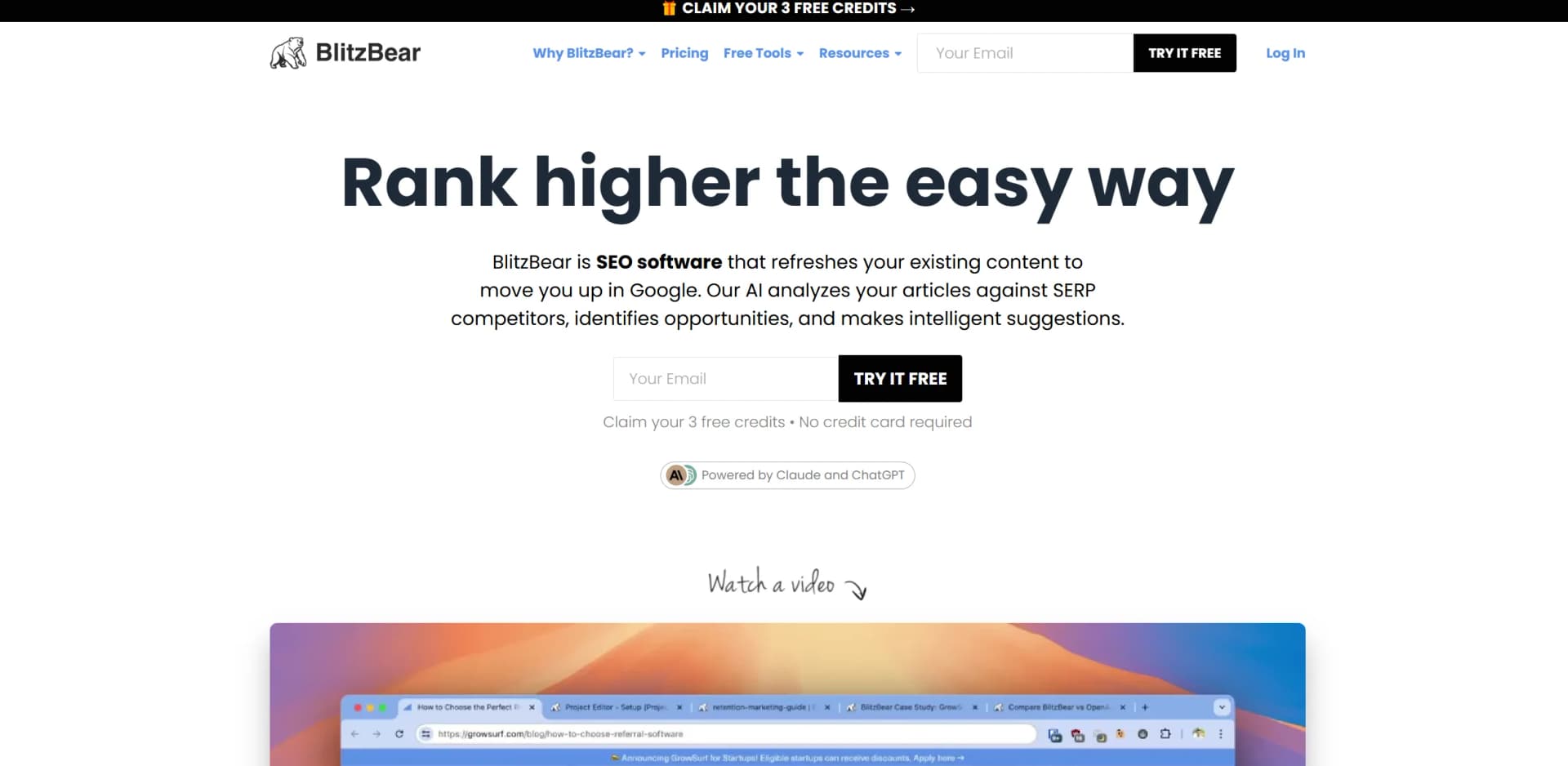
BlitzBear is AI-powered SEO software that compares blog content with top SERP results and recommends optimizations.
Who is BlitzBear for?
BlitzBear is designed for digital marketers, SEO agencies, and SEO consultants managing large numbers of existing blog posts.
What does BlitzBear require?
You need a blog sitemap. Cloudflare hosting is required for Lightning Mode.
Can BlitzBear publish to WordPress?
Yes. Paid accounts can connect WordPress and publish new or optimized articles directly from BlitzBear.
What happens if I cancel my plan?
Cancellation is immediate and forfeits remaining credits, bonuses, and project bonuses.
What is the refund policy?
Monthly subscribers can request a refund within 30 days if they have used less than half of their credits.
Community reviews
Be the first to share your experience.
Sign in to leave a review for BlitzBear.
BlitzBear Alternatives
Looking for alternatives to BlitzBear? Here are similar tools in the same category:
Learn to Master BlitzBear
With Skill Leap courses
Get in-depth training on BlitzBear and 50+ other AI tools with our expert-led video courses.
Start 7-Day Free Trial