Blabla
Brand teams manage social comments and messages from one shared inbox.
Key Takeaways
- What it is
- Brand teams manage social comments and messages from one shared inbox.
- Pricing
- Freemium · $31.81 per month · $108.58 per month
- Best for
- Smart AI
- Moderation
- Automations
- Rating
- 4.2/5
What is Blabla?
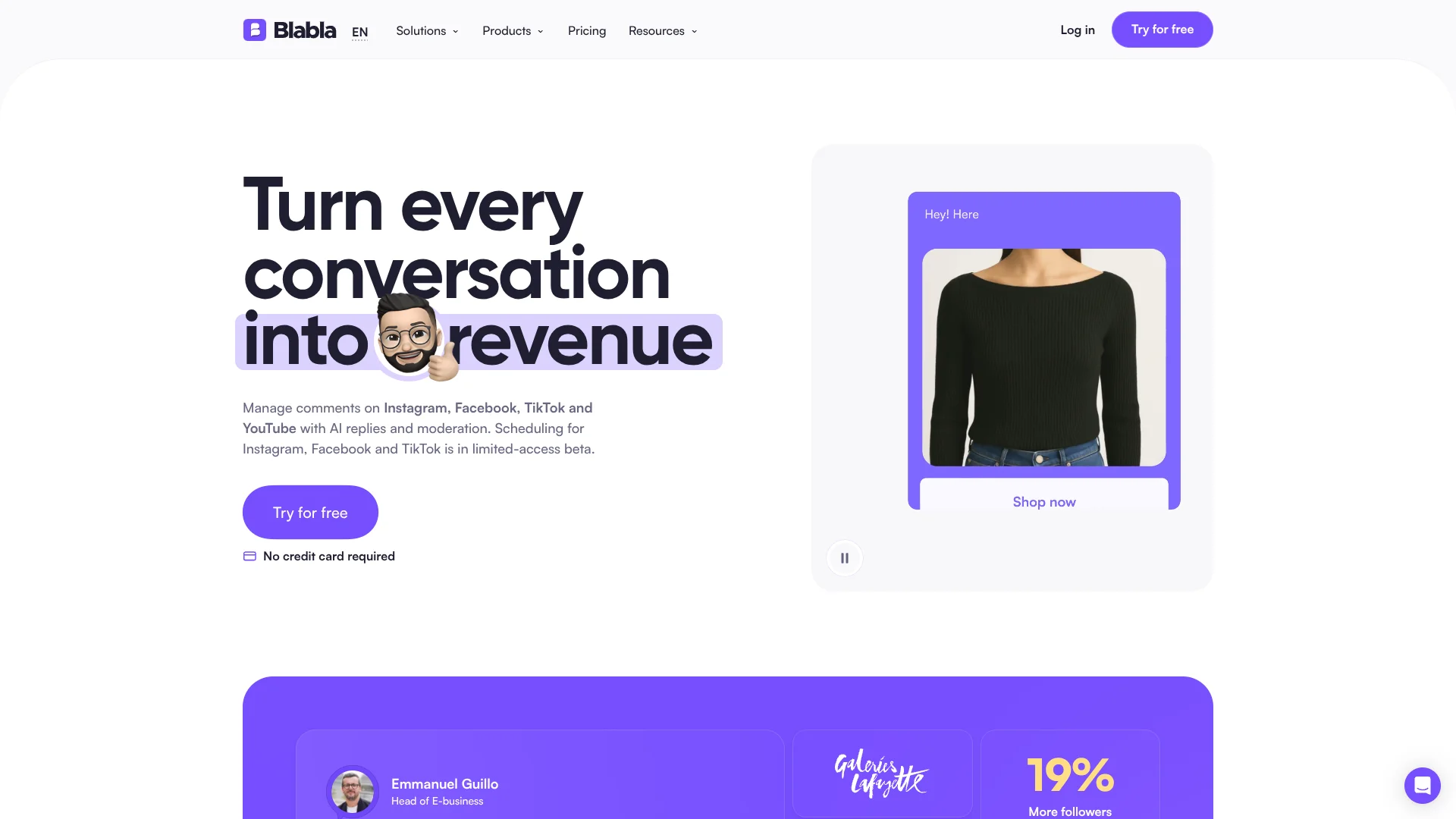
Blabla brings social comments and supported messages into one inbox, then helps teams draft replies and moderate spam with AI. It is built for brands, creators, and agencies handling conversations across connected social accounts. The goal is to answer routine questions faster and keep harmful comments from reaching customers.
Its AI can draft replies from your FAQ and knowledge base in your brand’s tone, either for a person to review or for automatic sending. On Instagram and Facebook, keyword automations can also send a direct message to someone who comments, turning a public interaction into a private conversation.
Blabla fits teams whose customer conversations happen mainly in social comments and Instagram or Facebook messages. It does not cover channels such as WhatsApp, email, or X, and its post scheduling is in limited-access beta. Choose it for social replies and moderation, not as a full publishing or customer-support suite.
Who is Using Blabla?
Community managers
A shared inbox and moderation filters help them clear routine comments and spot conversations that need a personal response.
E-commerce customer support specialists
FAQ-based AI replies help them answer repeated product questions in social comments and supported DMs.
Social media managers
Keyword automations and saved replies help them manage recurring interactions across connected accounts.
Agency account managers
Separate client workspaces help them keep each brand’s social conversations organized.
Uncommon Use Cases
A product launch comment can trigger a link by DM; AI filters can hide competitor mentions or scam links.
Key Features
Rating Breakdown
Pricing Plans
Free
Free
- 100 actions per month
- Multi-user access
- Converted from €0; Blabla does not list USD pricing.
Standard
$31.81 per month
- Unlimited actions and up to 5,000 smart automation runs
- Annual billing: €228 per year, equivalent to €19 per month
- Converted from €29 per month; Blabla does not list USD pricing. Prices exclude VAT.
Pro
$108.58 per month
- Unlimited smart automation runs and comments from ads and dark posts
- Annual billing: €828 per year, equivalent to €69 per month
- Converted from €99 per month; Blabla does not list USD pricing. Prices exclude VAT.
Which Blabla plan should you pick?
Try the Free plan to handle a small volume of social actions, then move to Standard for more automation or Pro for unlimited runs and ad-comment moderation.
Free
Good for trying the inbox and moderation with a limit of 100 actions per month.
Standard
Good for teams that need unlimited actions and up to 5,000 smart automation runs.
Pro
Good for teams that need unlimited smart automation runs and comments from ads and dark posts.
Blabla Use Cases
Answer recurring questions
FAQ-based AI drafts help teams respond to common questions in a consistent brand tone.
Outcome: Faster replies to routine social questions.
Moderate comments
AI filters and keyword rules identify spam and harmful comments for automatic hiding or deletion.
Outcome: Less manual comment cleanup.
Turn comments into private conversations
A keyword in a supported Instagram or Facebook comment can trigger a direct message with a link.
Outcome: A path from a public comment to a private follow-up.
Manage social conversations as a team
One inbox brings connected comments and supported direct messages together for review and response.
Outcome: A shared place to handle social interactions.
Review store context alongside conversations
Beta Shopify, WooCommerce, and PrestaShop integrations display customer orders next to supported conversations.
Outcome: Order details available beside the social interaction.
Workflow Ideas with Blabla
Review AI replies before enabling automation
- 1Connect a social account and add customer-service information to the knowledge center.
- 2Review AI reply suggestions and adjust the information or brand tone.
- 3Enable automatic replies for the questions your team is comfortable automating.
Turn a product comment into a DM
- 1Choose a keyword customers may use in a comment.
- 2Set an automation to send a relevant link by DM on supported Instagram or Facebook accounts.
- 3Review the resulting conversations in the shared inbox.
Keep a social inbox clear
- 1Set keyword rules and AI filters for spam or harmful comments.
- 2Review filtered conversations and respond to genuine questions.
- 3Use saved replies for recurring answers.
How Blabla fits into your stack
Social inbox
Blabla sits between connected social accounts and the people answering comments and supported direct messages. Instagram and Facebook support DMs; TikTok, YouTube, and LinkedIn support comments.
AI replies and moderation
The AI uses your FAQ and knowledge center to draft replies, while keyword rules and AI filters help moderate comments.
Social account connections
Instagram, Facebook, TikTok, YouTube, and LinkedIn connect through their official APIs. Shopify, WooCommerce, and PrestaShop integrations are in beta.
Content scheduling
A scheduler for Instagram, Facebook, and TikTok is in limited-access beta, so teams may still need a separate publishing tool.
Pros
- +FAQ-based AI replies: Drafts answers from information your team provides, rather than relying only on a blank prompt.
- +Comment-to-DM automation: Sends a private message when someone comments a selected keyword on supported Instagram and Facebook accounts.
- +Focused moderation: Can automatically hide or delete spam and harmful comments on connected social accounts.
- +Shared inbox: Gives teammates one place to review and respond to social comments and supported messages.
Cons
- −Narrow channel coverage: The product is centered on social conversations rather than email or broad customer support.
- −Scheduling is still in beta: Access is limited, so it may not replace a mature publishing calendar.
- −Automation caps on Standard: The plan includes up to 5,000 automation runs.
Limitations & when to consider alternatives
Known limitations
- No support for several common channels. Blabla does not connect to WhatsApp, email, SMS, X, Pinterest, or Threads.
- Direct messages are limited to two networks. DM support is for Instagram and Facebook Messenger; TikTok, YouTube, and LinkedIn are comment-only.
- Scheduling access is limited. Post scheduling for Instagram, Facebook, and TikTok is in limited-access beta.
- No social listening. Blabla handles conversations on accounts you connect, not mentions across the wider web.
- Store integrations are in beta. Shopify, WooCommerce, and PrestaShop integrations are beta features that show orders and products beside conversations.
Look elsewhere when
- You need to manage WhatsApp, email, or SMS conversations.
- Your team needs social listening across the wider web.
- You need a broadly available social publishing scheduler.
How to Use Blabla
- 1
Create a workspace
Start with the free plan or the seven-day trial, then set up the workspace for your brand.
- 2
Connect social accounts
Link the Instagram, Facebook, TikTok, YouTube, or LinkedIn accounts you want to manage.
- 3
Add customer-service information
Put your FAQ and response guidance in the knowledge center so AI replies can draw on your approved information.
- 4
Review AI suggestions
Check suggested replies and choose whether your team should approve them or allow automatic sending.
- 5
Set moderation and automation rules
Choose keywords and triggers for hiding comments, replying, or sending a DM.
- 6
Track conversations in the inbox
Use filters, bulk actions, and saved replies to work through incoming social interactions.
Who is Blabla For?
E-commerce brands
Product questions, social comments, and supported DMs can be handled together, with store order details available through beta integrations.
Creators
AI replies and moderation help creators keep up with comments across connected social accounts.
Agencies
Separate workspaces help agencies manage social conversations for different client brands.
Social media teams
A shared inbox and reply tools help teams review and answer audience conversations.
Frequently Asked Questions
Is there a free plan?
Yes. The Free plan includes 100 actions per month and multi-user access. The paid plans also offer a seven-day free trial.
Which social networks does Blabla support?
It supports comments on Instagram, Facebook, TikTok, YouTube, and LinkedIn. Direct messages are supported on Instagram and Facebook Messenger.
Can Blabla send replies automatically?
Yes. AI can draft replies from your FAQ and knowledge base for review or automatic sending. Keyword automations can also reply or send a DM on supported accounts.
Can Blabla schedule posts?
Scheduling for Instagram, Facebook, and TikTok is in limited-access beta. Contact Blabla to check whether your workspace can use it.
Does Blabla connect to online stores?
Shopify, WooCommerce, and PrestaShop integrations are in beta and can show order details next to conversations.
Community reviews
Be the first to share your experience.
Sign in to leave a review for Blabla.
Blabla Alternatives
Looking for alternatives to Blabla? Here are similar tools in the same category: