
BetterPic
Transform photos into 4K AI-generated professional headshots fast.
Key Takeaways
- What it is
- Transform photos into 4K AI-generated professional headshots fast.
- Pricing
- $29 · $45 · $79
- Best for
- 4K Resolution Headshots
- Rapid Turnaround
- Extensive Style Options
- Rating
- 4.7/5
What is BetterPic?
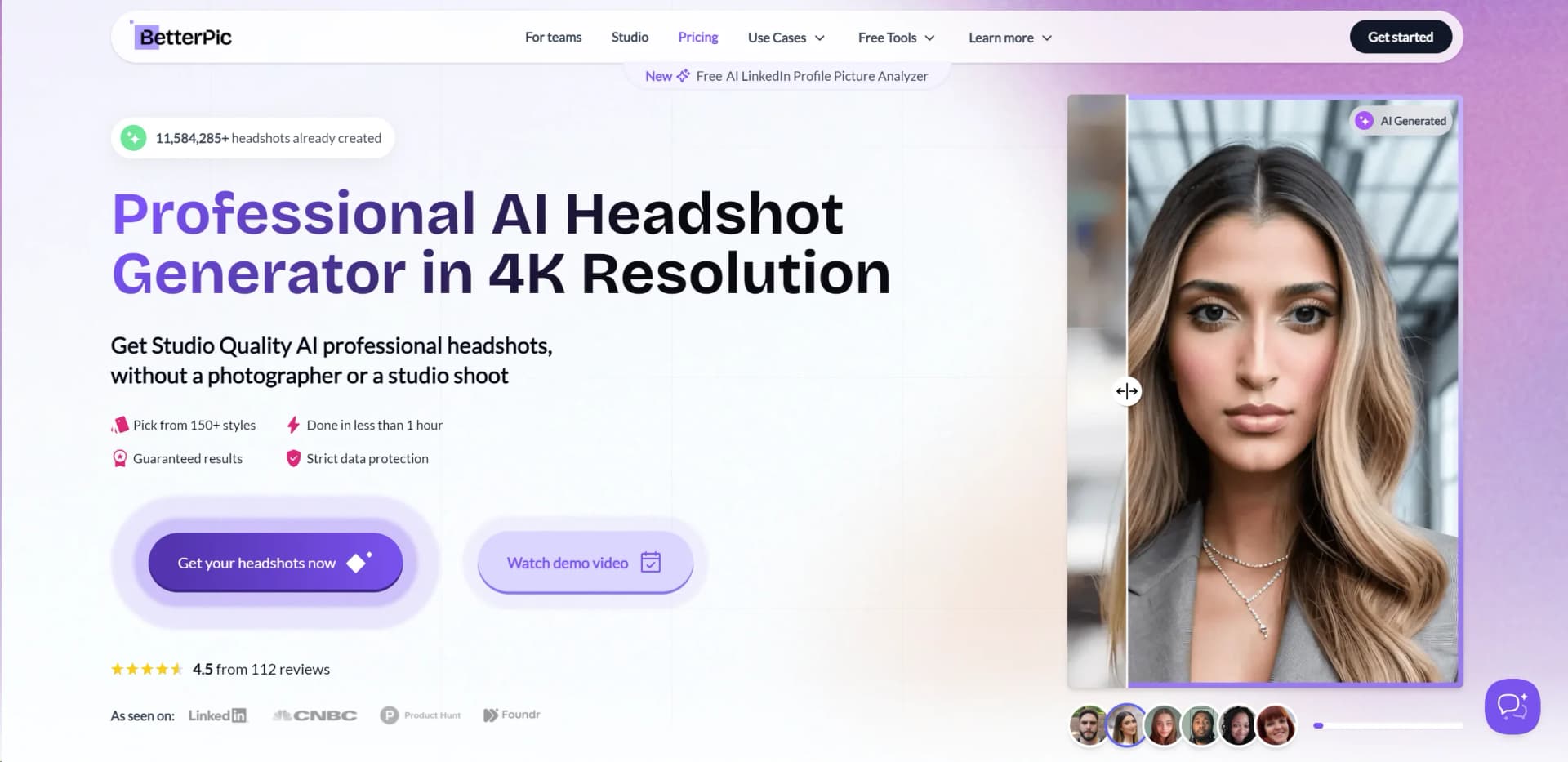
Betterpic revolutionizes professional photography by offering high-quality, AI-generated headshots in 4K resolution. Designed for individuals and businesses, it eliminates the need for expensive studio sessions and photographers, providing a cost-effective and efficient solution for obtaining professional images. Whether you're updating your LinkedIn profile or creating a business portfolio, Betterpic caters to a variety of needs with a quick turnaround time of less than an hour.
Betterpic stands out with its ability to deliver high-quality, professional headshots quickly and affordably, all without the need for a physical photoshoot. Its integration of AI technology not only ensures top-notch image quality but also offers a personalized experience through extensive customization options.
Betterpic excels in providing high-quality, professional headshots with remarkable speed and efficiency, making it an essential tool for individuals and businesses alike. Its ability to customize and produce images virtually anywhere, anytime, offers an unmatched advantage in today's fast-paced and increasingly remote working environments.
Who is Using BetterPic?
Job Seekers
Enhancing their resumes and LinkedIn profiles with professional headshots.
Remote Teams
Utilizing AI headshots for consistent team presentations and branding.
Freelancers
Creating professional portfolios to attract more clients.
Real Estate Agents, Lawyers, and Doctors
Seeking quick, professional images for marketing and personal branding.
Uncommon Use Cases
Utilized by actors and models for digital auditions; adopted by virtual event organizers for guest speaker profiles.
Key Features
Rating Breakdown
Pricing Plans
Basic Plan
$29
- 25 headshots
- Ready in 2 hours
- 20 outfit and background options
Pro Plan (Most Popular)
$45
- Now $35 for 100 headshots
- Ready in 1 hour
- 50 outfit and background options
Expert Plan (Best Value)
$79
- Now $59 for 200 headshots
- Ready in 45 minutes
- 100 outfit and background options
Which BetterPic plan should you pick?
Start with Pro for most individual users; choose Basic for a single style, Expert for maximum variety and priority support, or team pricing for coordinated company headshots.
Basic
Good for users who need a few headshots in one style with two AI edits.
Pro
Good for most individuals who need 60 headshots across three styles and four AI edits.
Expert
Good for users who want six styles, eight AI edits, human edits, and a free redo.
Team
Good for companies that need centralized team management, consistent styles, and volume pricing.
BetterPic Use Cases
LinkedIn profile photos
Upload selfies and generate polished, professional headshots.
Outcome: A high-resolution professional profile image.
Company team pages
Create consistent headshots for employees using shared styles and backgrounds.
Outcome: A more uniform company-team visual identity.
Resume and job-application photos
Generate professional portraits suitable for resumes and professional profiles.
Outcome: A studio-style portrait without scheduling a photoshoot.
Personal branding
Create multiple looks with different clothing, backgrounds, colors, and styles.
Outcome: A set of brand-ready professional images.
Embedded headshot generation
Use the API to add AI headshot generation to another product or platform.
Outcome: Programmatic headshot generation inside a third-party experience.
Workflow Ideas with BetterPic
Create an individual headshot set
- 1Choose the Basic, Pro, or Expert plan
- 2Upload the required reference photos
- 3Select styles and download the generated headshots
Run a company headshot project
- 1Purchase a team package and configure company styles
- 2Invite team members or upload photos for them
- 3Review results and download approved headshots
Refine a generated headshot
- 1Open the image in AI Studio
- 2Choose an edit such as clothing, background, or Magic Fix
- 3Generate and review the edited result
How BetterPic fits into your stack
Cross-Platform Compatibility
Accessible via any device with internet connectivity.
Integration with Professional Platforms
Easily use headshots for LinkedIn, business websites, and other professional networks.
Flexible File Formats
Supports multiple image file formats including JPEG, PNG, and more for easy integration into various applications.
Secure Cloud Storage
Utilizes secure cloud services for data storage and processing.
Pros
- +Cost-Effective: Saves money compared to traditional photography studios, with packages starting as low as $29.
- +Convenience: Eliminates travel and scheduling hassles associated with traditional photoshoots.
- +Customizable Options: Allows for extensive customization of outfits, backgrounds, and even photo edits.
- +Quick Service: Ideal for urgent needs, providing professional photos much faster than conventional methods.
Cons
- −Perception of AI Photography: Some may prefer the traditional touch and feel of human-taken photographs.
- −Limited Physical Interaction: Lacks the personal interaction and immediate feedback of a live photographer.
- −Dependence on User-Provided Photos: The final output heavily relies on the quality of the initial images uploaded by the user.
Limitations & when to consider alternatives
Known limitations
- Reference photos are required. The standard workflow requires multiple uploaded photos, with eight images required for model training.
- Supported uploads are image formats. The help center documents JPEG, JPG, PNG, AVIF, GIF, TIFF, and WebP uploads.
- AI Studio edits use credits. Plans include limited AI edits: Basic has two, Pro has four, and Expert has eight.
- Two-person photos are not supported for headshot generation. The help center says BetterPic currently cannot generate headshots with two or more people in the same photo.
- Turnaround varies by plan. Published turnaround times range from one hour for Expert to two hours for Basic.
Look elsewhere when
- You need a native mobile app from the BetterPic vendor.
- You need a downloadable desktop application.
- You need code generation rather than image editing.
How to Use BetterPic
- 1
Explore the comprehensive tutorial section on the Betterpic website, covering everything from basic setup to advanced customization of your professional headshots.
Who is BetterPic For?
Individual professionals
Generate professional headshots for LinkedIn, resumes, social profiles, and other professional uses.
Remote teams
Team members can upload photos from different locations while managers coordinate a consistent visual style.
HR and People Ops teams
The team dashboard supports invitations, progress tracking, reviews, and downloads.
Businesses and companies
Company plans provide branded team styles, bulk pricing, centralized management, and human retouching.
Developers and product teams
The BetterPic API supports embedding AI headshot generation into products and platforms.
Frequently Asked Questions
Which image file types can I upload?
BetterPic accepts JPEG, JPG, PNG, AVIF, GIF, TIFF, and WebP images.
How long does BetterPic take to generate headshots?
Basic is listed at two hours, Pro at 1.5 hours, and Expert at one hour.
Can I edit my generated headshots?
AI Studio supports clothing, background, skin, eye-color, expansion, background removal, Magic Fix, Magic Eraser, and human edits.
Can BetterPic create headshots for teams?
Managers can invite employees, upload photos, manage orders, review results, and download team headshots.
Can I use BetterPic commercially?
The individual plans include a commercial license for generated headshots.
Can I try BetterPic for free?
BetterPic offers a free AI headshot generator that creates up to 10 free 4K headshots.
Community reviews
2 reviews from people who use BetterPic.
Sign in to leave a review for BetterPic.
Thibault BM
richard dean
BetterPic Alternatives
Looking for alternatives to BetterPic? Here are similar tools in the same category:
Learn to Master BetterPic
With Skill Leap courses
Get in-depth training on BetterPic and 50+ other AI tools with our expert-led video courses.
Start 7-Day Free Trial