
Better Analyst
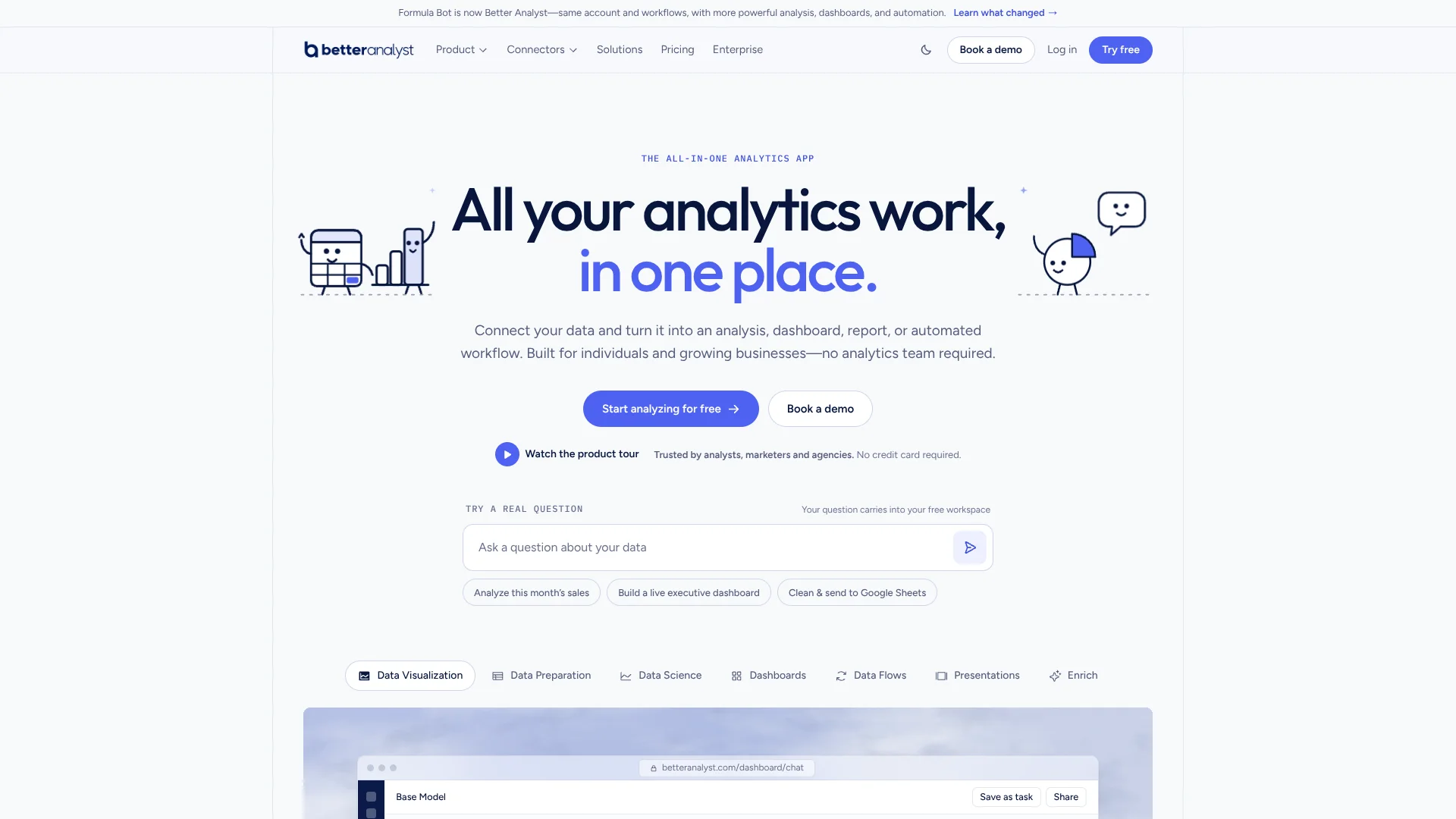
Turn business data questions into checkable analysis without writing SQL or Python.
Watch Better Analyst in Action
Key Takeaways
- What it is
- Turn business data questions into checkable analysis without writing SQL or Python.
- Pricing
- Freemium · $30 per month · $149 per month
- Best for
- Chat with Data
- AI Dashboards
- Scheduled Tasks
- Rating
- 4.3/5
What is Better Analyst?
Better Analyst turns questions about spreadsheets, databases, and business documents into charts, written analysis, and dashboards. It is built for people who need answers from data but do not want to write SQL or Python to get them. You can bring a file or connect sources such as Google Analytics, Google Sheets, Snowflake, or Power BI, then ask follow-up questions about the results.
Each analysis can show the SQL or Python code behind the result, giving you a way to check how Better Analyst reached its answer. You can also save recurring analysis as a task, so it runs again on fresh data and sends the result by email or Slack.
It is a strong fit for marketers, agencies, and small teams that need recurring reports or client dashboards without a dedicated analytics team. Results still depend on clear questions and well-structured data, so check the calculations before relying on an important finding. Better Analyst is most useful when you want to move from a data question to a checkable chart or repeatable report.
Who is Using Better Analyst?
Marketing Analysts
Campaign performance questions become charts and summaries drawn from connected marketing data.
Agency Account Managers
Client Projects and branded dashboards keep reports and data sources separated by account.
Finance Analysts
PDF to Excel helps turn statement and invoice tables into data they can review.
Operations Managers
Scheduled tasks and alerts help track recurring metrics and changes in incoming data.
Business Owners
Plain-English questions provide a way to examine sales or operations data without writing queries.
Uncommon Use Cases
Classifying customer feedback by sentiment; translating or extracting information across rows of a dataset.
Key Features
Rating Breakdown
Pricing Plans
Free
Free
- 10 chat messages per month
- 100 AI credits per month
- 1 connected data source
- 1 AI dashboard
Pro
$30 per month
- $20 per month when billed annually at $240 per year
- 3,000 AI credits per month
- Unlimited chat, dashboards, data sources, scheduled tasks, alerts, and Data Flows
- Private dashboards and charts with your logo
Team
$149 per month
- $119 per month when billed annually at $1,428 per year
- 5 people included; extra people are $15 per month or $12 per month with annual billing
- 10,000 shared AI credits per month
- Unlimited free dashboard viewers and 1 embedded AI chat
Enterprise
- AI credits sized to the contract
- SAML SSO, SCIM, and full audit-log export
- Custom connectors and unlimited embedded AI chats
- Dedicated support, SLA, DPA, and invoicing
Which Better Analyst plan should you pick?
Start with Free to test a real analysis; choose Pro for regular solo work, Team for shared reporting and client access, or Enterprise for SSO and contract-specific controls.
Free
Good for trying a small analysis with one connected source, one dashboard, and a limited monthly message and credit allowance.
Pro
Good for one person who needs unlimited chat, more data sources, dashboards, scheduled tasks, and 3,000 monthly AI credits.
Team
Good for teams that need a shared workspace, free dashboard viewers, per-person data access, Slack delivery, and one embedded AI chat.
Enterprise
Good for organizations that need SAML SSO, SCIM, audit-log export, custom connectors, or contract-sized AI credits.
Better Analyst Use Cases
Investigate a business metric
A plain-English question about a spreadsheet or connected source produces a chart, table, or written explanation to explore in follow-up questions.
Outcome: A visual answer with code you can inspect.
Build a client dashboard
A connected data source or spreadsheet can become an interactive dashboard for sharing with clients or teammates.
Outcome: A shareable dashboard with daily refresh on paid plans.
Automate a recurring report
A useful analysis can be saved as a scheduled task and run again against fresh data.
Outcome: A repeat report delivered by email or Slack.
Monitor a changing metric
An alert can watch for a threshold, a sharp change, or data that stops arriving.
Outcome: An email or Slack alert when the selected condition occurs.
Extract tables from PDFs
Invoice, bank statement, or scanned-table data can be converted into a structured spreadsheet.
Outcome: Spreadsheet-ready rows and columns.
Workflow Ideas with Better Analyst
Weekly marketing report
- 1Connect marketing sources such as Google Analytics, Search Console, and Google Ads.
- 2Ask questions about campaign performance and refine the analysis in chat.
- 3Save the recurring analysis as a task or Data Flow and schedule delivery.
Client dashboard handoff
- 1Create a Project for the client and connect its data sources.
- 2Build an interactive dashboard and set the data viewers are allowed to see.
- 3Share the dashboard with free Team viewers or embed an AI chat in the client product.
Statement-to-review workflow
- 1Convert a PDF statement into a spreadsheet with PDF to Excel.
- 2Ask questions about totals, categories, or changes in the extracted data.
- 3Export the resulting table or chart for review.
How Better Analyst fits into your stack
Spreadsheets and files
Upload Excel, CSV, TSV, or PDF data for chat analysis, charting, and PDF-to-spreadsheet extraction.
Analytics and data sources
Connect sources including Google Analytics, Google Sheets, Power BI, Tableau, BigQuery, Snowflake, and PostgreSQL to ask questions without exporting data first.
Reporting and dashboards
Turn analysis into interactive dashboards, presentations, or scheduled reports delivered by email or Slack.
Slack
On Team, the Slack agent can answer data questions in channels and DMs, and scheduled reports can be sent to Slack.
Data delivery
Data Flows can repeat cleaning and joins on fresh source data, then send results to Google Sheets or a warehouse.
Pros
- +Checkable analysis: You can inspect the SQL or Python behind complex results.
- +Useful free plan: It includes 10 chat messages, one connected data source, one dashboard, and 100 AI credits each month.
- +Recurring reports: Scheduled tasks, alerts, and Data Flows can keep routine analysis moving after setup.
- +Client sharing: Team includes free dashboard viewers and one embedded analytics chat for unlimited users.
Cons
- −Monthly credit allowance: PDF conversion, enrichment, and deep research use credits, so heavy batch work may need a top-up.
- −Internet required: Analysis and AI responses are not available offline.
- −Plan details take attention: Chat, bulk-work credits, viewers, and team seats have different limits.
Limitations & when to consider alternatives
Known limitations
- Upload size depends on plan. The documented maximum is 5 MB on Free, 500 MB on Pro, and 1 GB on Team and Enterprise.
- Bulk work uses AI credits. PDF to Excel costs 10 credits per page, enrichment costs 1 credit per row, and deep research costs 20 credits per report.
- Monthly allowances reset. Monthly chat and AI credit allowances reset each month; only purchased top-up credits carry over for one month.
- No offline analysis. Better Analyst requires an internet connection to process data and generate AI responses.
Look elsewhere when
- You need offline analysis or a downloadable desktop app.
- You need a native mobile app or browser extension.
- Your work depends on a developer API rather than the product's data connectors and Custom APIs.
How to Use Better Analyst
- 1
Bring in data
Start with an Excel, CSV, TSV, or PDF file, or connect a supported data source such as Google Sheets or PostgreSQL.
- 2
Ask a focused question
Name the metric, relevant columns, and time period so the AI has clear instructions for its analysis.
- 3
Review the result
Check the chart or summary and inspect the SQL or Python behind the analysis when you need to verify the method.
- 4
Make the result reusable
Turn useful analysis into a dashboard, scheduled task, alert, or Data Flow, depending on whether you need to share, repeat, monitor, or deliver it.
- 5
Choose a plan for the workload
Free includes 10 chat messages monthly; Pro adds unlimited chat and 3,000 AI credits, while Team adds shared workspace features and 10,000 shared credits.
Who is Better Analyst For?
Agencies
Client Projects, branded dashboards, and recurring reports help keep each account's analysis organized.
Marketing Teams
Connected advertising and analytics sources make it easier to investigate campaign results and monitor changes.
Ecommerce Teams
Questions about sales data can become charts, dashboards, and repeatable performance reports.
Finance and Accounting
PDF to Excel can turn invoices and bank statements into structured spreadsheets for review.
Operations Teams
Scheduled tasks and Data Flows can reduce repeated reporting and data-preparation work.
Frequently Asked Questions
Is there a free plan?
Yes. Free includes 10 chat messages a month, 100 AI credits a month, one connected data source, and one dashboard.
How much does Pro cost?
Pro is $30 per month when billed monthly, or $20 per month with annual billing at $240 per year.
What does Team include?
Team is $149 per month when billed monthly, or $119 per month billed annually at $1,428 per year. It includes five people, free dashboard viewers, and a shared workspace.
Which data sources can I connect?
Connectors include Google Analytics, Google Sheets, Google Ads, Airtable, Power BI, Tableau, BigQuery, Snowflake, PostgreSQL, and other listed business sources.
Can I use it offline?
No. An internet connection is needed to process data and generate AI responses.
Does Better Analyst train AI on my data?
The company says it does not use customer data to train AI models. Its FAQ also says data is encrypted in transit and at rest.
Community reviews
Be the first to share your experience.
Sign in to leave a review for Better Analyst.
Better Analyst Alternatives
Looking for alternatives to Better Analyst? Here are similar tools in the same category:
Learn to Master Better Analyst
With Skill Leap courses
Get in-depth training on Better Analyst and 50+ other AI tools with our expert-led video courses.
Start 7-Day Free Trial