
Ayna
Revolutionize catalog creation with AI-driven rapid professional photoshoots.
Key Takeaways
- What it is
- Revolutionize catalog creation with AI-driven rapid professional photoshoots.
- Best for
- AI-Driven Photoshoots
- Rapid Content Creation
- High Compatibility
- Rating
- 4.7/5
What is Ayna?
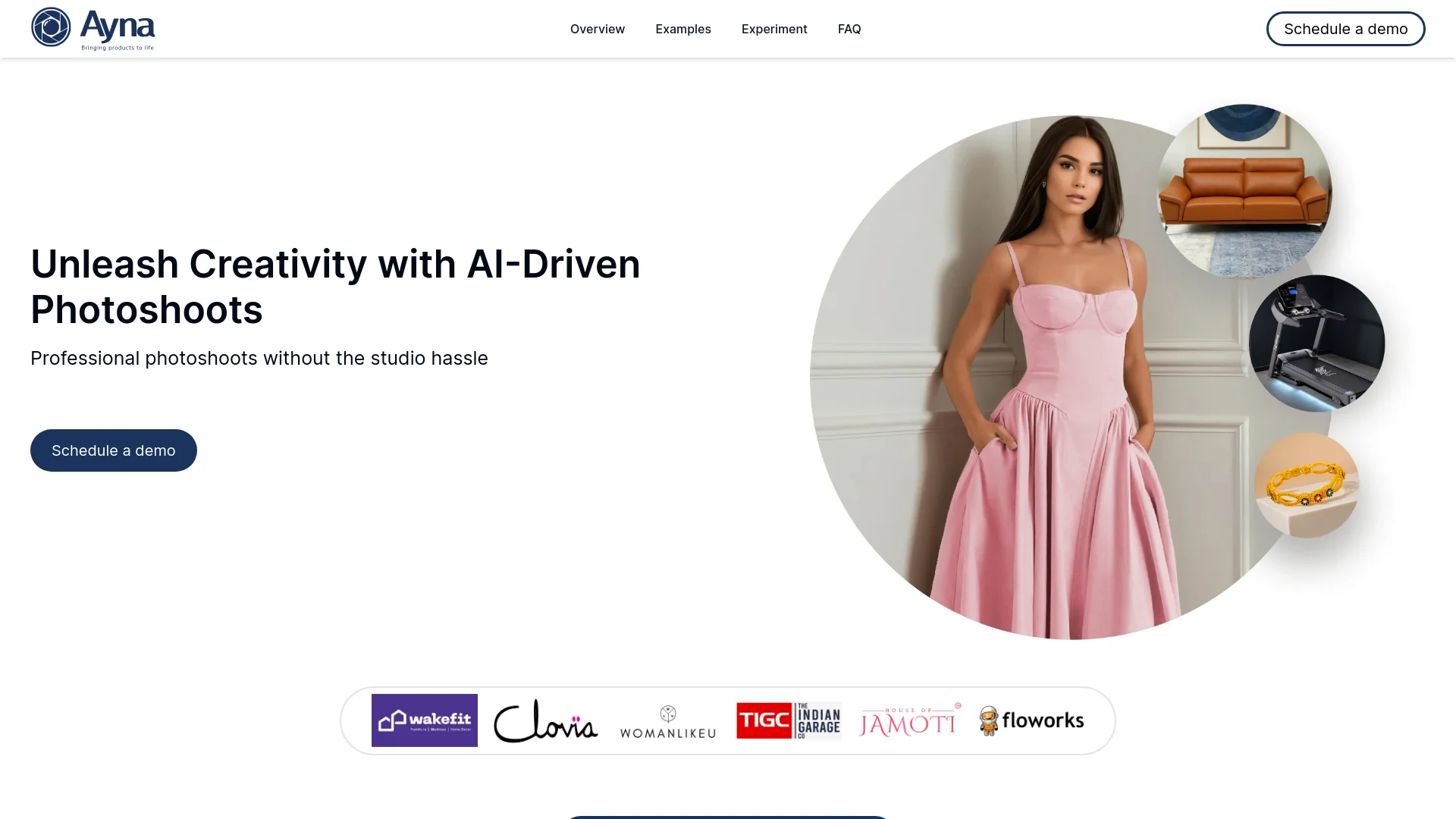
Ayna is a groundbreaking AI tool designed to transform the way businesses create professional catalogs and marketing campaigns. By leveraging artificial intelligence, Ayna allows users to produce high-quality apparel photoshoots in minutes, significantly reducing the time and cost associated with traditional photography. Aimed at retailers, e-commerce platforms, and marketers, this tool simplifies the process of generating visually appealing content that is ready for use across various online marketplaces.
Ayna stands out by providing a tool that integrates AI to simulate real-world photography sessions digitally. This not only saves substantial resources but also empowers businesses to experiment creatively with visuals without the hefty investment typically associated with high-quality photography.
Ayna excels in providing a rapid, cost-effective solution for creating digital catalogs and marketing campaigns. Its innovative use of AI to simulate traditional photoshoots makes it an indispensable tool for businesses looking to enhance their visual marketing without incurring the high costs and logistics typically associated with such endeavors. The flexibility and ease of use offered by Ayna, particularly its ability to integrate with various e-commerce platforms, ensure that it stands out as a valuable asset for modern digital marketing strategies.
Who is Using Ayna?
E-commerce Businesses
Utilizing the tool for enhancing online product imagery.
Fashion Retailers
Employing Ayna for quick turnaround on new collections' digital presentations.
Online Marketers
Leveraging the tool to create engaging promotional content for social media and ads.
Designers and Photographers
Using the tool to pre-visualize shoots and settings.
Uncommon Use Cases
Used by educational institutions for projects in digital marketing courses; adopted by startups for cost-effective campaign testing.
Key Features
Rating Breakdown
Pricing Plans
Free Trial
- Experience Ayna with a significant discount by using promotional codes like NRF30 for a 30% discount at checkout
Subscription Plans
- Detailed pricing plans are available upon request through a demo booking
Which Ayna plan should you pick?
Start with Silver for a small catalog or initial testing, upgrade to Gold for bulk uploads and custom models, and choose Platinum or Enterprise for high-volume team operations.
Silver
Good for early brands and creators who need core AI photoshoot, template, model, background, and video tools.
Gold
Good for growing teams who need bulk product uploads, custom model creation, 4K output, marketplace variations, and up to four team members.
Platinum
Good for high-velocity teams who need bulk photoshoot creation, higher image and video allowances, faster processing, and up to ten team members.
Enterprise
Good for teams with custom volume needs that require tailored pricing, volume discounts, a dedicated account manager, and early feature access.
Ayna Use Cases
New photoshoots
Generate new on-model or product visuals from garment inputs using AI models, backgrounds, poses, and templates.
Outcome: Create launch-ready fashion imagery without a traditional studio shoot.
Catalogs at scale
Upload multiple products or folders and generate consistent imagery across a seasonal or large product catalog.
Outcome: Produce catalog visuals more quickly and consistently.
Refreshing catalogs
Use existing on-model product images to create refreshed catalog visuals with new models, backgrounds, and styling.
Outcome: Give existing inventory new visual presentation.
Marketplace variations
Create marketplace-specific crops and variations for destinations such as Amazon, Myntra, Nykaa Fashion, and Flipkart.
Outcome: Prepare images for marketplace-specific requirements.
Photoshoot sampling
Generate visual samples for garments and collections before committing to a traditional photoshoot.
Outcome: Evaluate creative directions and product presentation earlier.
Workflow Ideas with Ayna
Create a product photoshoot
- 1Upload garment images
- 2Select a garment category, model, background, and template
- 3Generate, refine, and download the photoshoot
Produce a bulk catalog
- 1Organize garment images into product folders
- 2Upload multiple products in bulk
- 3Generate and download catalog-ready outputs
Create marketplace variations
- 1Generate the base photoshoot
- 2Select a marketplace such as Amazon, Myntra, or Flipkart
- 3Apply the marketplace crop and download the saved variations
How Ayna fits into your stack
E-commerce Platform Support
Directly compatible with major e-commerce platforms, allowing seamless integration.
Flexible Input Formats
Accepts various image formats for input, facilitating ease of use.
Scalable Output Options
Supports a range of output resolutions and formats to match different marketing needs.
User-Friendly Interface
Designed to be intuitive, allowing users without technical expertise to easily create professional-level visual content.
Pros
- +Cost Efficiency: Drastically cuts down the cost of setting up and conducting physical photoshoots.
- +Time-Saving: Reduces the turnaround time for campaign and catalog creation from days to minutes.
- +Flexibility: Provides high flexibility in changing backgrounds, models, and themes without additional costs.
- +Market Adaptability: Ensures that the output is ready for immediate use on various e-commerce platforms without further modification.
Cons
- −Initial Setup Requirement: Requires an initial setup to understand the tool’s capabilities and how to effectively utilize its features.
- −Dependence on Quality Inputs: The quality of the output heavily depends on the quality of input images provided.
- −Limited Physical Interaction: Might not completely substitute the nuanced details captured through traditional photoshoots involving human models.
Limitations & when to consider alternatives
Known limitations
- Input quality affects results. Poor lighting, blur, busy backgrounds, cropped garments, and unclear views can cause inaccurate garment interpretation or lower-quality outputs.
- Certain images may be rejected. Transparent fabrics, lingerie or bikini images on real models, exposed or sensitive body areas, and close-up photos of children may be flagged or fail processing.
- Output realism is not guaranteed. Ayna states that results may vary and may not accurately reproduce resemblance, draping, or fabric behavior.
- Custom models are plan-limited. Custom model creation is available on Advanced or Ultimate-equivalent higher-tier plans, not the entry-level plan.
- Credits govern usage. Generation, video, template, and upscale operations consume credits according to the selected plan.
Look elsewhere when
- You need a documented developer API.
- You need a native mobile app.
- You need a desktop installer.
- You need programming-code generation.
How to Use Ayna
- 1
Explore a variety of tutorials directly on the Ayna website, covering everything from basic setup to advanced feature utilization, ensuring users can fully leverage the tool’s capabilities.
Who is Ayna For?
Early brands and creators
The Silver plan provides core photoshoot tools for early brands and creators.
Growing teams
The Gold plan is positioned for growing teams needing more seats, bulk uploads, custom models, and marketplace variations.
High-velocity teams
The Platinum plan targets high-volume teams needing bulk generation, faster processing, and more team members.
Fashion brands
Ayna is designed for fashion brands creating catalogue and campaign imagery across men's, women's, and kidswear.
Enterprise teams
Enterprise is intended for teams with custom volume requirements, volume discounts, and dedicated account management.
Frequently Asked Questions
What does Ayna Studio do?
Ayna is a virtual photoshoot platform that generates product and fashion images for catalogues and creative campaigns.
What can users upload?
Users can upload garment images in PNG, JPG, JPEG, or WEBP format. Ayna supports flat-lay, hanger, mannequin, and model shots.
How large can uploaded images be?
The recommended resolution is 1K to 8K, with a maximum file size of 15 MB per image.
Can users create custom models?
Gold and higher plans support custom model creation using identity and appearance attributes such as age, ethnicity, body type, skin tone, hair, and hair color.
What happens to generated content?
Users can download generated and edited images, and retain full rights to the AI-generated images they create.
Does Ayna offer a free trial?
Ayna offers 120 free credits, equivalent to three product photoshoots, with no credit card required.
Community reviews
Be the first to share your experience.
Sign in to leave a review for Ayna.
Ayna Alternatives
Looking for alternatives to Ayna? Here are similar tools in the same category:
Learn to Master Ayna
With Skill Leap courses
Get in-depth training on Ayna and 50+ other AI tools with our expert-led video courses.
Start 7-Day Free Trial