
Attentive
Revolutionizes construction and landscaping with AI-driven automation.
Key Takeaways
- What it is
- Revolutionizes construction and landscaping with AI-driven automation.
- Best for
- Automated Takeoffs
- Customer Relationship Management (CRM)
- Real-Time Insights
- Rating
- 4.7/5
What is Attentive?
Attentive is a revolutionary AI-powered platform designed specifically for the landscaping, paving, and construction industries. Its core purpose is to automate critical business processes, from takeoffs to customer management, enhancing efficiency and accuracy across operations. Intended for businesses looking to streamline their workflows and boost productivity, Attentive offers a suite of tools that cater to various needs within these sectors.
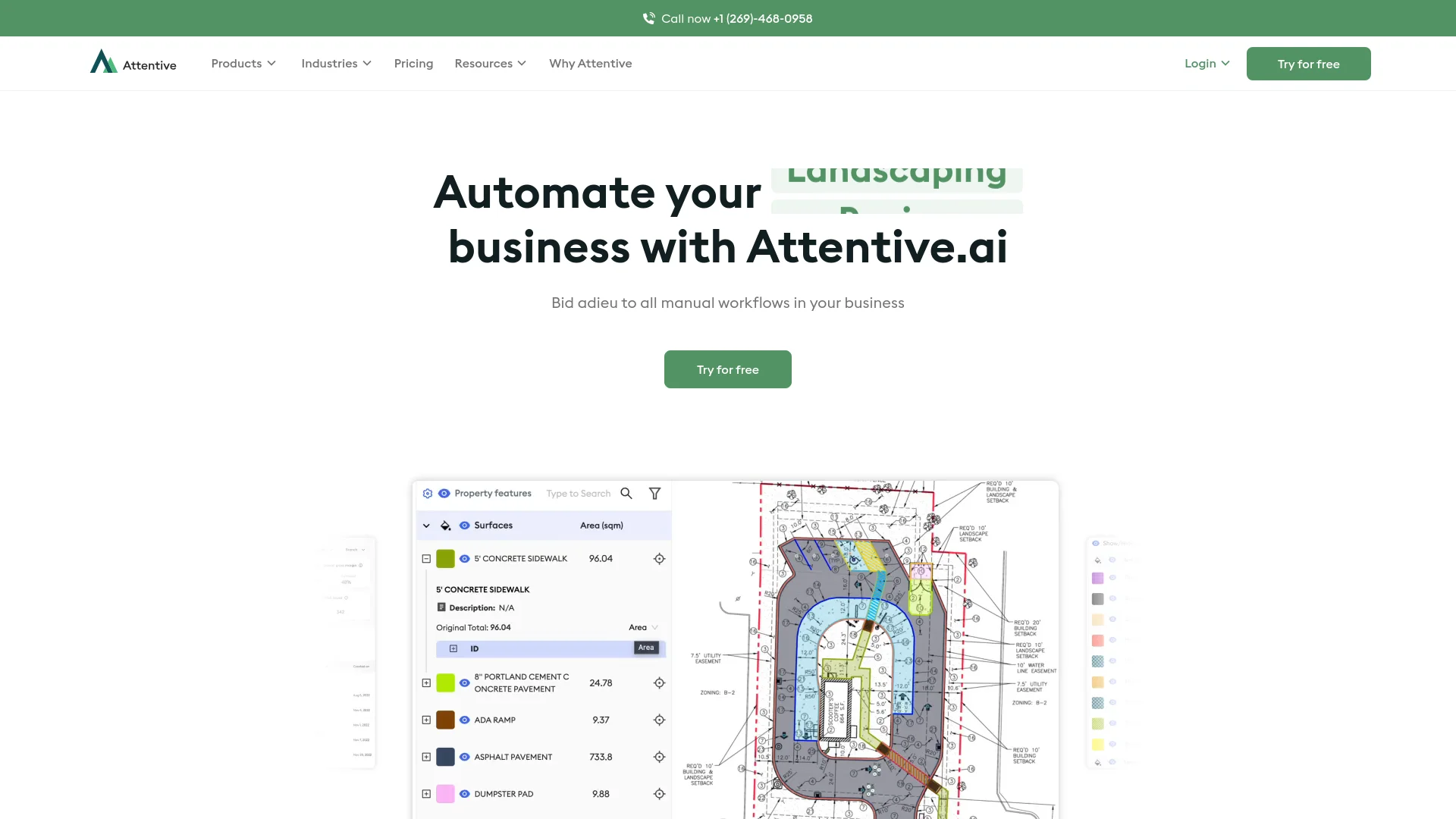
Attentive stands out with its specialized focus on outdoor field service industries, particularly landscaping and construction. Its ability to integrate high-resolution aerial imagery with automated takeoff calculations sets it apart, providing unprecedented accuracy and efficiency.
Attentive excels in transforming the operational capabilities of landscaping, paving, and construction businesses. Its innovative use of AI for automated takeoffs and real-time insights, coupled with a user-friendly interface, makes it an indispensable tool for modern businesses seeking efficiency, accuracy, and scalability.
Who is Using Attentive?
Landscaping Companies
Use Attentive for end-to-end management of landscaping projects, from design to maintenance.
Construction Firms
Employ the platform for streamlined project management and automated takeoffs.
Paving Services
Leverage Attentive for accurate and rapid paving estimates and project planning.
Facilities Maintenance Managers
Utilize the software to handle large-scale, multi-property maintenance bids efficiently.
Uncommon Use Cases
Local governments use it for urban planning and maintenance; educational institutions adopt it for training students in project management software.
Key Features
Rating Breakdown
Pricing Plans
Free Trial
- Try Attentive with a robust free trial period to experience its features without commitment
Subscription Plans
- Offers various subscription plans tailored to different business sizes and needs
- Ensuring flexibility and affordability
Which Attentive plan should you pick?
Start with Do It Yourself for in-house HVAC, plumbing, or steel takeoffs; choose Done For You for QA-checked delivery, Aerial images for field-service properties, or Enterprise for custom capacity and support.
Do It Yourself - Construction plans
Good for teams that need AI-assisted in-platform takeoffs and estimates for HVAC, plumbing, or steel.
Done For You - Construction plans
Good for teams needing QA-checked, bid-ready takeoffs across trades with delivery in 24–72 hours.
Done For You - Aerial images
Good for landscaping, snow, paving, and striping teams needing aerial-imagery takeoffs and OnSite access.
Enterprise plan
Good for organizations needing higher usage limits, more parallel processing, customized Excel outputs, and priority support.
Attentive Use Cases
Automated blueprint takeoffs
Upload PDF plans, define scope, and have AI extract measurements and quantities.
Outcome: Faster, bid-ready quantity data.
Aerial property measurement
Measure landscaping, paving, snow, striping, and other property features from aerial imagery.
Outcome: Reduced manual tracing and measuring.
Bid estimation
Use extracted quantities and in-platform estimates to prepare construction and field-service bids.
Outcome: Higher estimating and bidding capacity.
On-site documentation
Use Attentive OnSite to add geo-tagged notes, photos, service issues, and site conditions.
Outcome: Better crew instructions and site records.
Collaborative takeoff review
Share takeoffs or folders with teammates, edit measurements, and export reports.
Outcome: More coordinated project review.
Workflow Ideas with Attentive
Blueprint-to-bid workflow
- 1Upload the PDF site plan and supporting documents
- 2Define the scope of work and project instructions
- 3Review the generated takeoff and export quantities for estimating
Field-to-office workflow
- 1Submit a takeoff from the Attentive OnSite mobile app
- 2Add geo-tagged notes, photos, and site conditions
- 3Share the property information with teammates and crews
Collaborative takeoff review
- 1Open the Team area and select a completed takeoff
- 2Share the takeoff or folder with a team member
- 3Edit measurements and export the revised report
How Attentive fits into your stack
CRM Integration
Seamlessly integrates with existing CRM systems to enhance customer relationship management.
Cloud-Based
Fully cloud-based, allowing for access from any device, anywhere, at any time.
API Access
Offers API access for custom integrations, making it versatile for various IT ecosystems.
Mobile Compatibility
Features a mobile-friendly interface, ensuring accessibility on the go.
Pros
- +Increased Productivity: Automates routine tasks, allowing teams to focus on more strategic activities.
- +Cost Reduction: Minimizes the need for extensive manual labor, reducing operational costs.
- +Scalability: Easily scales to meet the growing needs of businesses, from small startups to large enterprises.
- +User-Friendly Interface: Designed with the user in mind, ensuring ease of use even for those with minimal technical expertise.
Cons
- −Initial Setup Complexity: The initial setup and integration with existing systems can be complex and time-consuming.
- −Training Required: New users may require training to fully leverage all the features and benefits of the platform.
- −Dependence on Internet Connectivity: As a cloud-based solution, continuous internet connectivity is essential for optimal performance.
Limitations & when to consider alternatives
Known limitations
- Concurrency limits. The standard workflow supports two simultaneous takeoff requests; up to four additional concurrencies cost $99 each.
- Trade availability varies by plan. Do It Yourself construction plans are available for HVAC, plumbing, and steel, while other plans vary by trade and volume.
- Done-for-you turnaround. Done-for-you construction takeoffs are delivered in approximately 24–72 hours.
- Mobile app pricing varies. OnSite is included for Pro users, while Lite users can access it for $99 per year.
- Plan-dependent capacity. License capacity depends on trade, project complexity, and selected license tier.
Look elsewhere when
- You need a public developer API with published endpoints and API documentation.
- Your team needs a dedicated browser extension.
- You need a self-serve plan with transparent monthly pricing.
How to Use Attentive
- 1
Explore a range of tutorials from basic setup to advanced features on the Attentive website and YouTube channel, designed to help users maximize the tool's potential.
Who is Attentive For?
Sales teams
Automated takeoffs help sales teams prepare more bids with less manual measurement work.
Estimators
Estimators can generate quantities, estimates, and structured takeoff outputs from plans and aerial imagery.
Business developers
Business developers can submit takeoffs from the field and support faster bidding workflows.
Project managers
Project managers can review, edit, share, and export project measurements.
Field-service and construction businesses
The platform targets landscaping, paving, snow management, facilities maintenance, and construction operations.
Frequently Asked Questions
How does Attentive.ai pricing work?
Pricing uses annual license plans tailored to trade, bid volume, project complexity, and usage requirements.
Can I try Attentive.ai for free?
Attentive.ai provides a free account with limited platform features and no credit card requirement.
How does automated blueprint takeoff work?
Upload a site plan, define the scope of work, and submit it for automated measurement.
What file types can I export?
Takeoffs can be exported as shareable links, Excel files, PDFs, JPEGs, or screenshots.
Can team members share and edit takeoffs?
Users can share takeoffs or folders with team members, who can access and edit shared outputs.
How many takeoffs can run simultaneously?
The standard workflow supports two concurrent requests, with up to four additional concurrencies available for purchase.
Community reviews
Be the first to share your experience.
Sign in to leave a review for Attentive.
Attentive Alternatives
Looking for alternatives to Attentive? Here are similar tools in the same category:
Learn to Master Attentive
With Skill Leap courses
Get in-depth training on Attentive and 50+ other AI tools with our expert-led video courses.
Start 7-Day Free Trial