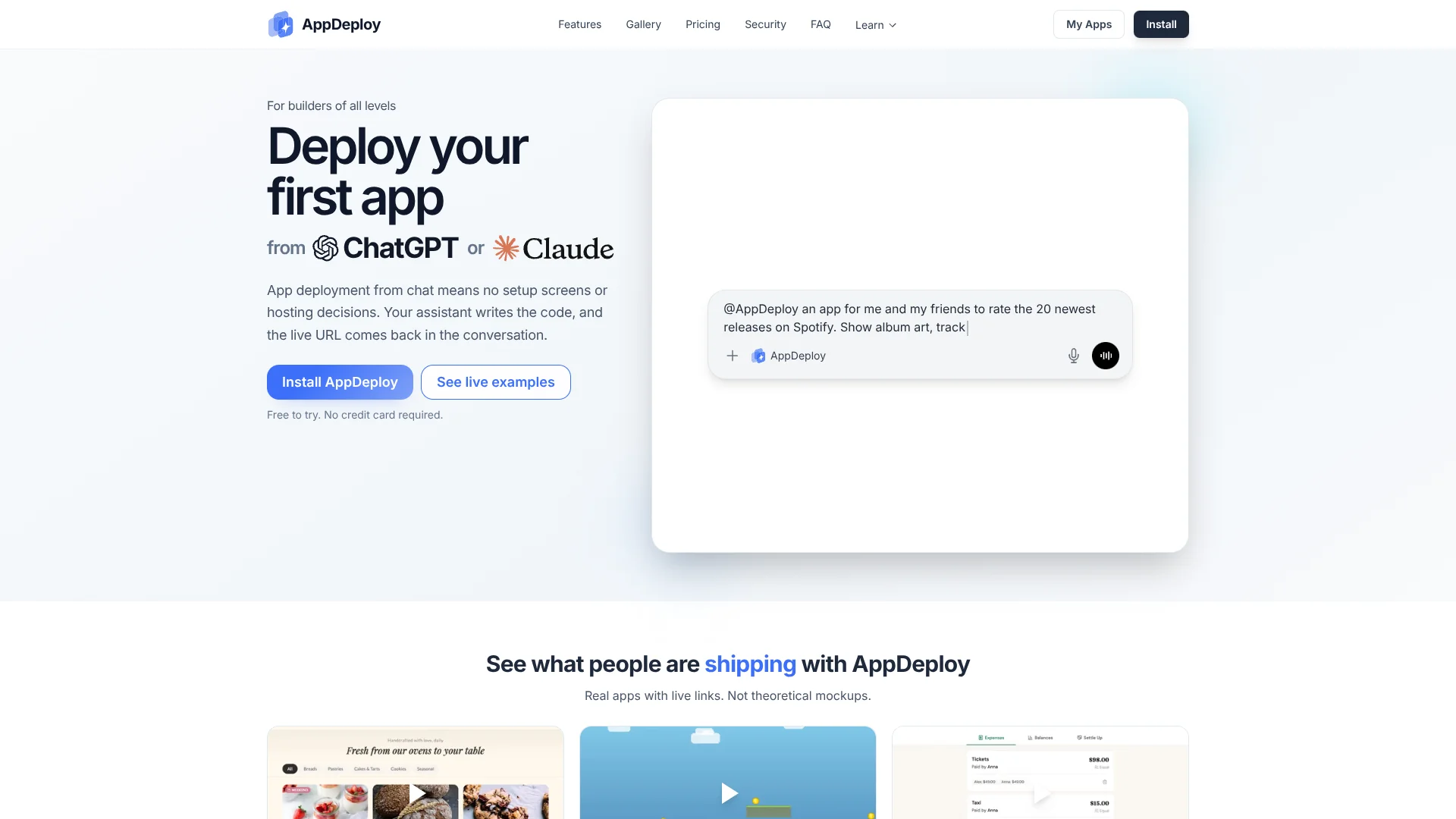
AppDeploy
Turn AI-built code into live web apps without deployment setup.
Key Takeaways
- What it is
- Turn AI-built code into live web apps without deployment setup.
- Pricing
- Freemium · $20 per month
- Best for
- Chat-Native Deployment
- Managed Hosting and HTTPS
- Backend Services
- Rating
- 4.1/5
What is AppDeploy?
AppDeploy turns instructions from ChatGPT, Claude, Cursor, Codex, and other supported AI tools into live web apps with hosting, HTTPS, databases, file storage, authentication, and a public URL. It removes the hosting and deployment setup that often blocks people after an AI tool has written the code. You can build landing pages, dashboards, portals, workflow apps, and lightweight SaaS products without Git, an IDE, or a command line.
AppDeploy can return deployment status, runtime errors, visual QA reports, and rollback options directly to the AI workflow that built the app.
It fits nontechnical builders who want to ship quickly and developers who want to inspect code and iterate from chat. The tradeoff is that AppDeploy uses opinionated infrastructure defaults, so teams needing detailed control over runtimes, providers, or deployment settings may outgrow it. Its strongest use is turning an AI-built app into a shareable, hosted product with less deployment work.
Who is Using AppDeploy?
Product managers
Prototype internal tools and customer-facing ideas from a written product description, then share a live link for feedback.
Founders
Move from an AI-generated concept to a hosted MVP with authentication, data storage, and version rollback.
Frontend developers
Pair AI-generated interfaces with managed backend services instead of building deployment plumbing first.
Automation builders
Ship workflow apps with scheduled jobs, notifications, real-time updates, and database-backed state.
Designers
Bring work from Figma Make and other supported AI tools to a public URL for testing and review.
Uncommon Use Cases
Launch interactive browser games with generated assets and live sharing; create small business ordering apps with pickup slots and admin tools.
Key Features
Rating Breakdown
Pricing Plans
Free
Free
- 100 daily, 400 weekly, and 1,000 monthly credits
- Up to 7 daily, 30 weekly, and 70 monthly deployments
- Hosting, HTTPS, database, file storage, authentication, real-time updates, notifications, secrets, scheduled jobs, built-in AI, version history, and rollback
- Authentication for up to 5 users
- AppDeploy watermark displayed
- No credit card required
Plus
$20 per month
- $17 per month when billed yearly, or $200 billed yearly
- 1,000 daily, 5,000 weekly, and 20,000 monthly credits
- Up to 70 daily, 350 weekly, and 1,400 monthly deployments
- Higher credit quotas, optional autonomous QA, custom domains, watermark removal, and priority support
- Unlimited authenticated users with usage-based credits
- Top-ups available: 5,000 credits for $8, 10,000 for $12, or 20,000 for $20
- Optional automatic top-ups
Which AppDeploy plan should you pick?
Start with Free for prototypes and early apps, then choose Plus when you need higher credit quotas, optional autonomous QA, custom domains, no watermark, or top-up packages.
Free
Good for first apps, prototypes, and low-volume deployments that fit the standard credit limits.
Plus
Good for builders and production apps that need more usage, custom domains, autonomous QA, unlimited authenticated users, or priority support.
AppDeploy Use Cases
AI-built MVPs
A product idea becomes a live app with hosting, login, storage, and a public URL.
Outcome: A shareable MVP that can be revised through the AI development workflow.
Internal dashboards
Operational data, user accounts, and real-time updates can support a private-facing business tool.
Outcome: A working dashboard without separate backend and hosting setup.
Workflow applications
Scheduled jobs, notifications, authentication, and databases support repeatable business processes.
Outcome: A hosted workflow tool with persistent data and automated tasks.
Interactive prototypes
Designers and product teams can move from Figma Make or an AI coding tool to a usable web experience.
Outcome: A live prototype that stakeholders can open in a browser.
Small customer apps
Booking, ordering, portals, and lightweight SaaS products can combine public pages with authenticated features.
Outcome: A real deployed app that can keep changing as requirements become clearer.
Workflow Ideas with AppDeploy
Build, test, and release
- 1Describe the app and its required features in a supported AI tool.
- 2Have the AI deploy it through AppDeploy and return the live URL.
- 3Review QA results and runtime errors, then ask the AI to fix and redeploy.
Prototype to feedback
- 1Create a first version from ChatGPT, Claude, Figma Make, or another connector.
- 2Share the public URL with testers or stakeholders.
- 3Iterate on the app in the same AI workflow based on feedback.
Recover from a bad release
- 1Inspect the current deployment and its runtime information.
- 2Compare it with earlier saved versions.
- 3Reapply a known-good version before continuing development.
How AppDeploy fits into your stack
AI development tools
AppDeploy sits behind supported AI tools such as ChatGPT, Claude, Cursor, Codex, Figma Make, Notion, Slack, and other MCP-compatible clients. The AI tool remains the place where you describe and revise the app.
Hosting and delivery
It provides managed hosting, HTTPS, global delivery, and a live public URL. You do not need a separate hosting provider for the first deployment.
Backend services
Database, file storage, authentication, real-time updates, notifications, secrets, and scheduled jobs are available as part of the deployed app.
Testing and recovery
Plus adds optional autonomous QA, while all plans include version history and rollback. Runtime errors and QA results can feed back into the AI development loop.
Source and infrastructure control
You can inspect source snapshots and keep changing the app, but AppDeploy does not expose every provider, runtime, or infrastructure choice before deployment.
Pros
- +Fast path to launch: Supported AI tools can produce a live app link within seconds.
- +Useful backend included: Database, storage, login, notifications, and scheduled jobs are available without separate setup.
- +Safe iteration: Version history, runtime logs, QA results, and rollback support make chat-based changes easier to test.
- +Broad tool support: Connectors cover ChatGPT, Claude, Cursor, Codex, Figma Make, Notion, Slack, and other MCP-compatible tools.
- +Free starting point: The Free plan includes hosting, HTTPS, core backend services, and no-credit-card setup.
Cons
- −Infrastructure control: AppDeploy chooses many hosting and runtime defaults instead of exposing every provider setting.
- −Usage-based limits: Deployments, AI calls, storage, and other services consume shared credits.
- −Public links by default: Anyone with a deployment URL can access the app unless you add authentication and authorization.
Limitations & when to consider alternatives
Known limitations
- Shared credit limits. Free includes 100 credits per day, 400 per week, and 1,000 per month across the account. Plus includes 1,000 daily, 5,000 weekly, and 20,000 monthly credits.
- Free authentication limit. Free supports authentication for up to 5 users. Plus supports unlimited users with usage-based charges.
- Free branding. Free apps display the AppDeploy watermark, while Plus removes it.
- Public deployment links. Deployment URLs are random but public to anyone who has the link unless the app adds authentication and authorization.
- Restricted sensitive data. AppDeploy says not to place secrets, payment card data, government ID numbers, or other restricted data in builder inputs, source files, or diagnostic artifacts.
Look elsewhere when
- You need detailed control over hosting providers, runtimes, or infrastructure settings.
- Your app requires native iOS or Android deployment rather than a hosted web app.
- Your team needs shared workspaces, role management, or SSO.
- Your workload requires HIPAA support without a written BAA.
How to Use AppDeploy
- 1
Choose a supported AI tool
Connect AppDeploy from ChatGPT, Claude, Cursor, Codex, or another supported MCP tool.
- 2
Describe the app
State the pages, behavior, data, users, and integrations you want so the AI can create the app.
- 3
Deploy from the conversation
Have the connected AI tool call AppDeploy to build the app and return a hosted URL.
- 4
Review the live result
Open the URL, inspect deployment status and logs, and check whether the app behaves as expected.
- 5
Add services as needed
Ask for authentication, databases, file storage, notifications, real-time updates, or scheduled jobs when the app needs them.
- 6
Iterate or roll back
Continue prompting changes, review QA feedback, and restore an earlier version if a new deployment regresses.
Who is AppDeploy For?
Nontechnical builders
Describe an app in an AI chat and get a hosted result without managing Git, hosting, or deployment tools.
AI app builders
Turn work from ChatGPT, Claude, Cursor, Codex, Figma Make, or another supported tool into a shareable web app.
Developers
Inspect source snapshots, review runtime errors, iterate in chat, and roll back versions when needed.
Internal tool creators
Build dashboards, portals, workflow apps, and other tools that need login, data storage, and live updates.
Teams shipping early products
Use managed hosting and built-in services to test production ideas before choosing a more customized infrastructure setup.
Frequently Asked Questions
Is AppDeploy free?
Yes. The Free plan costs $0 per month, requires no credit card, and includes core deployment and hosting features under credit limits.
What does Plus cost?
Plus costs $20 per month, or $17 per month when billed yearly at $200 per year.
Which AI tools work with AppDeploy?
Supported tools include ChatGPT, Claude, Cursor, Codex, Figma Make, Kiro, Linear, Trae, Cline, Kilo Code, Notion, Genspark, GitHub Copilot, Atlassian Rovo, Slack, Devin, Muse, Muse Code, and Grok. AppDeploy also supports other tools that use MCP.
Do I need to know how to code?
No. You can describe what you want in a supported AI tool, although coding knowledge helps when reviewing source and making more detailed changes.
Can AppDeploy host full-stack apps?
Yes. It supports frontend-only and full-stack apps with hosted backend services, databases, file storage, authentication, real-time updates, and other web services.
Can I download my source code?
Yes. AppDeploy provides source access and download, including bulk source export in ZIP format where available.
Community reviews
Be the first to share your experience.
Sign in to leave a review for AppDeploy.
AppDeploy Alternatives
Looking for alternatives to AppDeploy? Here are similar tools in the same category: