
Anara
Academic research answers with citations to the exact passages behind claims.
Key Takeaways
- What it is
- Academic research answers with citations to the exact passages behind claims.
- Pricing
- Freemium · $10 per seat per month · $20 per seat per month · $100 per seat per month · $200 per seat per month
- Best for
- Academic paper search
- Passage-level citations
- Research library and connectors
- Rating
- 4.3/5
What is Anara?
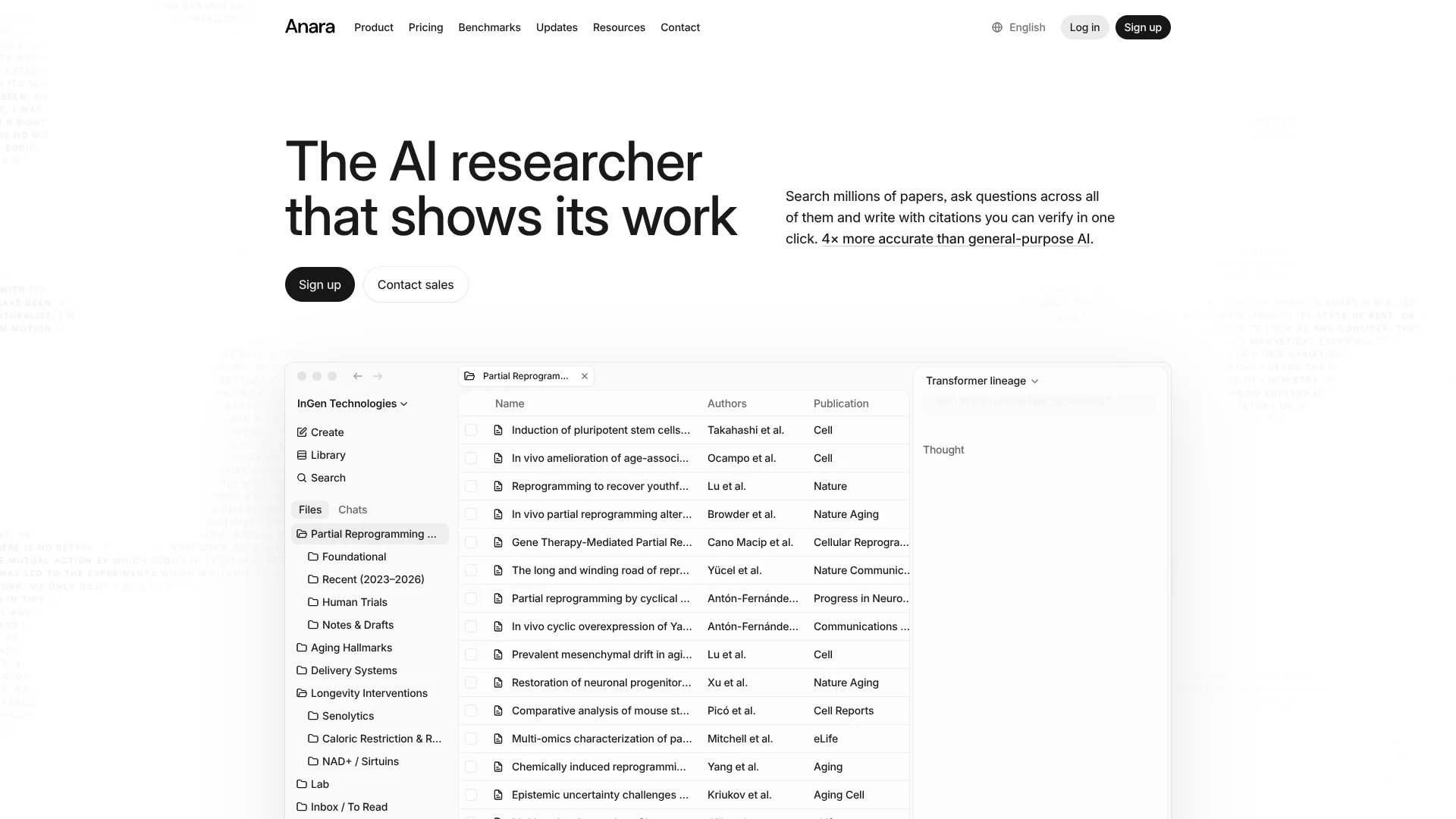
Anara searches more than 300 million academic papers and your own research library, then answers with citations that point to the exact passages behind its claims. It is built for researchers in academia and industry who need to find evidence, compare studies, and turn source material into work they can check.
For a systematic review or paper comparison, Anara can extract the same details from each document in a folder into a table, with citations in every cell. That makes it easier to trace a structured finding back to the paper it came from.
Academic researchers, life-science teams, and people preparing clinical or regulatory documents are its clearest fit. Its focus on research sources is useful for evidence-heavy work, but less suited to general-purpose tasks unrelated to research.
Who is Using Anara?
Academic researchers
A searchable library helps them compare papers and verify answers against source passages.
PhD students
Cited answers and paper search help them build a literature review from their own sources and the wider research index.
Systematic review consultants
Views can organize study details across a large paper set into a table with cited entries.
Clinical research specialists
PubMed and ClinicalTrials.gov connectors bring relevant clinical sources into research conversations.
Regulatory specialists
Passage-linked evidence helps them check claims used in research reports and regulatory filings.
Uncommon Use Cases
Checking a draft against its sources for unsupported claims; finding a reference from its DOI, PMID, arXiv ID, or title
Key Features
Rating Breakdown
Pricing Plans
Free
Free
- Limited AI usage and uploads
- 20MB or 120 pages per upload
- Zotero and Mendeley connectors
Plus
$10 per seat per month
- $8 per seat per month when billed yearly
- 100MB or 600 pages per upload
- PubMed and ClinicalTrials.gov connectors
- Up to 5 folder collaborators
Pro
$20 per seat per month
- $16 per seat per month when billed yearly
- 4x more AI usage than Plus
- 300MB or 10,000 pages per upload
- OCR for images and scanned documents; Google Drive, Notion, and OneDrive connectors
Max 5x
$100 per seat per month
- $80 per seat per month when billed yearly
- Five times Pro's usage allowance
- Deep Search and Model Council
- No upload size or page limit
Max 20x
$200 per seat per month
- $160 per seat per month when billed yearly
- Twenty times Pro's usage allowance
- Same features as Max 5x
Enterprise
- Includes enterprise security and administration features such as SSO, SAML, and SCIM
Which Anara plan should you pick?
Start with Free to test cited research on your own papers; upgrade when you need more usage, larger uploads, added connectors, or Max research features.
Free
Good for an individual testing paper search, cited answers, and a small research library.
Plus
Good for researchers who need larger uploads, science database connectors, and more AI usage than Free.
Pro
Good for frequent research work that needs manual model choice, OCR for scanned documents, or cloud connectors.
Max 5x
Good for heavier research projects that need Deep Search, Model Council, or five times Pro's usage allowance.
Max 20x
Good for very high usage, with the same Max features and twenty times Pro's usage allowance.
Enterprise
Good for organizations that need enterprise security features such as SSO, SCIM provisioning, and centralized admin controls.
Anara Use Cases
Literature review
A focused search across academic papers helps surface relevant studies and compare their findings.
Outcome: A source-backed view of the literature with citations to check.
Systematic paper screening
A folder of studies becomes a table of consistent fields, such as methods or outcomes.
Outcome: Comparable, cited details across the selected papers.
Questions across a research library
Answers draw on a selected file, folder, or library and link back to supporting passages.
Outcome: Claims that can be checked in their original context.
Draft and citation checking
A research draft can be checked against its sources, then references can be formatted in a citation style.
Outcome: A draft with source-linked claims and formatted references.
Scientific paper search by API
Developers can search Anara's academic index or resolve paper identifiers from their own applications.
Outcome: Paper search and lookup results for an application.
Workflow Ideas with Anara
Build a cited literature comparison
- 1Search for papers on a focused research question and apply filters such as publication year or open access.
- 2Save relevant papers into a folder in your library.
- 3Create a View for the fields you want to compare and review the citations in each cell.
Check a research draft
- 1Add the draft and its supporting papers to your library.
- 2Ask Anara to check the draft's claims against those sources.
- 3Review the cited passages and revise claims that lack support.
Bring reference-manager papers into a project
- 1Connect Zotero or Mendeley in Settings > Connectors.
- 2Import selected papers into Anara and organize them in a project folder.
- 3Ask questions across that folder and follow citations to the source passages.
How Anara fits into your stack
Research library
Anara stores papers, notes, and other files in a searchable workspace. Zotero and Mendeley connectors are available on every plan.
Academic literature
Its paper search covers more than 300 million academic papers, with filters for research details such as year, field, and author.
Research and writing
The web workspace connects source-based chat, cited Views, notes, and citation formatting for research work.
Connected apps
Available connectors vary by plan and include research services, cloud storage, and productivity tools such as Google Drive, Notion, and OneDrive.
Desktop and mobile
Anara offers a Mac app and an iPhone and iPad app. A Chrome extension can save papers and web pages while browsing.
Word and developer tools
A Microsoft Word add-in brings Anara into document editing, while the API supports academic paper search and lookup.
Pros
- +Traceable answers: Citations lead back to the exact passage used for a response.
- +Research-focused search: Academic filters and science databases help narrow a literature search.
- +Structured paper review: Views can extract comparable fields across a folder into cited cells.
- +Flexible research library: Zotero and Mendeley connectors are available on every plan.
Cons
- −Research-first scope: It is a less natural fit for everyday tasks unrelated to papers or evidence.
- −Usage limits: Heavy research tasks can use the included AI allowance faster than quick questions.
Limitations & when to consider alternatives
Known limitations
- Usage allowance. AI activity draws from a plan allowance; new AI requests pause when it runs out until usage resets or, on paid plans, credits are added.
- Upload size limits. Free allows uploads up to 20MB or 120 pages, Plus up to 100MB or 600 pages, and Pro up to 300MB or 10,000 pages; Max has no size or page limit.
- Some papers lack full text. Full-text passages and hosted PDFs are not available for every indexed paper, including some paywalled works or content whose license restricts reuse.
- No Windows desktop app. Anara lists a Mac app but no Windows desktop app; Windows users can use the web version.
- API scope. The documented public API provides academic paper search and lookup, rather than the full set of workspace features.
Look elsewhere when
- You need a native Windows desktop app.
- You need a general-purpose AI tool for work outside research.
- Your application needs an API for workspace chat or document editing.
How to Use Anara
- 1
Start a research library
Import papers or connect Zotero or Mendeley so Anara can search the sources you already use.
- 2
Choose the source scope
Open a file or folder for a focused question, or use Agent for a broader research task; specify whether web sources are allowed.
- 3
Ask for a useful output
State the research question and the result you need, such as a comparison table, explanation, or cited summary.
- 4
Check the evidence
Open the citations and read the passages in context before relying on an answer.
- 5
Organize findings
Save useful material in notes or use Views to extract the same fields across papers.
- 6
Consider a paid tier when needed
Move beyond Free when you need larger uploads, additional connectors, more AI usage, or Max features such as Deep Search.
Who is Anara For?
Academic researchers
A searchable paper library and cited answers support literature reviews, thesis work, and source checking.
Life sciences and biotech
Research teams can search scientific literature and connect tools such as Benchling and Synapse.
Clinical research teams
Connections to PubMed and ClinicalTrials.gov help bring clinical sources into research tasks.
Regulatory and medtech teams
Passage-level citations can help trace claims in research used for reports and regulatory documents.
Systematic review teams
Views can organize repeated details from many papers into a cited table.
Frequently Asked Questions
Is Anara free?
Yes. The Free plan costs $0 and includes limited AI usage and uploads, with no credit card required.
How much does Anara cost?
Monthly per-seat prices are $10 for Plus, $20 for Pro, $100 for Max 5x, and $200 for Max 20x. Annual billing lowers the monthly equivalent; Enterprise pricing is custom.
Which research tools can I connect?
Zotero and Mendeley are available on every plan. Other connectors, including science databases and cloud apps, depend on the plan.
Where can I use Anara?
Anara is available on the web, Mac, iPhone and iPad, in a Chrome extension, and through a Microsoft Word add-in. There is no Windows desktop app.
Can developers use Anara?
Yes. The API supports academic paper search and lookup, and developers can create API keys in the Anara console.
Does Anara support multiple languages?
Yes. Anara supports 32 languages, and the selected language sets both the interface and the language of its replies.
Community reviews
Be the first to share your experience.
Sign in to leave a review for Anara.
Anara Alternatives
Looking for alternatives to Anara? Here are similar tools in the same category:
Learn to Master Anara
With Skill Leap courses
Get in-depth training on Anara and 50+ other AI tools with our expert-led video courses.
Start 7-Day Free Trial