
Amie
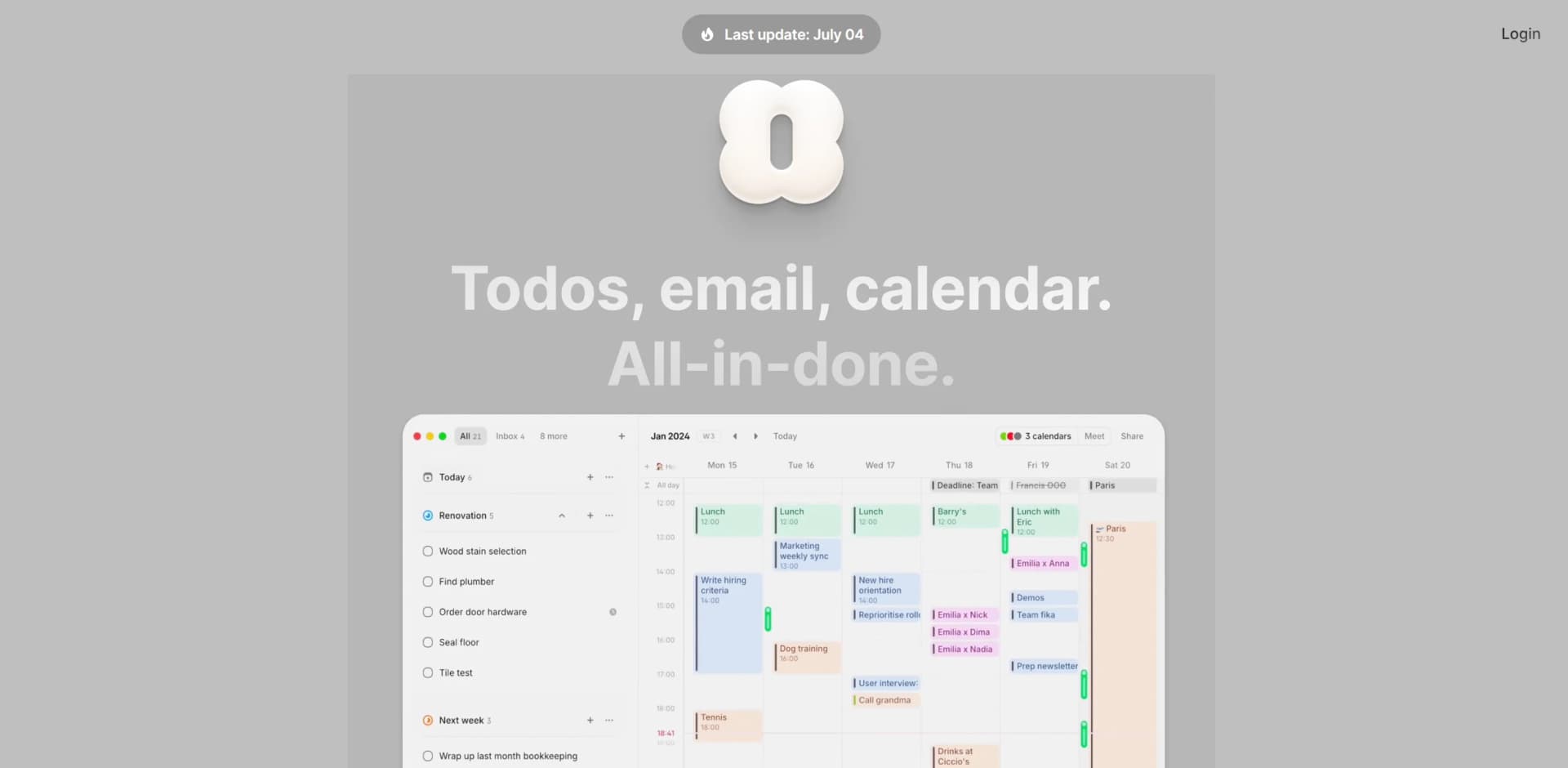
Streamlines emails, calendars, and tasks into one interface.
Key Takeaways
- What it is
- Streamlines emails, calendars, and tasks into one interface.
- Best for
- NLP Scheduling
- Widgets
- Multiple Accounts Integration
- Rating
- 4.4/5
What is Amie?
In the bustling world of productivity tools, Amie stands out as a multifaceted assistant designed to streamline the chaos of daily tasks and schedules. At its core, Amie is a sophisticated AI-driven platform that integrates your emails, calendars, and to-dos into one intuitive interface. Tailored specifically for startups, individuals, and teams working remotely, Amie promises to enhance productivity without disrupting the existing workflow.
Amie sets itself apart with its ability to merge emails directly with your to-dos and calendar entries. This unique feature ensures that all your scheduling and communicative tasks are not just aligned but integrated, offering an unmatched level of convenience and efficiency.
Amie excels at providing a seamless integration of emails, calendars, and to-dos, making it an essential tool for individuals and teams aiming to boost productivity. Its unique feature of combining different aspects of daily management into a single interface offers an unmatched advantage, particularly for users within the Apple ecosystem. Whether you're a startup, a remote worker, or just someone juggling multiple projects, Amie is designed to make your life easier and more organized.
Who is Using Amie?
Startups
Utilizing the tool to manage rapid scheduling needs and communication across various time zones.
Remote Workers
Leveraging the tool to maintain productivity with features like the Pomodoro timer and task integration.
Busy Professionals
Individuals who benefit from having emails, tasks, and calendars in one place.
Travelers
Those who frequently travel across time zones and need robust scheduling support.
Uncommon Use Cases
Used by freelancers who need to manage multiple client accounts seamlessly; also beneficial for academic researchers juggling multiple projects.
Key Features
Rating Breakdown
Pricing Plans
Basic Tier
- Perfect to get started. Free
Pro Tier
- Best for power creators. Contact Amie for pricing details
Enterprise Tier
- Companies seeking custom solutions and support. Contact Amie for more information
Which Amie plan should you pick?
Start with Free to test calendar, todo, and basic AI features; upgrade to Pro for unlimited meeting workflows, Business for team collaboration and CRM integrations, or Enterprise for advanced security and administration.
Free
Good for users getting started who need unlimited calendars and todos plus a limited number of meeting notes.
Personal
Good for individual users who want personal calendar and productivity features beyond the Free plan.
Pro
Good for power users who need unlimited meeting recordings, bot-free recording, chat with notes, and AI scheduling.
Business
Good for teams and customer-facing roles who need collaboration features, custom templates, branding, and CRM integrations.
Enterprise
Good for large organizations requiring end-to-end encryption, SSO, audit logs, analytics, custom contracts, and dedicated support.
Amie Use Cases
Capture meeting notes
Record a Zoom, Google Meet, or other video call from the desktop app and generate a transcript, summary, and action items.
Outcome: A searchable, editable meeting record with follow-up tasks.
Schedule todos automatically
Create todos with durations, priorities, and deadlines, then let AI place them into available calendar gaps.
Outcome: Unscheduled work is placed into suitable calendar slots.
Share meeting outcomes
Send summaries, recording links, and extracted action items to Slack channels or direct messages.
Outcome: Meeting outcomes reach the relevant people without manual copying.
Prepare for customer meetings
Connect Attio, HubSpot, or Pipedrive to view contact, company, deal, and previous-interaction context.
Outcome: Relevant CRM context is available alongside calendar events.
Manage calendar and tasks together
Create, organize, schedule, prioritize, and repeat todos directly alongside calendar events.
Outcome: Tasks and appointments are managed in one unified workspace.
Workflow Ideas with Amie
Meeting-to-task workflow
- 1Record a meeting in the Amie desktop app
- 2Review the generated transcript, summary, and action items
- 3Convert action items into Amie todos and schedule them
Meeting-to-Slack workflow
- 1Connect Amie to Slack
- 2Choose a personal DM or workspace channel
- 3Share meeting summaries, recording links, and action items automatically
CRM meeting-preparation workflow
- 1Connect Attio, HubSpot, or Pipedrive
- 2Open a calendar event with a CRM contact
- 3Review contact, company, deal, and interaction context before the meeting
How Amie fits into your stack
iOS and macOS Compatibility
Fully integrated with Apple's ecosystem, enhancing user experience for Apple device users.
Widget Support
Offers various widgets that can be customized according to user preferences.
Natural Language Processing
Understands and executes commands given in everyday language, which is a standout feature.
Multi-Account Functionality
Allows users to manage personal and professional accounts from a single interface.
Pros
- +All-in-One Interface: Integrates todos, emails, and calendar events in a single platform, reducing the need to switch between different applications.
- +User-Friendly Design: Features like drag-and-drop scheduling and easy sharing of availability slots make it extremely user-friendly.
- +Customization: Offers a range of widgets and the ability to handle multiple accounts, providing a personalized experience.
- +Mobile Accessibility: Available on iOS, making it convenient for on-the-go access.
Cons
- −Limited Platform Availability: Currently, it's not available for Android users, which could be a limitation for some.
- −Learning Curve: New users might need some time to familiarize themselves with the integration capabilities and all the features.
- −Pro Features Necessity: Some essential features like NLP scheduling are only available in the Pro version, which might not appeal to everyone.
Limitations & when to consider alternatives
Known limitations
- Meeting recording requires desktop. Bot-free recording and system-audio capture require the macOS or Windows desktop app.
- Free meeting-note allowance. The Free plan includes 25 meeting-note credits as a one-time allowance.
- Mobile recording limitation. The mobile app supports calendar and todo features but not meeting recording or system-audio capture.
- Salesforce integration is not available yet. The Salesforce integration is described as in development, with access requested from the integrations list.
- Enterprise-only security features. End-to-end encryption, audit logs, analytics, and related enterprise controls are listed for the Enterprise plan.
Look elsewhere when
- You need an Android-native app.
- You need image understanding or visual analysis.
- You need native code-generation features.
How to Use Amie
- 1
Explore the comprehensive range of tutorials available on the Amie website, covering everything from basic setup to advanced features.
Who is Amie For?
Individual users
Personal and Pro plans combine calendars, todos, AI scheduling, and meeting notes for individual productivity.
Teams
Business and Enterprise plans provide team collaboration, workspace members, shared notes, centralized billing, and CRM integrations.
Power users
The Pro plan is intended for users who need unlimited meeting recordings, AI scheduling, and chat with notes.
Customer-facing roles
Business features connect meeting notes with CRM systems such as Attio, HubSpot, and Pipedrive.
Large organizations
Enterprise provides custom contracts, audit logs, analytics, end-to-end encryption, and dedicated customer success support.
Frequently Asked Questions
Does Amie have a free plan?
Yes. The Free plan costs $0 and includes 25 one-time meeting-note credits, unlimited Google and Apple calendars, unlimited todo lists, and basic AI features.
Which platforms does Amie support?
Amie supports the web, macOS, Windows, Linux, and iOS. The desktop applications provide the full meeting-recording experience.
Can Amie record meetings without a bot?
Yes. The desktop app captures system audio locally, so no recording bot joins the meeting.
Which calendars and services can Amie connect to?
Amie supports Google Calendar, Apple Calendar, Zoom, Google Meet, Slack, Attio, HubSpot, and Pipedrive.
Does Amie support team workspaces?
Yes. Business and Enterprise plans support workspaces with multiple members, centralized billing, and admin seat management.
What does Amie's AI meeting-notes feature produce?
It produces transcripts, summaries, decisions, context, and extracted action items that can be converted into todos.
Community reviews
Be the first to share your experience.
Sign in to leave a review for Amie.
Amie Alternatives
Looking for alternatives to Amie? Here are similar tools in the same category:
Learn to Master Amie
With Skill Leap courses
Get in-depth training on Amie and 50+ other AI tools with our expert-led video courses.
Start 7-Day Free Trial