Ambience
Hourly AI-made art turns Chrome's new tab into visual inspiration.
Key Takeaways
- What it is
- Hourly AI-made art turns Chrome's new tab into visual inspiration.
- Pricing
- Freemium
- Best for
- Hourly AI Wallpapers
- AI-Generated Quotes
- Chrome New Tab Replacement
- Rating
- 3.0/5
What is Ambience?
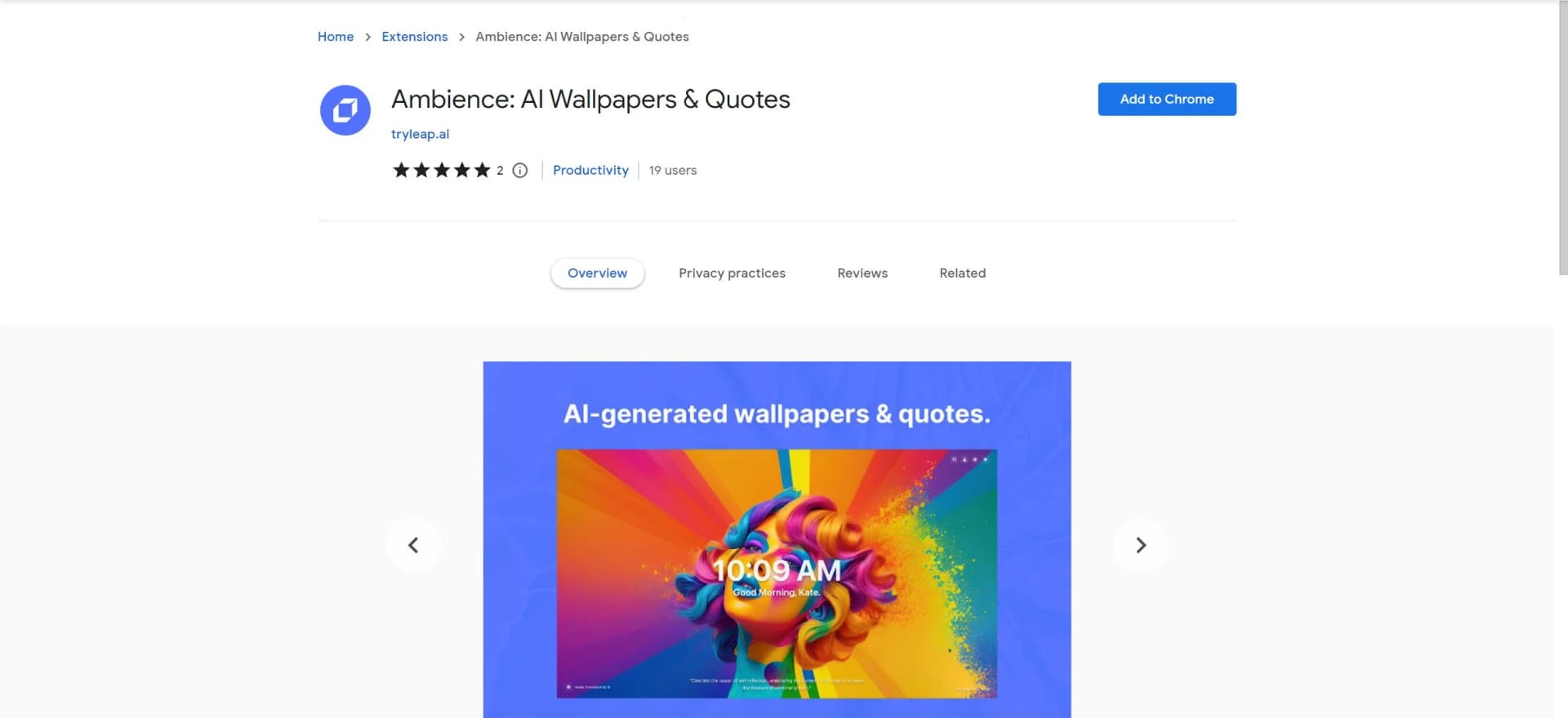
Ambience was a Chrome extension that replaced the new tab with an AI-generated wallpaper refreshed every hour. Each image came with an inspirational quote generated by OpenAI, giving Chrome users a changing visual backdrop when they opened a tab. The project used Leap's image-generation API, but its Chrome Web Store link now leads to an empty listing, so a new installation is not available there.
Its specific pairing of an hourly AI-generated image with an AI-generated quote made the new tab a rotating visual prompt rather than a static wallpaper.
Ambience suited Chrome users who wanted visual variety while browsing, especially people who enjoy ambient creative inspiration. Its narrow role and unavailable store listing are key drawbacks: the project is more useful now as a reference for developers than as an extension people can install.
Who is Using Ambience?
Writers
A rotating image and quote could provide a brief creative prompt between writing sessions.
Designers
Hourly AI artwork offered a changing visual reference while working in Chrome.
Students
The new-tab artwork and quote added a small visual break between browser-based study tasks.
Extension Developers
The open-source project shows how Leap's image-generation API was used in a Chrome new-tab extension.
Uncommon Use Cases
Inspecting the project as a reference for AI-generated browser visuals; adapting its open-source code for a related extension
Key Features
Rating Breakdown
Pricing Plans
Free Tier
Free
- Ambience is currently available for free
- Providing all its features without any cost
Which Ambience plan should you pick?
Start with the free Chrome extension; there is no documented paid plan for Ambience itself.
Free
Good for Chrome users who need automatically refreshed AI wallpapers and inspirational quotes without a paid subscription.
Ambience Use Cases
Refresh a Chrome New Tab
Hourly AI-generated wallpapers gave the browser's new-tab page changing artwork.
Outcome: A new AI-generated wallpaper each hour.
Add a Quote to the New Tab
An OpenAI-generated inspirational quote appeared alongside the wallpaper.
Outcome: A quote paired with the changing image.
Study an AI Wallpaper Extension
The published project code offers developers an example of a Chrome extension connected to Leap's image-generation API.
Outcome: A reference implementation for a similar project.
Workflow Ideas with Ambience
Discover a new wallpaper
- 1Open a new Chrome tab
- 2View the refreshed AI-generated wallpaper and quote
- 3Inspect the prompt if desired
Save a wallpaper
- 1Open the Ambience new-tab page
- 2Choose a wallpaper you like
- 3Download it for later use
How Ambience fits into your stack
Chrome New Tab
Ambience replaced Chrome's standard new-tab page with hourly AI-generated artwork and a quote.
AI Generation
The project used Leap's API for images and OpenAI for quotes, with a backend managing generated content.
Developer Reference
Leap published the extension and backend source code for developers to study or adapt.
Pros
- +Changing visuals: Hourly wallpaper updates kept the new tab from staying visually static.
- +Quote pairing: AI-generated quotes gave the artwork a short text companion.
- +Open-source code: Leap published the project code under the MIT license.
Cons
- −Single-purpose: Ambience focused on new-tab visuals rather than broader browsing or work tasks.
- −Not currently listed: Its Chrome Web Store link does not provide an installable listing.
Limitations & when to consider alternatives
Known limitations
- Chrome Web Store Listing. The provided Chrome Web Store link currently redirects to an empty-title page rather than an installable listing.
- Narrow Function. The project focuses on new-tab wallpapers and quotes, not a wider set of browser or productivity tools.
Look elsewhere when
- You need an extension that can currently be installed from the Chrome Web Store.
How to Use Ambience
- 1
While Ambience is intuitively designed and easy to use, users looking to explore its full capabilities can benefit from the various resources available on the extension's Chrome Web Store page, including user reviews and a detailed description of features.
Who is Ambience For?
Chrome Users
The extension was made for people who wanted an AI-generated visual refresh on each new tab.
Creative Browsers
Hourly artwork and paired quotes offered a changing source of visual inspiration during browsing.
Frequently Asked Questions
What did Ambience do?
It replaced Chrome's new-tab page with an AI-generated wallpaper refreshed every hour and an AI-generated quote.
Can you install Ambience from the provided link?
The link currently redirects to an empty-title Chrome Web Store page, so an installable listing is not available there.
Can developers inspect Ambience's code?
Leap published the project source code under the MIT license.
Community reviews
Be the first to share your experience.
Sign in to leave a review for Ambience.
Ambience Alternatives
Looking for alternatives to Ambience? Here are similar tools in the same category: