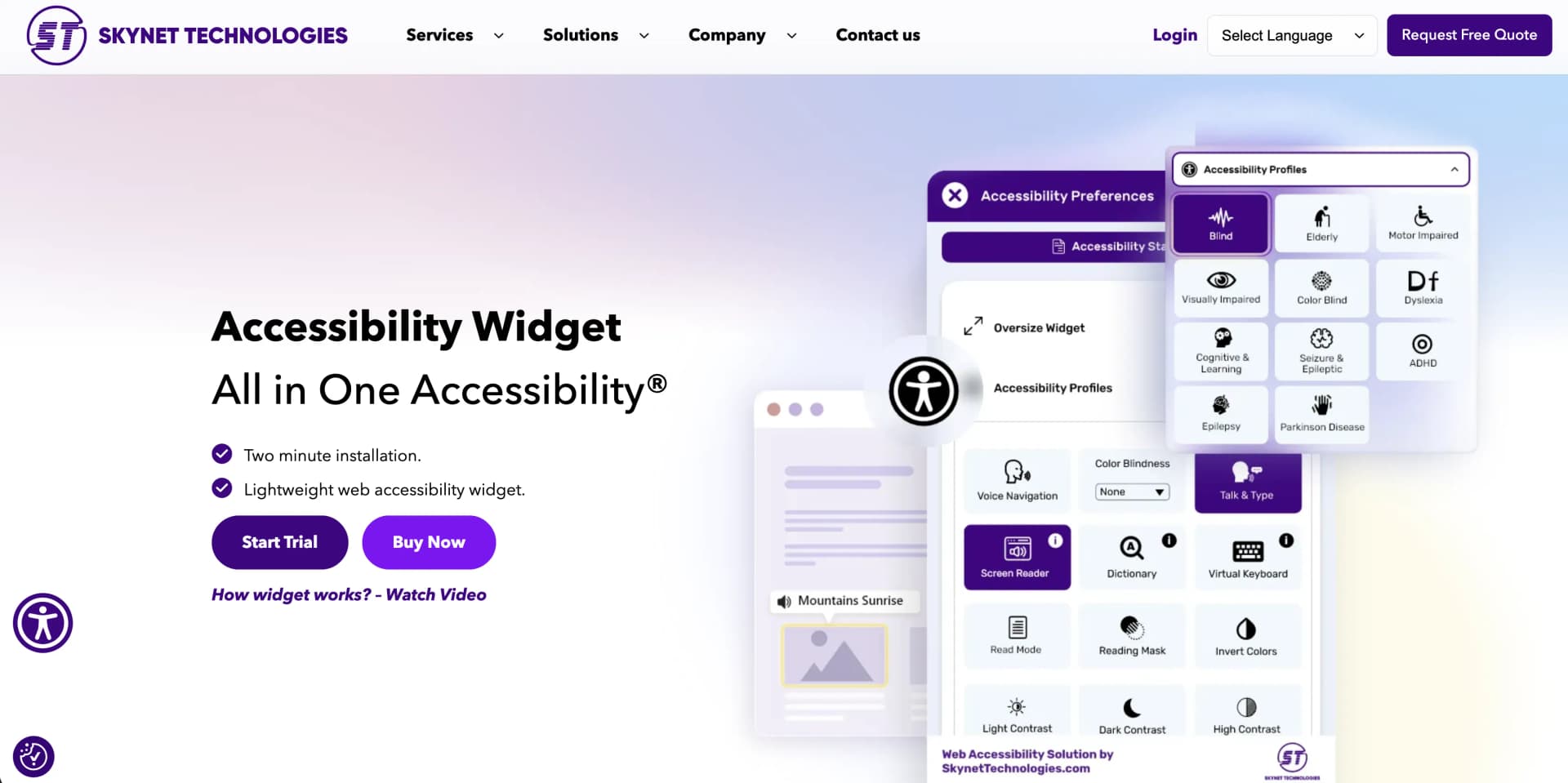
All in One Accessibility
Adds secure multilingual accessibility toolbar.
Key Takeaways
- What it is
- Adds secure multilingual accessibility toolbar.
- Pricing
- $25/month · $49/month · $99/month · $199/month
- Best for
- AI-driven Accessibility Enhancements
- Comprehensive Language Support
- Quick Integration
- Rating
- 4.5/5
What is All in One Accessibility?
All in One Accessibility is an AI-powered tool designed to enhance the accessibility of websites, ensuring compliance with various global standards such as WCAG 2.0, 2.1, 2.2, and ADA. This tool is particularly useful for website owners, developers, and businesses looking to improve their site's accessibility for people with disabilities, thus expanding their audience and reducing legal risks associated with non-compliance.
All in One Accessibility stands out due to its extensive language support covering over 140 languages and its swift integration capabilities across a vast range of platforms. Its user-centric design and customization options allow businesses to align the tool’s functionality with their specific accessibility needs and brand aesthetics.
All in One Accessibility excels in providing robust, AI-driven solutions that enhance web accessibility, making it an essential tool for businesses aiming to reach a wider audience while complying with global accessibility standards. Its standout features, particularly the extensive language support and easy integration, make it a top choice for organizations committed to inclusivity and legal compliance.
Who is Using All in One Accessibility?
E-commerce Businesses
Enhancing customer experience by making shopping accessible to all users.
Educational Institutions
Providing accessible learning materials and environments for students with disabilities.
Healthcare Providers
Ensuring that all patients can access and use healthcare websites with ease.
Government Agencies
Meeting stringent accessibility standards to serve all constituents effectively.
Key Features
Rating Breakdown
Pricing Plans
Small Site
$25/month
- Or $250/year – Up to 50K Pageviews Per Month
Medium Site
$49/month
- Or $490/year – Up to 100K Pageviews Per Month
Large Site
$99/month
- Or $999/year – Up to 500K Pageviews Per Month
Extra Large Site
$199/month
- Or $1999/year – Up to 1000K Pageviews Per Month
Free Trial
- Start with a 10-day free trial to test full features
Which All in One Accessibility plan should you pick?
Start with Small Site for one website under 50,000 monthly page views, then upgrade when traffic, sites, or team-management requirements increase.
Small Site
Good for one website with up to 50,000 monthly page views and core accessibility, SSO, language, analytics, and support features.
Medium Site
Good for websites with up to 100,000 monthly page views that need user and team management, activity logs, and staging access.
Large Site
Good for websites with up to 500,000 monthly page views that need IP-based dashboard restrictions and Trust Center access.
Extra Large Site
Good for websites with up to 1,000,000 monthly page views that need a dedicated account manager and menu modification.
Silver
Good for organizations managing up to three websites with multisite management, SSO, team management, and security controls.
Gold
Good for organizations managing up to five websites that need priority support and a dedicated account manager.
All in One Accessibility Use Cases
Event Organizers
Making their websites accessible for event information and ticketing.
Workflow Ideas with All in One Accessibility
Install the accessibility widget
- 1Choose the website platform or integration method
- 2Add the All in One Accessibility script before the closing body tag
- 3Configure the widget from the dashboard
Track accessibility feature usage
- 1Install the All in One Accessibility widget
- 2Add the Google Analytics 4 measurement ID in widget settings
- 3Review widget clicks, feature usage, and interaction frequency in GA4
Improve image accessibility
- 1Enable AI-generated image alt text
- 2Review or edit the generated descriptions in the dashboard
- 3Publish the updated accessibility settings to the website
How All in One Accessibility fits into your stack
CMS Compatibility
Supports major CMS platforms like WordPress, Drupal, and Joomla.
E-commerce Integration
Compatible with Shopify, Magento, and BigCommerce.
Customization Options
Offers diverse widget customization, from color schemes to icon positioning.
Pros
- +Enhanced Compliance: Increases website compliance with WCAG and ADA, significantly reducing the risk of legal issues.
- +Broad Platform Compatibility: Works seamlessly with over 300 CMS, LMS, CRM, and E-commerce platforms.
- +User Experience Focus: Improves site usability for a wide array of potential impairments, from visual and motor impairments to cognitive and learning disabilities.
- +Cost-Effective: Offers various plans tailored to different site sizes and pageviews, making it accessible for small to large businesses.
Cons
- −Complexity for Novices: The range of features and customization options might overwhelm new users without technical assistance.
- −Language Limitations in Voice Navigation: While supporting multiple languages, some niche regional languages might not have full voice navigation support.
- −Dependence on AI: Relies heavily on AI, which can sometimes misinterpret context or nuance in alt text and voice navigation.
Limitations & when to consider alternatives
Known limitations
- Free version has fewer features. The comparison page lists 24 features for the free version versus more than 90 features in the paid version.
- Some accessibility services are add-ons. Manual audits, remediation, VPAT/ACR reports, PDF remediation, translation, white labeling, and menu modification are separately paid services or add-ons.
- Plans have monthly page-view limits. Paid plans are divided by site size and monthly page views, ranging from 50,000 to 2,000,000 page views.
- Screen reader is not included in the free website widget. The screen-reader page states that the free website does not include the screen reader.
- Subdomains may require multisite or enterprise licensing. Additional domains and subdomains require a multisite or enterprise plan, or separate licenses.
Look elsewhere when
- You need a native mobile app rather than a website widget.
- You need a desktop application installed on Windows, macOS, or Linux.
- You need fine-tuning using your own user data.
How to Use All in One Accessibility
- 1
Explore detailed tutorials and guides available on the official website, covering everything from basic setup to advanced customization and compliance reporting.
Who is All in One Accessibility For?
Businesses
Businesses can add accessibility features, language support, analytics, and compliance-oriented tools to websites.
Large enterprises
Enterprise customers can use multisite plans, user management, SSO, localized data centers, and account management.
Government organizations
Government websites can use features aligned with standards such as WCAG, ADA, Section 508, and EAA.
Educational institutions and universities
Schools and universities can deploy the widget across supported websites and use accessibility profiles for diverse users.
Healthcare and financial organizations
The company identifies healthcare organizations and financial institutions as suitable for on-premises deployments.
Frequently Asked Questions
What are the pricing and subscription options?
All in One Accessibility offers monthly and annual plans, with additional paid add-ons for enhanced accessibility services.
Is there a free version?
A free widget is available with a limited feature set; paid plans provide expanded accessibility features and language support.
How long is the free trial?
The paid solution includes a 10-day free trial with access to all accessibility features.
Does the product support SSO?
Yes. Dashboard users can sign in with Microsoft, Google, or Apple accounts.
Does it support multiple languages?
The widget supports more than 190 languages, including multilingual screen-reader functionality.
Can it remediate PDFs and documents?
PDF and document accessibility remediation is available as a paid add-on service.
Community reviews
Be the first to share your experience.
Sign in to leave a review for All in One Accessibility.
All in One Accessibility Alternatives
Looking for alternatives to All in One Accessibility? Here are similar tools in the same category: