Alai
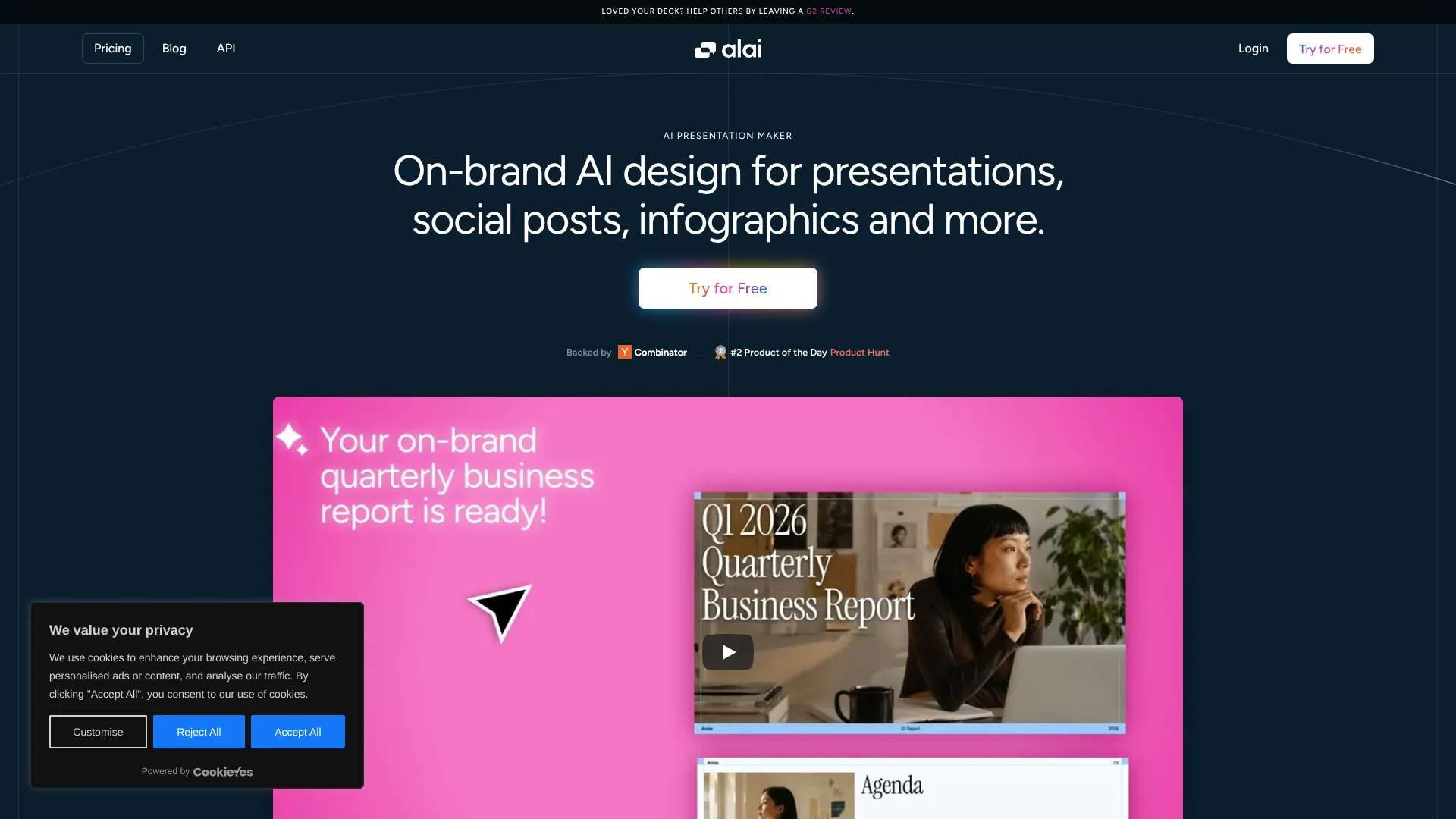
Turn scattered source material into polished, editable presentations.
Key Takeaways
- What it is
- Turn scattered source material into polished, editable presentations.
- Pricing
- Freemium · $20 per month · $30 per month · $80 per month
- Best for
- AI Presentation Generation
- AI Slide Editing
- PDF to PPT Conversion
- Rating
- 4.1/5
What is Alai?
Alai turns notes, files, webpages, and rough ideas into editable presentations with AI. It is built for people who need polished decks but do not want to spend hours arranging layouts, rewriting slides, and fixing visual consistency. The editor can also refine individual elements, redesign whole slides, and export finished work as PowerPoint or PDF.
Alai can rebuild image-based PDF slides as editable presentations, preserving tables, charts, images, and text formatting instead of placing each page into a static screenshot. That makes it useful for updating NotebookLM exports, older decks, and other presentations that would normally be difficult to edit.
Alai fits founders, marketers, sales teams, agencies, and anyone preparing recurring decks. It is less suited to teams that need a mature shared workspace with roles, enterprise identity controls, or a large library of business integrations. Its strongest use is turning scattered source material into a presentation you can keep editing.
Who is Using Alai?
Founders
Investor updates and pitch decks move from company notes to presentation format without starting from a blank slide.
Sales representatives
Meeting notes, CRM information, and customer details can feed tailored proposal decks through the API or MCP workflow.
Marketing managers
Weekly reports and campaign summaries become visual presentations with consistent themes and layouts.
Agency account leads
Monthly client reports can be generated repeatedly while preserving brand rules and presentation structure.
Researchers
Research papers, webpages, and source documents can be turned into editable presentations with organized narrative flow.
Uncommon Use Cases
NotebookLM PDF slides rebuilt as editable PowerPoint decks; personalized onboarding presentations generated from customer account data
Key Features
Rating Breakdown
Pricing Plans
Free
Free
- Free forever with no renewals
- Unlimited presentations
- 300 AI credits
- Up to 10 AI slides per prompt
- Watermarks cannot be removed
- Export presentations as PDF or PowerPoint
Plus
$20 per month
- Billed monthly
- 800 AI credits renewed monthly
- Up to 20 AI slides per prompt
- Watermarks-free slides
- Priority access to new elements and themes
- Priority support via Discord and email
- Export presentations as PDF or PowerPoint
Pro
$30 per month
- Billed monthly
- 1,600 AI credits renewed monthly
- Up to 50 AI slides per prompt
- Watermarks-free slides
- Priority access to new elements and themes
- Priority support from founders
- Export presentations as PDF or PowerPoint
Ultra
$80 per month
- Billed monthly
- 5,000 AI credits renewed monthly
- Up to 50 AI slides per prompt
- Watermarks-free slides
- Priority access to new elements and themes
- Direct feature requests to founders
- Export presentations as PDF or PowerPoint
Which Alai plan should you pick?
Start with Free to test the presentation workflow, choose Plus for regular decks, and move to Pro or Ultra when you need more AI credits and larger prompts.
Free
Good for trying Alai with unlimited presentations, 300 AI credits, and exports that include watermarks.
Plus
Good for regular presentation work when 800 monthly AI credits, watermarks-free slides, and priority support are enough.
Pro
Good for heavier deck creation with 1,600 monthly AI credits and up to 50 AI slides per prompt.
Ultra
Good for frequent or high-volume users who need 5,000 monthly AI credits and direct feature requests to the founders.
Alai Use Cases
Pitch deck creation
A founder's notes, product details, and market information become a structured investor presentation.
Outcome: An editable pitch deck ready for review and export.
PDF to editable slides
Existing PDF or image-based slides are reconstructed so text, layouts, images, tables, and charts can be changed.
Outcome: A presentation that can continue in Alai, PowerPoint, Google Slides, or Keynote.
Webpage to presentation
An article, research paper, or documentation link is converted into slides with key points and visual layouts.
Outcome: A polished deck built from online source material.
Recurring business reports
CRM updates, meeting notes, form submissions, or data changes feed repeatable sales, investor, onboarding, or agency reports.
Outcome: Recurring presentations generated from updated business information.
Brand asset creation
Presentations, infographics, carousels, posters, and social posts follow saved fonts, colors, and logos.
Outcome: Multiple visual assets with a consistent brand appearance.
Workflow Ideas with Alai
Research to presentation
- 1Collect articles, research papers, and documentation links.
- 2Send the source material to Alai and specify the audience, slide count, and tone.
- 3Review the editable deck, refine slides with AI, and export it as PowerPoint or PDF.
Meeting notes to sales proposal
- 1Bring discovery notes and company information into an AI agent connected to Alai MCP.
- 2Ask Alai to structure a proposal around the prospect's needs.
- 3Edit the deck in Alai and export a shareable PowerPoint or PDF.
Monthly report automation
- 1Connect Alai MCP with approved data sources such as Notion, Stripe, or PostHog MCP servers.
- 2Ask the AI agent to combine the latest metrics and create a report deck.
- 3Review the generated presentation and reuse the prompt for the next reporting cycle.
How Alai fits into your stack
Browser-based creation
Alai runs through its web app, where you can generate, edit, present, and export decks.
Documents and research
PDFs, Word documents, text, webpages, and research links can supply the source material for a deck.
AI agent workflows
The MCP server connects Alai to compatible AI clients so presentations can be created, edited, and exported through conversation.
Automation and APIs
The API supports recurring presentations from CRM updates, form submissions, meeting notes, and business data.
Presentation handoff
PowerPoint, PDF, and shareable links move the finished deck into editing, distribution, or presentation workflows.
Pros
- +Editable output: Generated and converted slides remain adjustable instead of being flat images.
- +Strong source handling: Notes, documents, PDFs, and webpages can all become presentation content.
- +Useful AI editing: The agent can make targeted changes to elements, slides, or multiple slides.
- +Automation path: The API and MCP server support recurring decks from business data and internal sources.
- +Free plan: The no-cost tier includes unlimited presentations and PDF or PowerPoint export.
Cons
- −Watermarked free exports: The Free plan does not remove watermarks.
- −Credit-based usage: Each paid plan limits the number of AI credits available during its billing period.
- −Limited collaboration evidence: The public pricing page does not document shared workspaces or role controls.
Limitations & when to consider alternatives
Known limitations
- Free plan watermark. Slides created on the Free plan include watermarks that cannot be removed.
- Per-prompt slide limits. The plan limits range from up to 10 AI slides per prompt on Free to up to 50 on Pro and Ultra.
- Monthly credit limits. Paid plans renew a defined number of AI credits each month, with 800 on Plus, 1,600 on Pro, and 5,000 on Ultra.
- Concurrent generation limit. The MCP workflow allows up to five concurrent generations per user unless support provides a higher limit.
Look elsewhere when
- You need a documented shared workspace with user roles and invitations.
- Your team needs a native iOS, Android, Windows, Mac, or Linux application.
- You require published SSO or SAML controls for identity management.
- Your workflow depends on a large catalog of native third-party integrations.
How to Use Alai
- 1
Choose a starting point
Begin with a prompt, notes, a file, or a webpage link depending on the material you already have.
- 2
Set the presentation brief
State the slide count, audience, tone, design preferences, and whether the source should be preserved, condensed, expanded, or rewritten.
- 3
Review the first draft
Check the narrative, factual content, layouts, and visual hierarchy before refining individual slides.
- 4
Refine with the editor
Edit elements manually or give Alai targeted instructions for text, images, icons, layouts, or slide-wide redesigns.
- 5
Apply a theme
Choose a theme or use saved brand settings for fonts, colors, and logos.
- 6
Export the deck
Download the finished work as PowerPoint or PDF, or present it directly from Alai.
Who is Alai For?
Founders and startups
Pitch decks, investor updates, and company materials can start from scattered notes and internal documents.
Sales and marketing teams
Recurring proposals, customer presentations, and performance reports can be produced from current business information.
Agencies
Client reports and branded presentation variations can be generated with reusable themes and personalization.
Researchers and analysts
Articles, research papers, data, and links can be structured into presentations with editable layouts.
Content creators
The broader asset tools support infographics, carousels, posters, and social posts alongside presentations.
Frequently Asked Questions
Does Alai have a free plan?
Yes. The Free plan is available without monthly renewal and includes unlimited presentations, up to 10 AI slides per prompt, and PDF or PowerPoint export. Free exports include watermarks.
What does Alai export?
Alai can export presentations as PowerPoint or PDF. Presentations can also be presented directly from Alai, and MCP workflows can create shareable links.
Can Alai edit an existing PDF presentation?
Yes. Alai can reconstruct PDF or image-based slides as editable presentations, including text, images, layouts, tables, and charts.
Does Alai have an API?
Yes. The API can generate presentations from text and images, apply controls for tone, density, slide count, and style, and support programmatic editing and export.
Can Alai connect to other AI tools?
Yes. Alai provides an MCP server for compatible AI clients, including Claude Desktop, Claude Code, Cursor, Windsurf, VS Code with Copilot, Cline, Zed, and JetBrains IDEs.
How many AI credits are included?
The current monthly plans list 800 credits for Plus, 1,600 for Pro, and 5,000 for Ultra. The Free plan lists 300 credits with no renewal.
Community reviews
Be the first to share your experience.
Sign in to leave a review for Alai.
Alai Alternatives
Looking for alternatives to Alai? Here are similar tools in the same category: