
AIEASE
AI-enhanced photo editing with background removal and enhancements.
Key Takeaways
- What it is
- AI-enhanced photo editing with background removal and enhancements.
- Pricing
- Freemium · $9.99 per month. Enjoy unlimited access to all AI tools · $59.99 per year
- Best for
- AI Image Generation
- Background and Object Removal
- Photo Enhancement
- Rating
- 4.7/5
What is AIEASE?
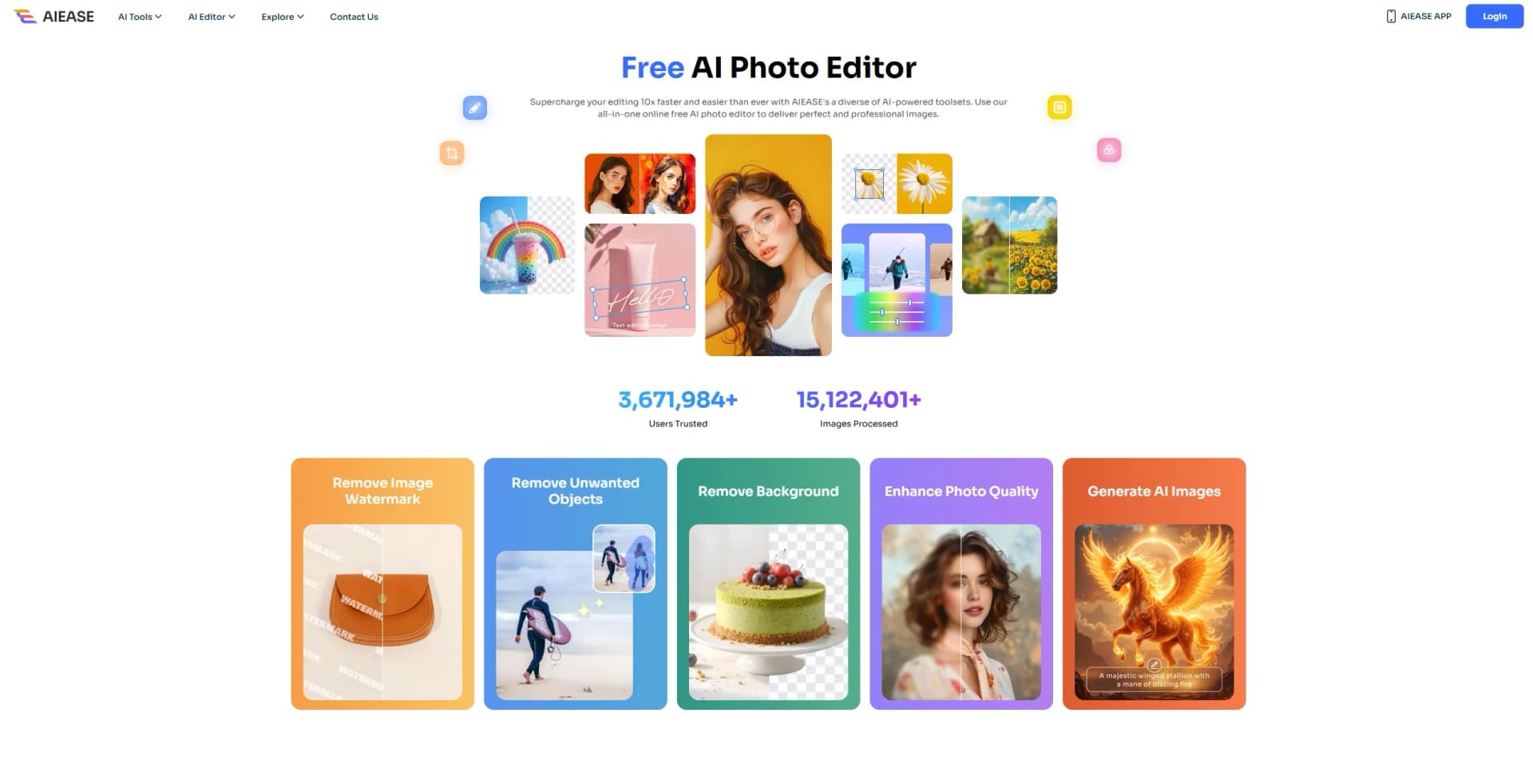
AIEASE is an innovative online photo editing platform designed to simplify and enhance the image editing process through the power of artificial intelligence. With a comprehensive suite of AI-driven tools, AIEASE aims to revolutionize how we approach photo editing, offering capabilities such as background removal, object elimination, and photo enhancement. Ideal for both amateur and professional users, AIEASE provides a user-friendly interface that makes complex editing tasks accessible and efficient.
AIEASE distinguishes itself with its comprehensive suite of AI-driven tools that cater to a wide array of photo editing needs. The platform's ability to integrate multiple functionalities, such as AI image generation and detailed photo enhancements, into a single, user-friendly interface sets it apart from traditional photo editing software. Its commitment to providing free access to these advanced tools further enhances its appeal to a broad user base.
AIEASE offers an unparalleled photo editing experience, combining cutting-edge AI technology with a versatile set of tools to meet diverse editing needs. Its ability to provide professional-grade results while remaining accessible and cost-effective makes it an invaluable resource for anyone looking to enhance their digital imagery. Whether you're a professional photographer, a creative artist, or simply someone looking to polish personal photos, AIEASE has something to offer for everyone.
Who is Using AIEASE?
E-commerce Businesses
Leveraging the tool for product image enhancement and background removal to create appealing listings.
Digital Marketing Agencies
Utilizing AIEASE for creating visually compelling campaign content and social media posts.
Freelance Photographers
Benefiting from the tool's object removal and photo enhancement features to streamline their workflow.
Creative Professionals
From graphic designers to artists, AIEASE is used to generate unique art and enhance creative projects.
Uncommon Use Cases
Educational institutions are adopting the tool for teaching digital art courses; Event planners use it for designing themed invitations and promotional materials.
Key Features
Rating Breakdown
Pricing Plans
Free
Free
- 7-day cloud storage
- Watermark-free downloads
Pro Monthly
$9.99 per month. Enjoy unlimited access to all AI tools
- Unlimited cloud storage
- Ad-free use
- Batch downloads
- Mobile app access
- Upcoming batch image processing
Pro Yearly
$59.99 per year
- Includes everything in the monthly plan at a discounted rate—only $0.16 per day for full access, speed, storage, and all Pro features
Which AIEASE plan should you pick?
Start with the free tier for basic image and video experiments; choose Membership for recurring premium access or Credits for pay-as-you-go usage.
Membership
Good for users who need recurring access to premium tools, higher usage, and subscriber benefits.
Credits
Good for occasional users who prefer purchasing usage as needed rather than subscribing.
AIEASE Use Cases
Create AI videos
Enter a script or prompt, select a video model, and generate videos with visuals, audio, voiceovers, or effects.
Outcome: Ready-to-share marketing, social, educational, or promotional videos.
Enhance and restore photos
Upload blurry, low-resolution, faded, or damaged photos and apply enhancement, restoration, or colorization.
Outcome: Sharper, clearer, and more usable images.
Remove or replace image elements
Upload an image, remove unwanted objects or backgrounds, or replace selected elements with AI.
Outcome: Cleaner product, portrait, and social-media visuals.
Generate professional headshots
Upload portrait photos and select professional templates, clothing, backgrounds, or styles.
Outcome: Profile, LinkedIn, resume, email-signature, and team images.
Extract text from images
Upload screenshots, notes, scanned documents, receipts, forms, or video frames for OCR processing.
Outcome: Editable, searchable, and copyable text.
Workflow Ideas with AIEASE
Create a social video
- 1Enter a script, idea, or prompt
- 2Choose a video model and settings
- 3Generate, download, and share the video
Turn an image into editable text
- 1Upload a picture, screenshot, or scanned document
- 2Let AIEASE scan and extract the text
- 3Copy or download the recognized text
Prepare a professional portrait
- 1Upload a portrait image
- 2Choose a headshot, clothing, or background style
- 3Generate and download the finished image
How AIEASE fits into your stack
Browser
AIEASE is delivered as an online AI creation platform for generating and editing images, videos, and photos directly in the browser.
Pros
- +Time Efficiency: AIEASE significantly reduces editing time with its automated processes, allowing users to achieve professional results swiftly.
- +User-Friendly Interface: The intuitive design ensures that even beginners can navigate and utilize the tool's full capabilities with ease.
- +Cost-Effectiveness: Offering free access to a wide array of tools, AIEASE provides high value without the financial burden.
- +Versatility: The diverse range of tools, from photo retouching to AI art generation, caters to various user needs and creative projects.
Cons
- −Initial Learning Curve: Some users may require time to fully explore and understand the extensive features available.
- −Limited Offline Accessibility: As an online platform, AIEASE requires an internet connection for use, which may be inconvenient in areas with limited connectivity.
Limitations & when to consider alternatives
Known limitations
- Image upload size limit. The FAQ states that uploaded images can be up to 2 MB for AI editing tools.
- Purchased credits expire. Purchased credits are valid for one year from the purchase date; unused credits then expire.
- No standard refunds. The pricing FAQ says AIEASE does not offer refunds, although free credits are available for trying features.
- Free exports may include watermarks. Some tools may add watermarks to exports for free users; paid subscribers receive watermark-free exports.
- No API key access. AIEASE is currently intended for direct use through its user interface rather than programmatic API access.
Look elsewhere when
- You need programmatic API access
- You need a desktop installer
- You need shared workspaces with user roles
How to Use AIEASE
- 1
Choose an AI tool
Open AIEASE and select an image, portrait, video, OCR, or enhancement tool matching your task.
- 2
Upload source material
Upload an image, video, screenshot, scanned document, or reference image when the selected tool supports it.
- 3
Enter a prompt or choose settings
Provide a text prompt, script, style, model, language, aspect ratio, or other available options.
- 4
Generate or process
Run the selected AI tool and review the generated image, video, enhancement, or extracted text.
- 5
Refine the result
Adjust the prompt or settings and regenerate when the result needs changes.
- 6
Download or copy the output
Download the finished image or video, or copy and reuse extracted OCR text.
Who is AIEASE For?
Content creators
Create images, videos, social content, effects, and visual assets without advanced editing skills.
Marketing and brand teams
Produce product videos, campaign assets, promotional visuals, and localized video variations.
Educators and trainers
Convert teaching materials into accessible video lessons and create educational visuals.
Entrepreneurs and designers
Create professional-quality visuals without expensive editing software or services.
Personal users
Enhance selfies, restore old photos, create avatars, and experiment with filters and face effects.
Frequently Asked Questions
Is AIEASE free to use?
AIEASE provides free credits and basic features. Paid subscription and pay-as-you-go options are available for higher usage and advanced features.
Does AIEASE add watermarks?
Some tools may add watermarks for free users. Paid subscribers can export content without watermarks.
What file size can I upload?
The FAQ states that images up to 2 MB can be uploaded for editing. Supported formats include JPG, PNG, JPEG, and WEBP.
Can AIEASE content be used commercially?
AIEASE states that generated images, videos, and photos can be used for commercial purposes, subject to its terms and applicable laws.
Does AIEASE offer API access?
No. AIEASE currently does not offer API key access and is designed for direct use through its user interface.
How does AIEASE handle uploaded files?
AIEASE says uploaded files and generated content are automatically deleted from its servers within seven days.
Community reviews
Be the first to share your experience.
Sign in to leave a review for AIEASE.
AIEASE Alternatives
Looking for alternatives to AIEASE? Here are similar tools in the same category:
Learn to Master AIEASE
With Skill Leap courses
Get in-depth training on AIEASE and 50+ other AI tools with our expert-led video courses.
Start 7-Day Free Trial