AI Studios
Create presenter-led videos with AI avatars in 150+ languages.
Key Takeaways
- What it is
- Create presenter-led videos with AI avatars in 150+ languages.
- Pricing
- Freemium · $24 per month · $55 per seat per month · $99 per month
- Best for
- AI Avatar Videos
- Video Agent
- AI Dubbing
- Rating
- 4.2/5
What is AI Studios?
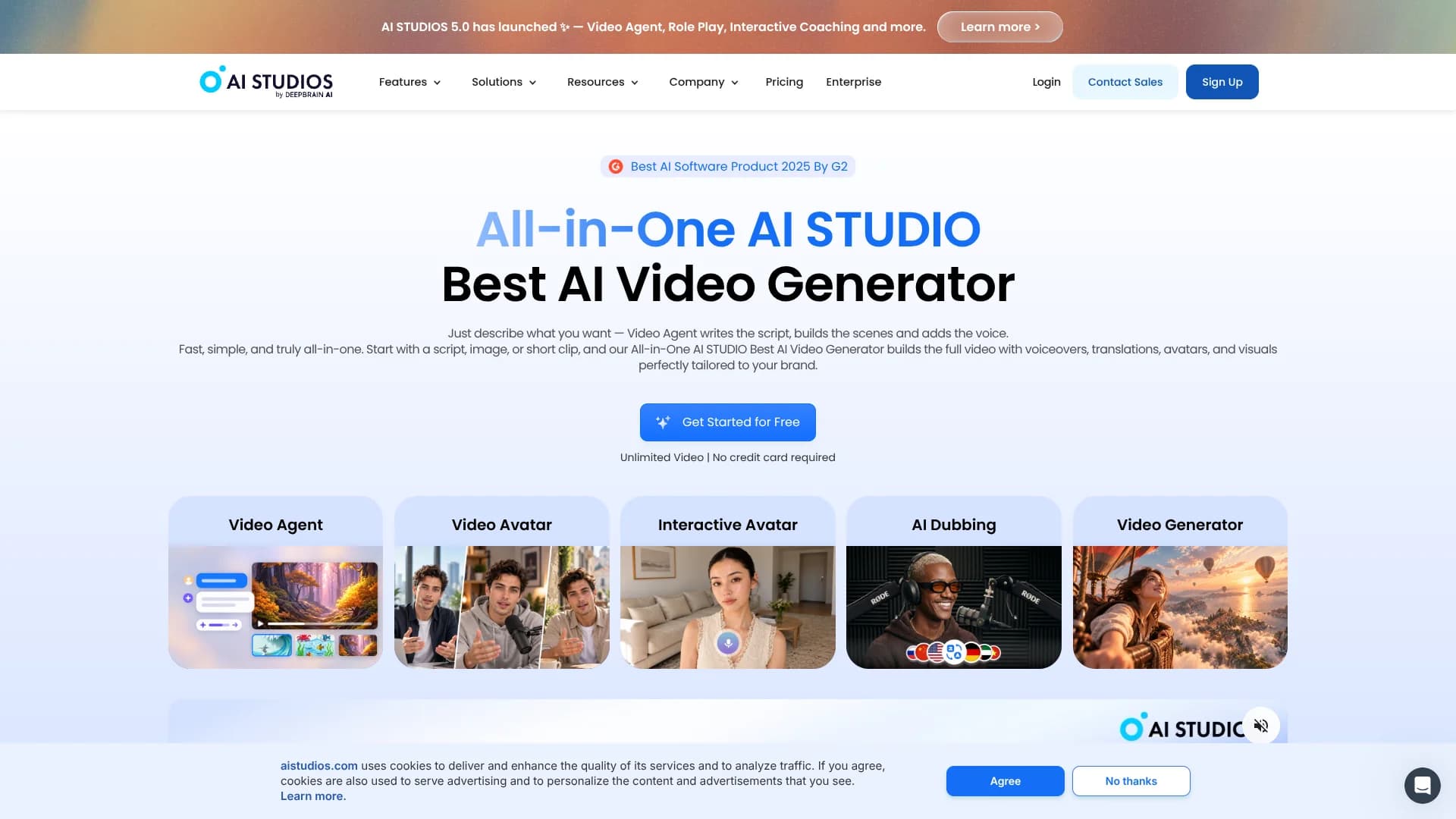
AI Studios turns scripts, topics, documents, URLs, and presentations into videos led by AI avatars. Its editor adds narration, captions, visuals, templates, and translations, so creators and teams can produce training, marketing, social, and educational videos without recording a presenter. The platform also includes live interactive avatars that respond to viewers in real time.
Its strongest differentiator is the combination of avatar video production and lip-synced dubbing in 150+ languages, including translation for videos made outside the editor.
AI Studios fits creators who need frequent presenter-led videos, teams producing localized training, and organizations building interactive learning or customer experiences. It is less suited to people who need detailed timeline editing or advanced cinematic control, since its main strength is fast AI-assisted production with avatars.
Who is Using AI Studios?
Instructional Designers
Training content becomes easier to localize and update when an AI avatar can present revised scripts.
Social Media Managers
Topic-to-video and URL-to-video workflows produce presenter-led clips for recurring social campaigns.
Video Marketers
Product avatars, custom avatars, templates, and AI voices support product explainers and promotional videos.
Language Localization Managers
AI Dubbing translates existing footage with editable scripts, multiple voices, and synchronized mouth movements.
Sales Enablement Managers
Localized product demonstrations and interactive avatars can provide consistent explanations across markets.
Uncommon Use Cases
Role-play interviews for practice; AI presenters for multilingual internal announcements
Key Features
Rating Breakdown
Pricing Plans
Free
Free
- Up to 3 AI videos
- Videos up to 1 minute
- 720p export
- 3 AI Dubbing uses
- 16 one-time generative credits
Personal
$24 per month
- Annual billing is $288 per year
- Unlimited AI videos up to 30 minutes
- 3 Video Avatars
- 1080p export
- 120 minutes of AI Dubbing per month
- 60 generative credits per month
Team
$55 per seat per month
- Annual billing is offered
- Unlimited AI videos up to 60 minutes
- 5 Video Avatars
- 4K export
- Shared workspaces
- 240 minutes of AI Dubbing per month
Enterprise
- Unlimited video duration and avatars
- 4K export
- SAML SSO
- SCORM export
- Interactive quizzes
- Bulk video generation
LiveAvatar Free
Free
- 2 credits
- 1080p preset avatar library
- Live conversation via URL
- Maximum 10-minute session
- Maximum 1 concurrent user
LiveAvatar Standard
$99 per month
- 100 credits
- API-based session access
- LLM and TTS included
- Usage billed at 1 credit per 5 minutes
- Maximum 20-minute session
- Maximum 20 concurrent users
LiveAvatar Enterprise
- Custom credit volume
- Custom session duration
- Custom concurrency
- 1080p preset avatar library
- High-priority support
Which AI Studios plan should you pick?
Start with Free to test avatar videos, choose Personal for regular solo production, and move to Team or Enterprise when collaboration, higher limits, or enterprise controls matter.
Free
Good for testing short avatar videos, basic dubbing, and the editor before paying.
Personal
Good for solo creators who need unlimited AI videos up to 30 minutes and 1080p exports.
Team
Good for teams that need shared workspaces, higher video limits, 4K export, and collaborative production.
Enterprise
Good for organizations that need SAML SSO, SCORM export, bulk generation, custom capacity, and dedicated support.
AI Studios Use Cases
Training Video Production
A script, presentation, or document becomes an avatar-led lesson with captions and interactive elements.
Outcome: Reusable training content that can be updated without a new recording.
Video Localization
Existing videos or AI Studios projects receive translated narration, subtitles, and lip-synced dubbing.
Outcome: Localized videos for international audiences.
Faceless Social Content
Creators can turn a topic, URL, or document into a narrated video without appearing on camera.
Outcome: Presenter-led social videos with less recording work.
Interactive Customer Support
A live avatar answers questions and guides visitors through a web-based conversation.
Outcome: A conversational experience available through a shareable URL or API.
Personalized Video Campaigns
Bulk synthesis and automation workflows generate multiple videos from structured content and reusable templates.
Outcome: Variant videos for different customers, products, or messages.
Workflow Ideas with AI Studios
Document to Training Course
- 1Import a PPT or PDF into AI Studios.
- 2Choose an avatar, voice, and visual template.
- 3Add quizzes or branching scenes, then export the course.
Multilingual Product Launch
- 1Create a product video with an avatar and brand assets.
- 2Translate the script and on-screen text into target languages.
- 3Export localized versions with AI dubbing and lip-sync.
Automated YouTube Publishing
- 1Generate a video in AI Studios.
- 2Trigger a Zapier workflow when the video is ready.
- 3Upload the video and metadata to YouTube.
How AI Studios fits into your stack
Browser Video Workspace
AI Studios runs as a web-based editor where scripts, avatars, assets, captions, and exports live in projects and workspaces.
Documents and Presentations
PPT and PDF imports can become editable video scenes, making the tool useful after content has already been prepared in office software.
Localization
AI Dubbing handles uploaded videos, while Video Translation handles scripts and on-screen text in AI Studios projects.
Automation and APIs
The AI Video API, Interactive Avatar API, webhooks, and Zapier integration connect video creation with publishing and operational workflows.
Team Workspace
Team plans provide shared workspaces, invitations, member permissions, and shared credits for collaborative video production.
Pros
- +Avatar range: More than 2,000 AI-generated avatars plus studio-made options.
- +Localization: Lip-synced dubbing supports 150+ languages and editable translations.
- +Fast production: Video Agent can write scripts, arrange scenes, and add voices from a topic.
- +Training tools: Interactive videos, quizzes, coaching, and SCORM export support learning workflows.
- +Automation options: The API, webhooks, and Zapier integration can connect video creation to other workflows.
Cons
- −Editing depth: The editor favors fast avatar production over advanced film-style editing.
- −Usage limits: Video length, dubbing minutes, credits, resolution, and avatar counts vary by plan.
- −Enterprise features: SAML SSO, SCORM export, quizzes, and bulk generation are reserved for Enterprise.
Limitations & when to consider alternatives
Known limitations
- Free video limits. The Free plan allows up to 3 AI videos, videos up to 1 minute, 720p export, 3 AI Dubbing uses, and 16 one-time generative credits.
- Plan-dependent dubbing. AI Dubbing minutes reset each month, do not roll over, and vary by plan. Free includes 3 minutes, Personal includes 120 minutes, and Team includes 240 minutes.
- Export limits. Personal exports at 1080p, while Team and Enterprise support 4K export.
- Advanced training features. SCORM export, interactive quizzes, bulk video generation, and SAML SSO are listed as Enterprise features.
- API access requirements. The API requires an AI Studios account and a qualifying paid plan, with API credits tracked separately from Studio editor credits.
Look elsewhere when
- You need a downloadable desktop editor for offline video production.
- You need advanced cinematic timeline editing rather than avatar-led production.
- Your workflow depends on a native mobile app or browser extension.
- Your team needs custom model fine-tuning on proprietary training data.
How to Use AI Studios
- 1
Start from Home
Enter a topic for Video Agent to create a script and scenes, or begin with a template, document, URL, or presentation.
- 2
Choose the Presenter
Select an AI avatar or create a video, photo, or custom avatar for the project.
- 3
Set the Voice
Pick a voice and language, adjust pronunciation, or apply a voice clone when available.
- 4
Edit the Scenes
Review the script, visuals, captions, backgrounds, music, and avatar framing in the Studio editor.
- 5
Translate or Dub
Use Video Translation for AI Studios projects or AI Dubbing for uploaded footage, then proofread the result when your plan supports it.
- 6
Export or Automate
Export the video as MP4 or connect the API, webhooks, or Zapier for repeatable publishing workflows.
Who is AI Studios For?
YouTube, TikTok, and Reels Creators
Topic-to-video, URL-to-video, templates, avatars, and voiceovers help produce regular social content without appearing on camera.
Corporate Learning Teams
Interactive videos, quizzes, branching scenarios, dubbing, and SCORM export support employee training.
Global Marketing Teams
AI dubbing and translated avatar videos make it easier to adapt campaigns for different languages and markets.
Educators and Course Creators
PPT-to-video, AI presenters, captions, and multilingual narration turn lessons into reusable video content.
Customer Experience Teams
Interactive avatars can answer questions, guide visitors, and support live customer conversations.
Frequently Asked Questions
Does AI Studios have a free plan?
Yes. The Free plan includes up to 3 AI videos, videos up to 1 minute, 720p export, 3 AI Dubbing uses, and 16 one-time generative credits.
Can AI Studios create videos from documents?
Yes. AI Studios supports document-based video creation and can import PPT or PDF files as video scenes.
Can I create a custom AI avatar?
Yes. You can create a video avatar from a short recording or a Photo Avatar from a single image. Custom avatars can include voice cloning.
How many languages does AI Studios support?
AI Studios supports more than 150 languages for voices and dubbing, though available voices and features vary by tool and plan.
Does AI Studios offer an API?
Yes. The AI Video API and Interactive Avatar API provide keys, usage tracking, and webhook support for automated workflows.
Can teams collaborate in AI Studios?
Yes. Team plans provide shared workspaces where invited members can create and edit videos with admin or member permissions.
Community reviews
1 review from people who use AI Studios.
Sign in to leave a review for AI Studios.
John(손정욱)
AI Studios Alternatives
Looking for alternatives to AI Studios? Here are similar tools in the same category:
Learn to Master AI Studios
With Skill Leap courses
Get in-depth training on AI Studios and 50+ other AI tools with our expert-led video courses.
Start 7-Day Free Trial