AI Phone
Live phone translation for travelers and multilingual families.
Key Takeaways
- What it is
- Live phone translation for travelers and multilingual families.
- Pricing
- $14.99 per month · $59.99 per year · $8.99 per week · $5.99 · $12.99 · $29.99 · $69.99
- Best for
- Live Phone Call Translation
- Bilingual Call Captions
- AI Call Summary and Transcript
- Rating
- 4.3/5
What is AI Phone?
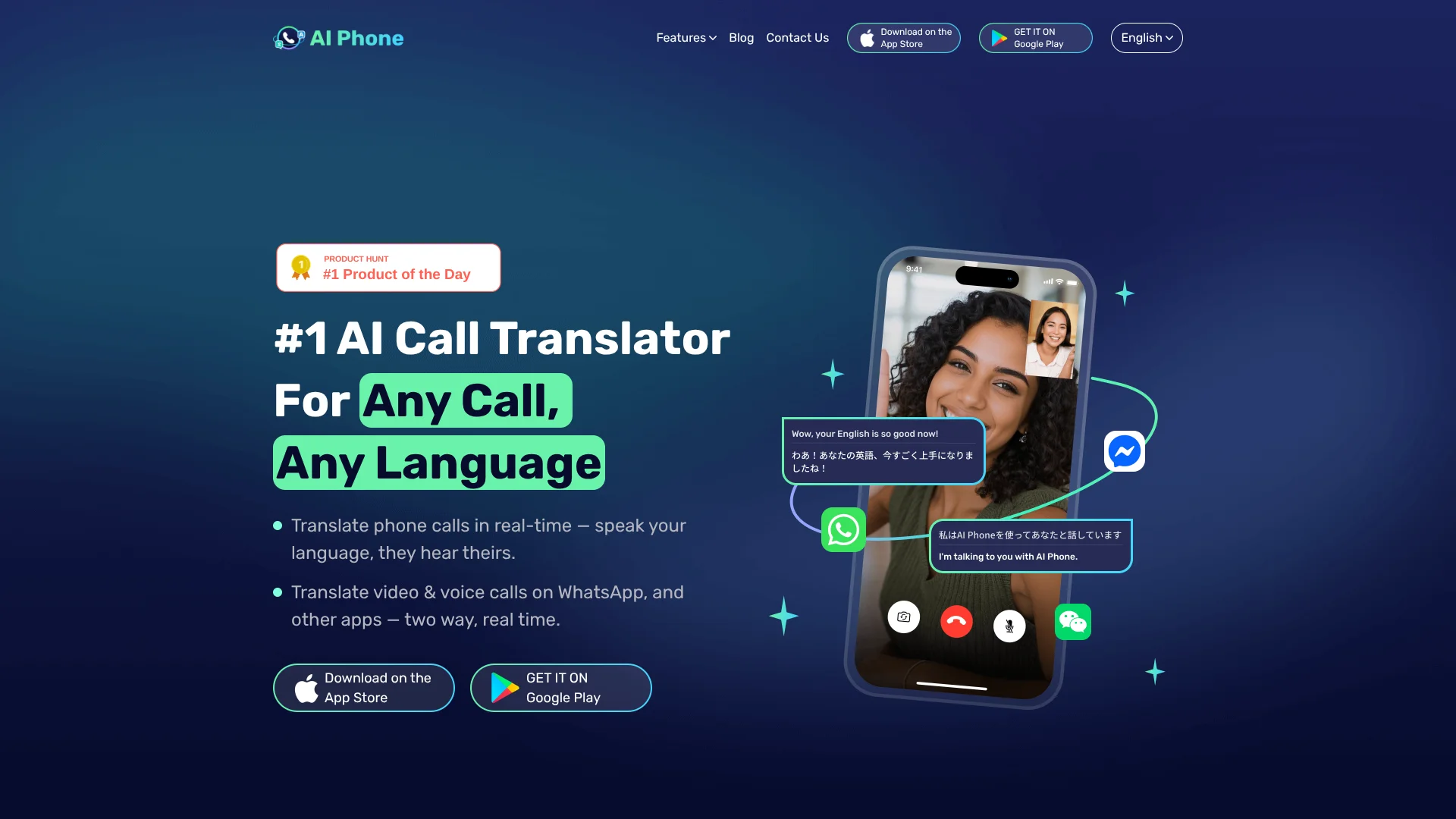
AI Phone translates live phone calls so each person can speak their own language and hear the other person in theirs. It also handles video calls, face-to-face conversations, photos, screen text, audio, and video. Travelers, immigrants, international families, and businesses use it to communicate when language differences would otherwise make a call difficult.
The person on the other end can answer a normal mobile or landline call without installing AI Phone. For supported video calls, AI Phone creates a shareable link and shows bilingual subtitles to both participants.
AI Phone fits people who regularly make multilingual calls or need translation while traveling. It depends on an internet connection for real-time features, and machine translation can still miss context, names, numbers, or specialized terms. Its strongest use is live communication when waiting for a human interpreter is not practical.
Who is Using AI Phone?
Travel coordinators
Booking staff and frequent travelers rely on translated calls to confirm hotels, transport, restaurants, and appointments.
Sales representatives
Client conversations continue in real time when prospects or buyers speak another language.
Customer support staff
Call captions, transcripts, and summaries make multilingual support conversations easier to follow and document.
Import and export professionals
Supplier and partner calls can be handled directly instead of waiting for translated email exchanges.
Healthcare and service visitors
Face-to-face translation can help with everyday communication during visits, though important medical instructions should be confirmed with a qualified interpreter.
Uncommon Use Cases
Calling foreign automated support menus; translating lectures, podcasts, live streams, and other audio playing on a phone.
Key Features
Rating Breakdown
Pricing Plans
AI Phone Number Monthly Plan
$14.99 per month
- Monthly subscription.
AI Phone Number Annual Plan
$59.99 per year
- Annual subscription.
AI Phone Number Weekly Plan
$8.99 per week
- Weekly subscription.
Mini Credit Package
$5.99
- Credit package.
Medium Credit Package
$12.99
- Credit package.
Large Credit Package
$29.99
- Credit package.
Huge Credit Package
$69.99
- Credit package.
Which AI Phone plan should you pick?
Start with the AI Call Plan if you mainly need translated phone calls, and choose Pro when you also need a second number and broader calling features.
AI Call Plan
Good for people who mainly need real-time translation during important phone calls.
Pro Plan
Good for users who need a second phone number alongside translated calling.
AI Phone Use Cases
Translated phone calls
Mobile and landline calls become two-way conversations with translated speech and live captions.
Outcome: Each caller can speak and listen in their own language.
International video calls
A shared call link adds translated voice and bilingual subtitles to conversations connected through supported messaging apps.
Outcome: Both participants can follow the conversation without installing AI Phone.
Travel communication
Voice, photo, and face-to-face translation covers reservations, menus, signs, directions, and everyday questions abroad.
Outcome: Fewer conversations depend on knowing the local language.
Call review
Summaries, transcripts, and key point highlighting preserve the details of important conversations.
Outcome: You can review what was discussed after the call.
Visual translation
Camera and screen translation reads text from photos, documents, apps, websites, chats, and screenshots.
Outcome: Written information becomes readable in your selected language.
Workflow Ideas with AI Phone
Prepare and make a translated phone call
- 1Set your language and the other person's language.
- 2Configure caller ID by linking your number or using an AI Phone second number.
- 3Dial the mobile or landline number and review the transcript afterward.
Start a translated video call
- 1Choose the video or voice call option and select the supported messaging app.
- 2Set both languages and generate a call link.
- 3Share the link so the other person can join without installing AI Phone.
Handle an in-person conversation
- 1Choose Talk Mode for a two-way conversation or Listening Mode for a lecture or presentation.
- 2Set the languages or allow supported language detection.
- 3Read the translated captions and use split screen when both people need to follow along.
How AI Phone fits into your stack
Mobile communication
AI Phone sits on your iPhone or Android phone as a translation layer for calls, conversations, images, and media.
Phone numbers
You can link your own number for outgoing calls or use an AI Phone second number for supported incoming call translation.
Messaging apps
Video and voice calls begin in AI Phone and reach contacts through shared links sent with apps such as WhatsApp, WeChat, Telegram, LINE, Messenger, FaceTime, and Viber.
Call records
Transcripts, summaries, and translation history provide a reference after important calls.
Offline translation
Text and photo translation can work offline after language resources are downloaded, while real-time call and voice translation require internet access.
Pros
- +Normal phone calls: The other person can answer a mobile or landline call without downloading the app.
- +Broad language coverage: Translation supports more than 150 languages and accents.
- +Useful call records: Summaries, transcripts, captions, and highlighted key points help you review important conversations.
- +Messaging app reach: Video and voice call links work through popular apps including WhatsApp, Telegram, WeChat, and LINE.
Cons
- −Internet required: Real-time phone, voice, and video translation needs a connection.
- −Subscription required: The app is free to download, but translation features require a paid plan.
- −Translation delay: Live speech may have a short delay, especially with accents, slang, mixed languages, or poor audio.
Limitations & when to consider alternatives
Known limitations
- Real-time features need internet. Phone calls, voice translation, video calls, and live conversation translation require an internet connection.
- Language availability varies. AI Phone supports more than 150 languages and accents, but the languages available can differ by translation feature.
- Paid translation access. The app is free to download, but translation features require a subscription.
- The other person may need a link for video calls. Supported video and voice calls use a shared invitation link, although the other person does not need to install AI Phone.
Look elsewhere when
- You need a documented developer API for custom software.
- You need a desktop or browser-based translation workspace.
- Your organization requires SSO, shared team administration, or enterprise collaboration controls.
How to Use AI Phone
- 1
Install the mobile app
Download AI Phone from the Apple App Store or Google Play and sign in.
- 2
Choose a translation mode
Pick phone call, video call, voice, face-to-face, photo, screen, text, audio, or video translation based on the situation.
- 3
Set the languages
Select your language and the other person's language, or use supported automatic language recognition.
- 4
Set up phone calling
Link your own number for caller ID or use an AI Phone second number when the feature is available.
- 5
Review the conversation
Open call history to view available transcripts, translation details, and AI-generated summaries.
Who is AI Phone For?
Travelers
Hotel reservations, restaurant calls, transportation questions, and directions become easier when you do not share the local language.
Immigrants and Multilingual Families
Phone and face-to-face translation helps with daily tasks, family conversations, and communication in a new country.
International Business Users
Client calls, supplier conversations, support calls, and global partnerships can happen in each participant's preferred language.
International Couples
Real-time voice translation supports personal conversations when partners have different first languages.
Frequently Asked Questions
Does the other person need to download AI Phone?
No. The other person can answer a translated phone call normally, or join a supported video call through a shared link without installing the app.
Can AI Phone translate landline calls?
Yes. AI Phone can translate calls to mobile and landline numbers, and the other person only needs to answer a normal call.
How many languages does AI Phone support?
AI Phone supports translation across more than 150 languages and accents, although available languages can vary by feature.
Does AI Phone translate WhatsApp video calls?
Yes. AI Phone supports translated voice and video calls connected through WhatsApp and other supported messaging apps.
Does AI Phone work offline?
Text and photo translation can work offline after language resources are downloaded. Real-time translation requires an internet connection.
Is AI Phone free to use?
AI Phone is free to download, but its translation features require a subscription.
Community reviews
2 reviews from people who use AI Phone.
Sign in to leave a review for AI Phone.
hong chen
Xi WANG
AI Phone Alternatives
Looking for alternatives to AI Phone? Here are similar tools in the same category:
Learn to Master AI Phone
With Skill Leap courses
Get in-depth training on AI Phone and 50+ other AI tools with our expert-led video courses.
Start 7-Day Free Trial