AI Invitation Generator
Describe your event, instantly get editable invitations.
Key Takeaways
- What it is
- Describe your event, instantly get editable invitations.
- Pricing
- Freemium · $3.49 per month · $26.99 per year (equivalent to $2.25 per month)
- Best for
- Magic invite text prompts
- Full design editor control
- Magic photo invitations
- Rating
- 4.5/5
What is AI Invitation Generator?
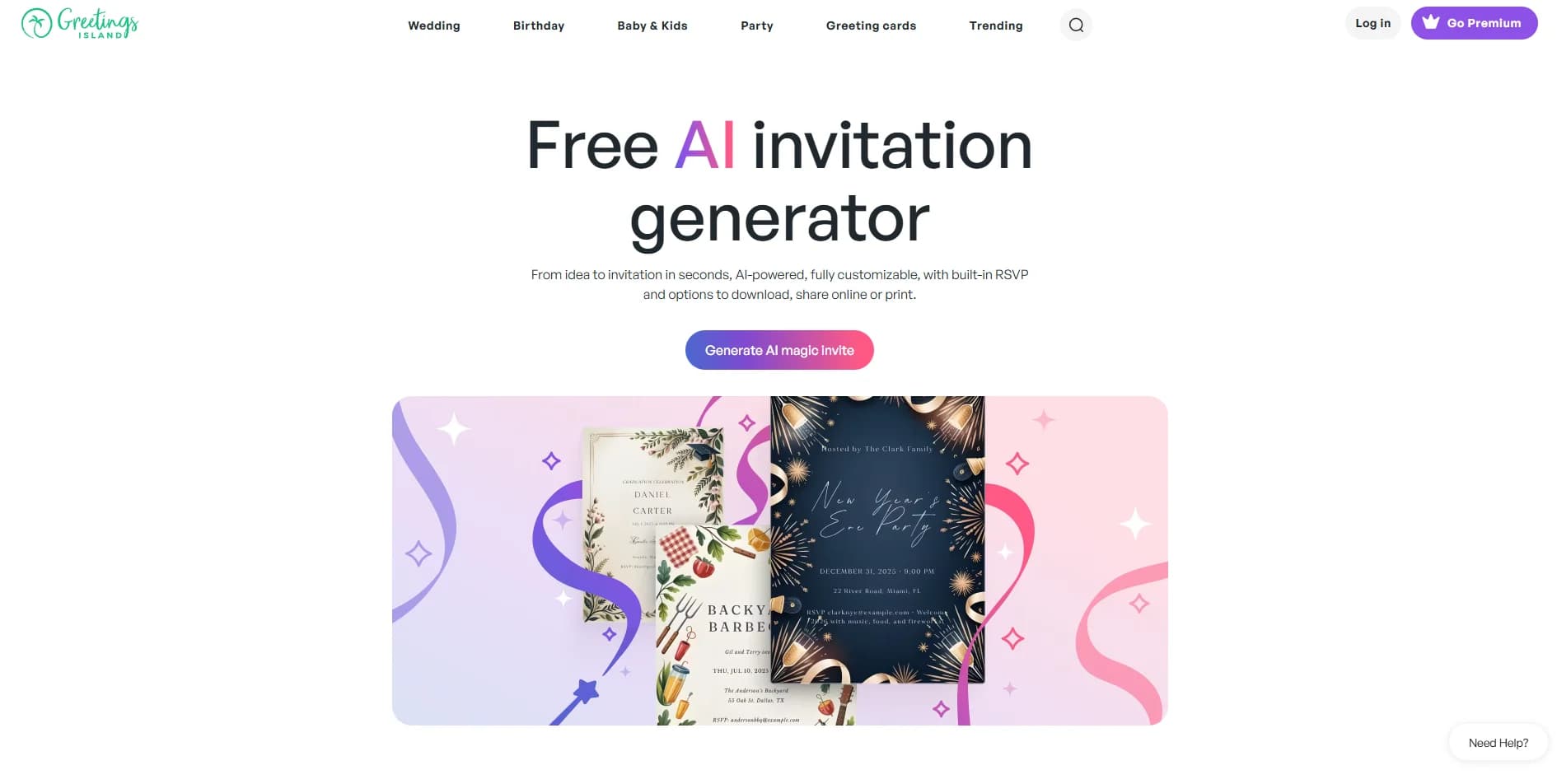
AI Invitation Generator from Greetings Island focuses on turning plain-language event descriptions into ready-to-edit digital invitations. Users describe the occasion, tone, and key details, and the tool’s AI proposes a complete layout with wording, colors, and graphics. Unlike typical image-only generators, the result is an editable invitation within Greetings Island’s design editor, where text, fonts, colors, and elements can be adjusted. It supports everything from weddings and birthdays to baby showers, holidays, and business events, and ties directly into RSVP and sharing features.
AI Invitation Generator stands out by combining text-based AI design with a full editor dedicated to invitations and greeting cards. Instead of producing a flat image that is hard to change, the tool feeds AI-generated layouts straight into an editable template environment. The pairing of Magic invite and Magic photo with RSVP, registry links, and event-specific categories makes it particularly suited to personal and small-business celebrations. For anyone who has ever wished they could just “describe the party and get a polished invite,” this tool comes very close.
For individuals, families, and small teams who frequently host events, AI Invitation Generator offers a fast route from idea to shareable invitation while keeping creative control in the user’s hands. Its blend of prompt-based AI, a focused invitation editor, category-specific templates, and RSVP support makes it particularly useful for celebrations where time and design skills are limited. Those needing deep integrations or all-purpose graphic design might look elsewhere, but for invitations and greeting-style cards, this tool provides an efficient, enjoyable way to get professional-looking results with minimal effort.
Who is Using AI Invitation Generator?
Busy parents and caregivers
Creating kids’ birthday, school, and family-event invites without learning complex design software.
Wedding planners and couples
Drafting save-the-dates, bridal showers, rehearsal dinners, and wedding invitations that stay visually consistent.
Small businesses and event marketers
Producing invites for store openings, client mixers, and seasonal promotions in minutes.
Teachers and school coordinators
Preparing invites for graduations, fundraisers, sports events, and class parties.
Uncommon Use Cases
Used by community organizers for charity events and local meetups; adopted by HR teams for internal staff celebrations and team-building days.
Key Features
Rating Breakdown
Pricing Plans
Free Tier
Free
- AI invitation generation available at no cost
- Including instant designs and in-browser editing
Premium (Monthly)
$3.49 per month
- 10,000+ premium designs, ad-free experience, no watermark, exclusive fonts, unlimited Magic credits, background removal, advanced layouts, unlimited email invites, and scheduled sending
Premium (Yearly)
$26.99 per year (equivalent to $2.25 per month)
- All Premium features with 33% savings compared to monthly billing
Which AI Invitation Generator plan should you pick?
Start with the Free Subscription for occasional invitations, then upgrade to Premium Subscription for more AI credits, premium designs, and additional download or sharing benefits.
Free Subscription
Good for users who need free AI invitation generation and basic invitation creation.
Premium Subscription
Good for users who need extra generation credits, premium designs, watermark removal, and expanded download or sharing options.
AI Invitation Generator Use Cases
Generate an invitation from an event description
Describe the event, date, time, location, theme, and desired visuals in plain language.
Outcome: The AI creates a ready-to-edit invitation.
Create a photo-based AI invitation
Select a Magic Photo design and upload a photo of the guest or guests of honor.
Outcome: The photo is transformed into a themed invitation illustration.
Customize the generated design
Edit text, move elements, change fonts and colors, and add stickers or photos.
Outcome: The invitation matches the event's content and style.
Add online RSVP management
Add an RSVP link or QR code and configure event details, guest limits, deadlines, or registry links.
Outcome: Guests can respond online and the host can track responses.
Share or print the invitation
Download the invitation, share it by email or messaging, or order professional prints.
Outcome: The finished invitation reaches guests digitally or physically.
Workflow Ideas with AI Invitation Generator
Create and distribute an AI invitation
- 1Describe the event and preferred theme in plain language
- 2Review and customize the AI-generated invitation
- 3Download, share, or print the finished invitation
Create a photo invitation with RSVP
- 1Choose a Magic Photo design
- 2Upload a photo and generate the invitation
- 3Add an RSVP link or QR code and share it with guests
Track event responses
- 1Create an online RSVP page
- 2Share the RSVP link by email, text, or social media
- 3Track guest responses and collected answers
How AI Invitation Generator fits into your stack
Browser
The primary workflow is web-based: describe an event, generate an editable invitation, customize it, then download, print, share, or manage RSVPs.
Mobile
Greetings Island also provides native iOS and Android apps for creating and editing invitations, sharing them, and managing guest responses.
Pros
- +Very quick creation: Turning a written idea into a usable invite layout in seconds saves substantial time compared with starting from a blank canvas.
- +Friendly for non-designers: The interface and editor are simple enough for casual users, yet still offer granular control for those who care about typography and layout.
- +Strong event specialization: The surrounding library of wedding, birthday, baby, holiday, and business templates gives the AI plenty of context for common celebration formats.
- +Free AI generation: Users can generate AI invitations at no cost, which is attractive for occasional parties or one-off events.
- +Privacy promises around AI training: Stated policy that user photos and event details are not used for AI training will reassure privacy-conscious hosts.
Cons
- −Styling can feel similar across events: AI results sometimes echo the same visual trends, so users who want a very original or brand-specific look may need more manual editing.
- −Focus on invitations only: Those seeking a broader design suite for logos, presentations, or social media may need additional tools.
- −Premium upsell for heavier use: Extra AI credits and advanced download or sharing options are tied to a paid membership, which can limit frequent or business use on the free tier.
Limitations & when to consider alternatives
Known limitations
- Premium restrictions. Premium provides extra AI generation credits and may be required for downloading or sharing AI invitations.
- Premium design downloads. Premium designs can only be downloaded after a one-time purchase or Premium membership.
- Not every text element is editable. The help center states that some text elements cannot be edited.
- Image upload formats. The editor's image-upload help specifies JPG and PNG files.
- Cross-device draft requirement. Non-RSVP invitations must be saved as drafts to synchronize across devices.
Look elsewhere when
- You need a documented developer API.
- You need a coding or code-generation tool.
- You need a desktop installer.
- You need enterprise SSO or SAML.
How to Use AI Invitation Generator
- 1
Describe the event
Enter the event details, theme, style, colors, and desired visual elements so the AI can generate a suitable starting design.
- 2
Generate the invitation
Submit the description to create a ready-to-edit AI invitation.
- 3
Customize the design
Edit wording, move elements, change fonts and colors, and add stickers or photos.
- 4
Add event links
Add RSVP, gift registry, map, or other links when the invitation needs online event management.
- 5
Choose delivery
Download the invitation, share it online, print it at home, or order professional prints.
- 6
Manage responses
Use the online RSVP page to collect and track guest responses, messages, and custom answers.
Who is AI Invitation Generator For?
Birthday hosts
Create AI birthday invitations with editable designs, photos, and RSVP tools.
Wedding planners and couples
Generate wedding invitations and manage online RSVPs, guest details, and registry links.
Party hosts
Create themed party invitations and share them digitally or print them.
Baby shower hosts
Create baby shower invitations with customizable designs and RSVP management.
Business event organizers
Use the AI invitation generator for business events and online guest management.
Frequently Asked Questions
Does the AI magic invite fit any event?
Yes. It supports weddings, birthdays, baby showers, holidays, and business events.
Is it free?
Generating an AI invitation is free. Premium adds extra generation credits and download or sharing options.
Can I edit my AI-generated design?
Yes. You can change fonts and colors and add stickers and photos.
Can I add RSVP or gift registry links?
Yes. You can add online RSVP links, gift registry links, maps, and more.
How is Greetings Island different from ChatGPT or Gemini?
Greetings Island creates editable invitation designs that can be customized, printed, and sent online.
Do you use my data for training AI?
No. Photos and event details are not used to train the AI.
Community reviews
Be the first to share your experience.
Sign in to leave a review for AI Invitation Generator.
AI Invitation Generator Alternatives
Looking for alternatives to AI Invitation Generator? Here are similar tools in the same category: