
AI HUB by Picsart
One API to ship and compare creative content.
Key Takeaways
- What it is
- One API to ship and compare creative content.
- Pricing
- $47.50 per month · $65
- Best for
- Single creative AI endpoint
- Model catalog and discovery
- Evaluation and A/B testing
- Rating
- 4.4/5
What is AI HUB by Picsart?
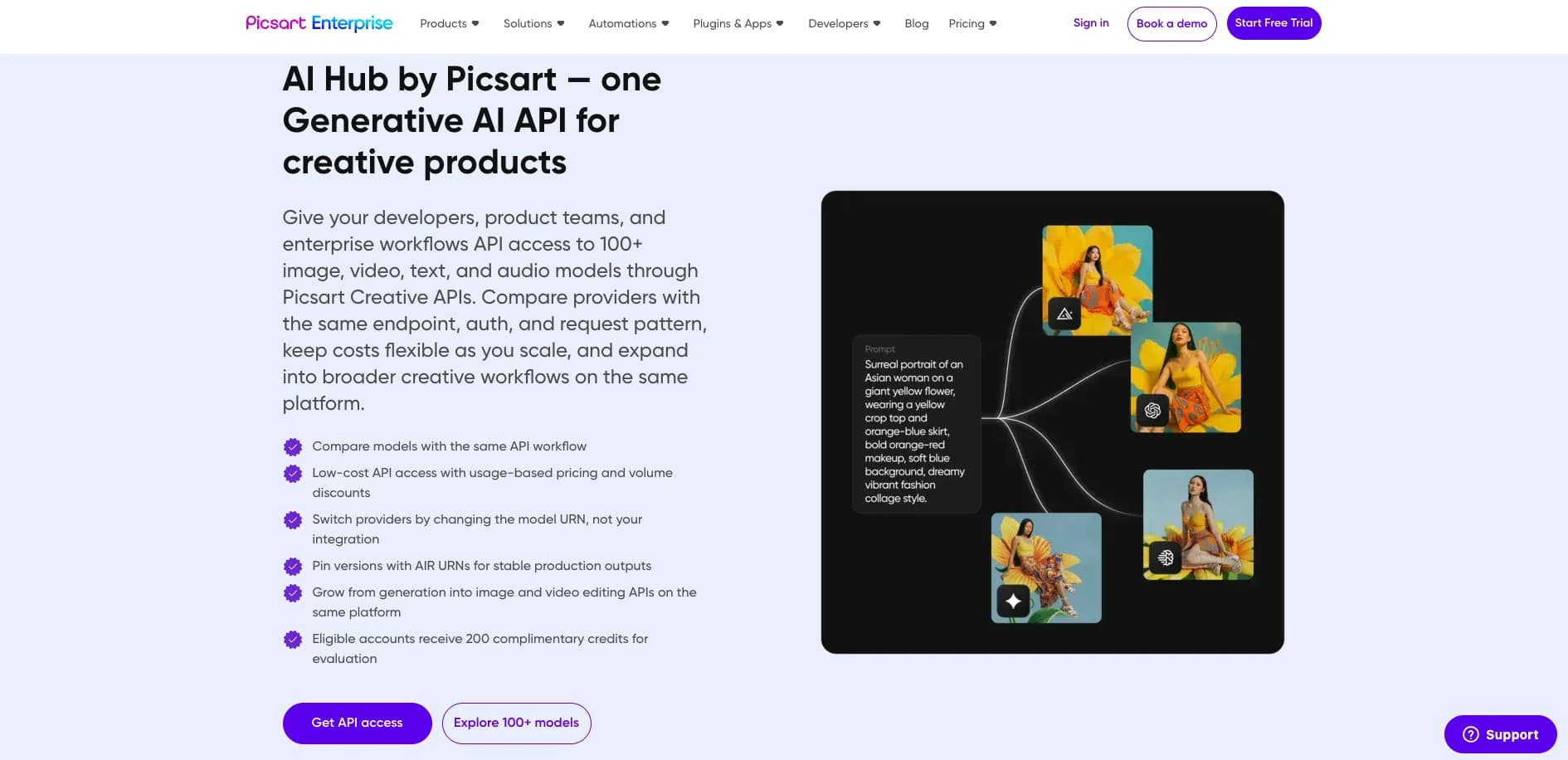
AI HUB by Picsart gives developers a single API entry point into a large catalog of creative AI models across image, video, audio, and text. Instead of wiring separate integrations for each provider, teams connect once, then choose services such as text to image, image editing, text transformation, and transcription. The hub focuses on helping product and platform teams test multiple models, compare quality and cost, and then lock in specific versions for production. Backed by Picsart’s long history in consumer creative tools, it is aimed at companies that ship content heavy products and want to keep up with fast moving generative AI offerings without rebuilding plumbing every few months.
AI HUB stands out by being very specific about creative work rather than trying to be a general purpose AI marketplace. The workflow is built around how product teams actually ship features: pick a service, try several models, compare results, then pin a version for a given app or campaign. Combined with strong compliance credentials and Picsart’s track record in consumer creativity tools, it gives companies a practical way to ride the generative AI wave for media without rebuilding integrations every time a new model appears.
AI HUB gives teams building content rich products a practical control center for creative AI. Instead of chasing every provider and model individually, companies route that complexity through a single, well structured API with testing, version locking, and governance built in. For organizations that care about shipping imaginative visuals and media quickly while keeping security and compliance teams comfortable, it offers a tidy balance of experimentation and control.
Who is Using AI HUB by Picsart?
Content driven consumer apps
Adding AI image generation, filters, stickers, and quick video effects inside mobile or web editors.
E commerce and print on demand businesses
Creating product mockups, personalized visuals, and marketing assets at scale.
Marketing and creative automation platforms
Producing banners, thumbnails, and short form video assets for campaigns programmatically.
Media, gaming, and entertainment teams
Generating concept art, promotional imagery, and supporting visuals around launches and live events.
Uncommon Use Cases
Used by design and computer science programs to expose students to production grade creative AI APIs; adopted by corporate innovation labs building branded creative assistants without exposing raw third party endpoints.
Key Features
Rating Breakdown
Pricing Plans
Monthly Plan
$47.50 per month
- 10,000 credits per month at $0.0048 per credit after a $2.50 volume discount
One-Time Purchase
$65
- One-time
- 10,000 credits at $0.0065 per credit after a $10 volume discount
Which AI HUB by Picsart plan should you pick?
Start with Per Call Pricing for evaluation, then move to Bulk Pricing or Annual Commitments as usage grows.
Per Call Pricing
Good for teams starting with low-volume API usage and flexible monthly scaling.
Bulk Pricing
Good for teams needing tiered discounts as API volume increases.
Annual Commitments
Good for power users requiring increased API performance and 24/7 integration support.
AI HUB by Picsart Use Cases
Ecommerce content pipeline
Generate and process product imagery and other creative assets through a unified API.
Outcome: A scalable content workflow with less provider-specific integration work.
Creative editor
Add image generation, editing, and transformation capabilities to a creative product.
Outcome: Broader creative functionality through one integration.
Marketing automation product
Generate text, images, video, audio, and other campaign assets through supported models.
Outcome: Faster production of marketing content.
Media processing workflow
Use image, video, transcription, audio, and generative services in production workflows.
Outcome: Centralized access to multiple media capabilities.
AI design assistant
Combine creative AI models for image generation, editing, and related design tasks.
Outcome: A flexible AI-powered design experience.
Workflow Ideas with AI HUB by Picsart
Compare and deploy models
- 1Choose a creative workflow and input
- 2Run the same prompt or input across multiple models
- 3Compare outputs and pin the preferred AIR URN/version
Promote an API integration across environments
- 1Create separate evaluation, staging, and production applications
- 2Test models and usage in the evaluation environment
- 3Pin a stable model version for production
Automate creative production with n8n
- 1Connect Picsart capabilities to an n8n workflow
- 2Trigger image, video, or generative AI processing
- 3Deliver the generated or transformed media to downstream tools
How AI HUB by Picsart fits into your stack
Browser
Use the web-based AI Hub catalog and Picsart console to browse models, compare providers, obtain API access, and manage projects.
Automation and APIs
Integrate AI Hub through documented Creative APIs, with official Make, Zapier, and n8n integrations for automated workflows.
Desktop / IDE
Connect the Picsart MCP server to Cursor, Windsurf, Claude Desktop, VS Code, or GitHub Copilot to invoke tools and generate integration code.
Pros
- +One integration for many models: Reduces engineering effort by avoiding separate auth, SDKs, and monitoring per provider.
- +Strong fit for creative workloads: Focus on visual and media generation suits design, marketing, social, and UGC products.
- +Faster experimentation: Built in testing and pinning make it easier to decide which model balances quality, speed, and cost.
- +Enterprise ready posture: Certifications, access controls, and a formal trust center suit security conscious buyers.
- +Frequent model additions: New providers and versions show up quickly, so teams can try fresh options without extra code.
Cons
- −Limited pricing transparency: Credit based rates are visible per model, but dollar costs and discounts are not fully public.
- −Creative centric catalog: Organizations focused on noncreative AI (analytics, back office automation) may find the hub less aligned to their needs.
- −Operational dependence: Workflows, routing, and monitoring sit inside Picsart’s stack, which can add friction if a company later wants to migrate away.
Limitations & when to consider alternatives
Known limitations
- Model capabilities vary. Not every provider supports every workflow, such as text-to-image, image-to-image, or video.
- Provider parameters vary. Aspect ratios, resolutions, quality settings, clip duration, and other parameter ranges differ by model.
- Input requirements vary. Accepted file types, size limits, and recommended color spaces can differ between providers.
- Free usage is limited. Free accounts receive a 200-credit demo balance; additional usage requires purchased credits or a subscription.
- Models can be deprecated. Provider models may be removed, requiring integrations pinned to deprecated models to be updated.
How to Use AI HUB by Picsart
- 1
Create an application
Register or sign in, create an app, and retrieve the API key used for requests.
- 2
Review the provider catalog
Choose a supported task and compare available models, providers, and credit costs.
- 3
Select an AIR model identifier
Specify the model with an AIR URN so you can switch providers or versions without changing the integration.
- 4
Send a test request
Use the API reference or copied code examples to submit an image, text, video, or audio request.
- 5
Compare results
Run equivalent prompts or inputs across models and evaluate quality, speed, and cost.
- 6
Pin a production version
Use a specific AIR URN and version for stable, repeatable production outputs.
Who is AI HUB by Picsart For?
Developers
Build creative products with one API surface for multiple image, video, text, and audio models.
Product teams
Compare providers and models without rebuilding integrations when requirements change.
Enterprise workflows
Separate evaluation, staging, and production access with project/app-level controls.
Frequently Asked Questions
What is AI Hub?
AI Hub provides API access to Picsart-native and third-party image, video, text, and audio models through one integration.
Do I need separate vendor accounts or API keys?
No. AI Hub keeps the same endpoint, authentication, and request pattern across supported models.
Do I need to change my integration to try a new model?
No. You can select a different model and run tests with the same prompts and payloads.
How does model testing work?
Run the same prompt or input across multiple models, compare outputs, and pin the preferred AIR URN or version.
What types of workflows can I run through AI Hub?
AI Hub supports image, video, text, and audio workflows across supported models.
Do you offer evaluation credits?
Eligible accounts receive 200 complimentary credits for testing and quality assurance.
Community reviews
Be the first to share your experience.
Sign in to leave a review for AI HUB by Picsart.
AI HUB by Picsart Alternatives
Looking for alternatives to AI HUB by Picsart? Here are similar tools in the same category:
Learn to Master AI HUB by Picsart
With Skill Leap courses
Get in-depth training on AI HUB by Picsart and 50+ other AI tools with our expert-led video courses.
Start 7-Day Free Trial