AHelp
Research-based essay writing that builds drafts around your own source library.
Key Takeaways
- What it is
- Research-based essay writing that builds drafts around your own source library.
- Pricing
- Freemium · $9.95 per month · $19.95 per month
- Best for
- AI Essay Writer
- Personal Library
- Built-In AI Commands
- Rating
- 4.1/5
What is AHelp?
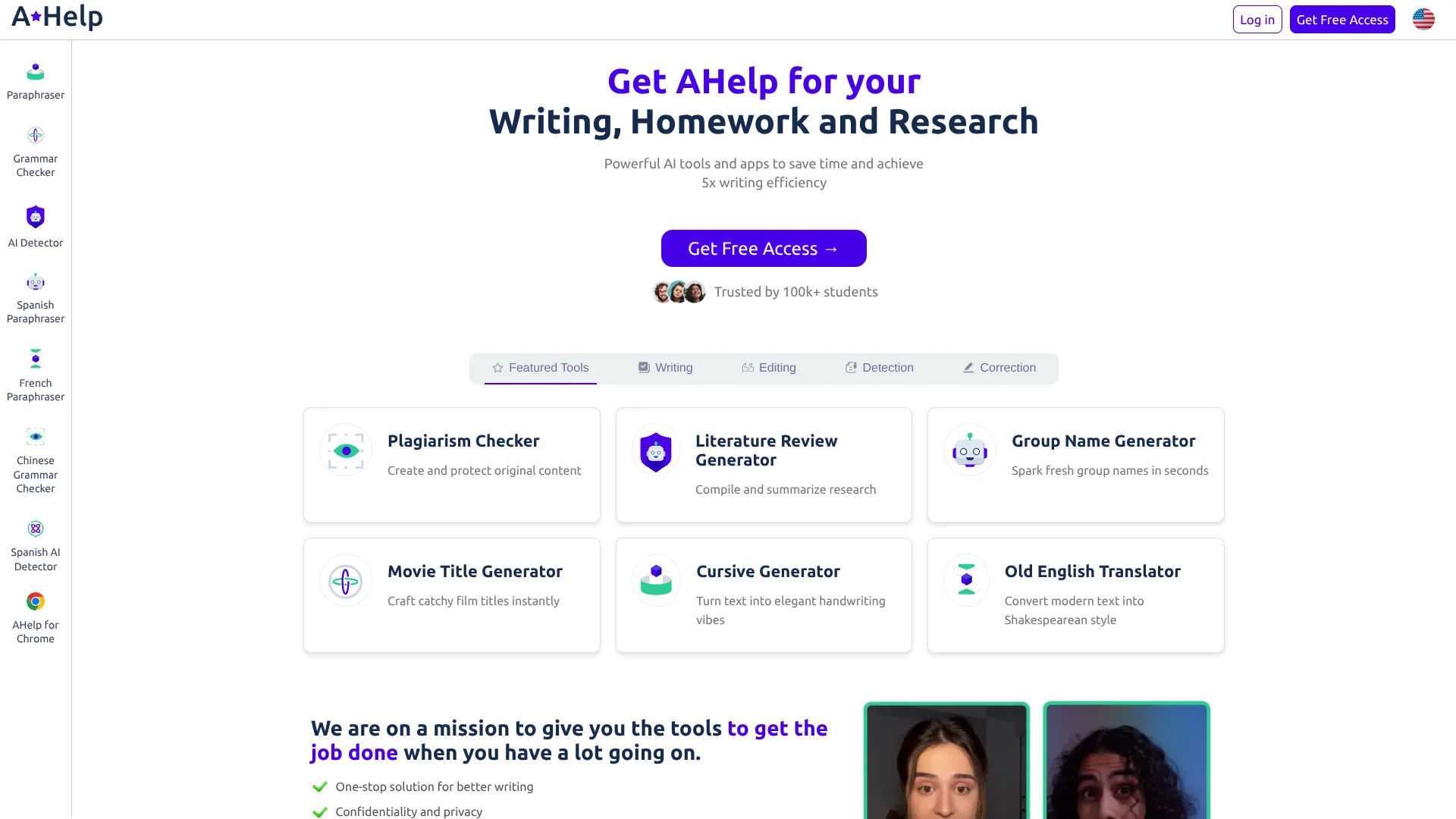
AHelp helps students build and revise academic papers using AI that can draw on sources in a personal library or find sources for them. Its essay writer can draft long papers, format MLA or APA citations, and check writing for plagiarism and AI-generated text. The goal is to reduce the time spent moving between research, drafting, and editing tools.
AHelp’s essay writer can use selected sources from a personal library while drafting papers of up to 20,000 words, then keep the draft, editing commands, and plagiarism and AI checks in the same editor.
Students with research-based writing assignments are the clearest fit, though educators and academic writers can also use its review and editing tools. AI drafts and citations still need human review, and the browser extension has fewer editing options than the website. AHelp is most useful as a writing and review aid, not a substitute for checking your research.
Who is Using AHelp?
College Students
Research-based essay drafts can start from a topic, instructions, and selected sources.
Teachers
Essay review reports can help surface recurring issues across student writing.
Academic Writers
The editor’s source library and citation tools can support paper drafting and revision.
Copywriters
The browser extension offers paraphrasing, summarizing, and grammar checks while writing online.
Uncommon Use Cases
A personal library can guide a draft using assigned readings; the extension can summarize long email text.
Key Features
Rating Breakdown
Pricing Plans
Free
Free
- 3 credits per day
- Basic plagiarism checking and AI detection
- Standard text generation
- Ads
Essential
$9.95 per month
- $4.17 per month when billed annually; $49.95 billed annually
- 600 credits per day
- Standard plagiarism checking and default AI detection
- Standard text generation and no ads
Productive
$19.95 per month
- $8.33 per month when billed annually; $99.95 billed annually
- 6,000 credits per day
- Unlimited plagiarism checking and AI detection
- Improved text generation and no ads
Which AHelp plan should you pick?
Start with Free for occasional writing or checks, then choose Essential for more daily credits or Productive for higher usage and unlimited plagiarism and AI checks.
Free
Good for occasional homework help or trying basic plagiarism and AI checks with 3 credits per day.
Essential
Good for regular writing and checking that needs 600 credits per day and no ads.
Productive
Good for heavier use that needs 6,000 credits per day, unlimited plagiarism and AI detection, and improved text generation.
AHelp Use Cases
Build a Research Paper Draft
A topic, writing instructions, and selected library sources give the essay writer context for a first draft.
Outcome: A draft with citations based on the chosen sources.
Revise Awkward Passages
The editor’s commands can rephrase, shorten, or expand selected text.
Outcome: Revised passages that are easier to read.
Review a Paper Before Submission
Plagiarism and AI checks can flag text for a closer review before a paper is finished.
Outcome: A draft with passages identified for further checking.
Check an Essay’s Structure
The essay review tool evaluates areas such as readability, cohesiveness, and topic focus.
Outcome: A report that highlights possible areas to improve.
Work on Text in a Browser
The Chrome or Edge extension brings basic writing and checking tools to text fields across online platforms.
Outcome: Writing support without leaving the current browser page.
Workflow Ideas with AHelp
Research to First Draft
- 1Enter your paper topic and writing instructions.
- 2Add your own sources to the Personal Library or let AHelp find sources.
- 3Generate a draft and review its argument and citations.
Edit and Check a Paper
- 1Revise selected passages with the editor’s AI commands.
- 2Run the plagiarism and AI checks.
- 3Review flagged passages and export the paper as Word or PDF.
Improve an Existing Essay
- 1Upload a supported document or paste the essay into the review tool.
- 2Read the report on writing quality and topic focus.
- 3Make revisions and run the review again.
How AHelp fits into your stack
Web writing tools
AHelp’s website hosts its essay writer, editing commands, plagiarism checks, AI detection, and essay review tools.
Research sources
The Personal Library stores uploaded sources for use as context in essay generation.
Browser writing
Chrome and Edge extensions provide basic paraphrasing, summarizing, grammar checks, and detection while you write online.
Document handoff
Papers can be exported as Word documents for further editing or as PDFs.
Pros
- +Source-based drafting: The essay writer can use selected items from your personal library.
- +Long-paper support: The essay writer supports papers up to 20,000 words.
- +In-editor checks: Plagiarism and AI checks are available while revising a paper.
- +Multiple languages: Essay writing and editing tools support several languages.
Cons
- −Credit limits: The Free plan includes 3 credits per day, so frequent checks or writing can use them quickly.
- −Draft review required: AHelp advises users to check AI-generated writing and citations rather than submit them unreviewed.
- −Extension has fewer tools: The browser extension lacks some of the website’s advanced editing and essay analysis features.
Limitations & when to consider alternatives
Known limitations
- Credits measure pages. One credit covers one page, defined as 250 words, for AI detection, plagiarism checking, or essay writing.
- Free usage is limited. The Free plan provides 3 credits per day.
- Essay length has a stated cap. AHelp says its Essay Writer supports papers up to 20,000 words.
- Browser extension is less detailed. The extension has fewer editing modes and does not include some of the website’s advanced checks and essay analysis.
Look elsewhere when
- You need a native iOS or Android app.
- You need a downloadable desktop application.
- Your team needs shared workspaces, user roles, or single sign-on.
- You need a documented developer API or third-party integrations.
How to Use AHelp
- 1
Create an account
Sign up with an email address or Google account to access AHelp’s tools.
- 2
Choose a writing tool
Select the essay writer, essay review, paraphraser, or another tool based on the task.
- 3
Set the context
For an essay draft, enter the topic and instructions, then choose a language and citation style.
- 4
Add sources when relevant
Upload your own research to the Personal Library or let AHelp find sources for the draft.
- 5
Review and revise
Check the generated text and citations, then use editor commands and plagiarism or AI checks as needed.
- 6
Export your paper
Download the finished document as a Word file or PDF.
Who is AHelp For?
Students
Research, drafting, citation formatting, and revision tools support academic assignments.
Educators
Essay review can help identify unclear arguments, off-topic writing, and grammar issues.
Academic Writers
Draft review and editing tools can help refine work before peer review or publication.
Writers Working Across Languages
AHelp offers writing and editing tools in multiple languages.
Frequently Asked Questions
Does AHelp have a free plan?
Yes. The Free plan costs $0 per month and includes 3 credits per day, basic plagiarism checking, and basic AI detection.
How much does AHelp cost?
Essential is $9.95 per month, or $4.17 per month when billed annually at $49.95. Productive is $19.95 per month, or $8.33 per month when billed annually at $99.95.
What does one AHelp credit cover?
One credit covers one page, or 250 words, for AI detection, plagiarism checking, or essay writing.
Can AHelp use my own research sources?
Yes. You can upload sources to the Personal Library and select them for essay generation.
Does AHelp have a browser extension?
Yes. AHelp offers extensions for Chrome and Microsoft Edge. The extensions provide basic writing and checking tools, while the website has more editing options.
Community reviews
2 reviews from people who use AHelp.
Sign in to leave a review for AHelp.
Andrii Karpiuk
Dasha Karpiuk
AHelp Alternatives
Looking for alternatives to AHelp? Here are similar tools in the same category: