
Adaptive Insights
AI-driven comprehensive business planning.
Key Takeaways
- What it is
- AI-driven comprehensive business planning.
- Best for
- AI & Machine Learning Integration
- Comprehensive Planning Capabilities
- Dynamic Scenario Planning
- Rating
- 4.6/5
What is Adaptive Insights?
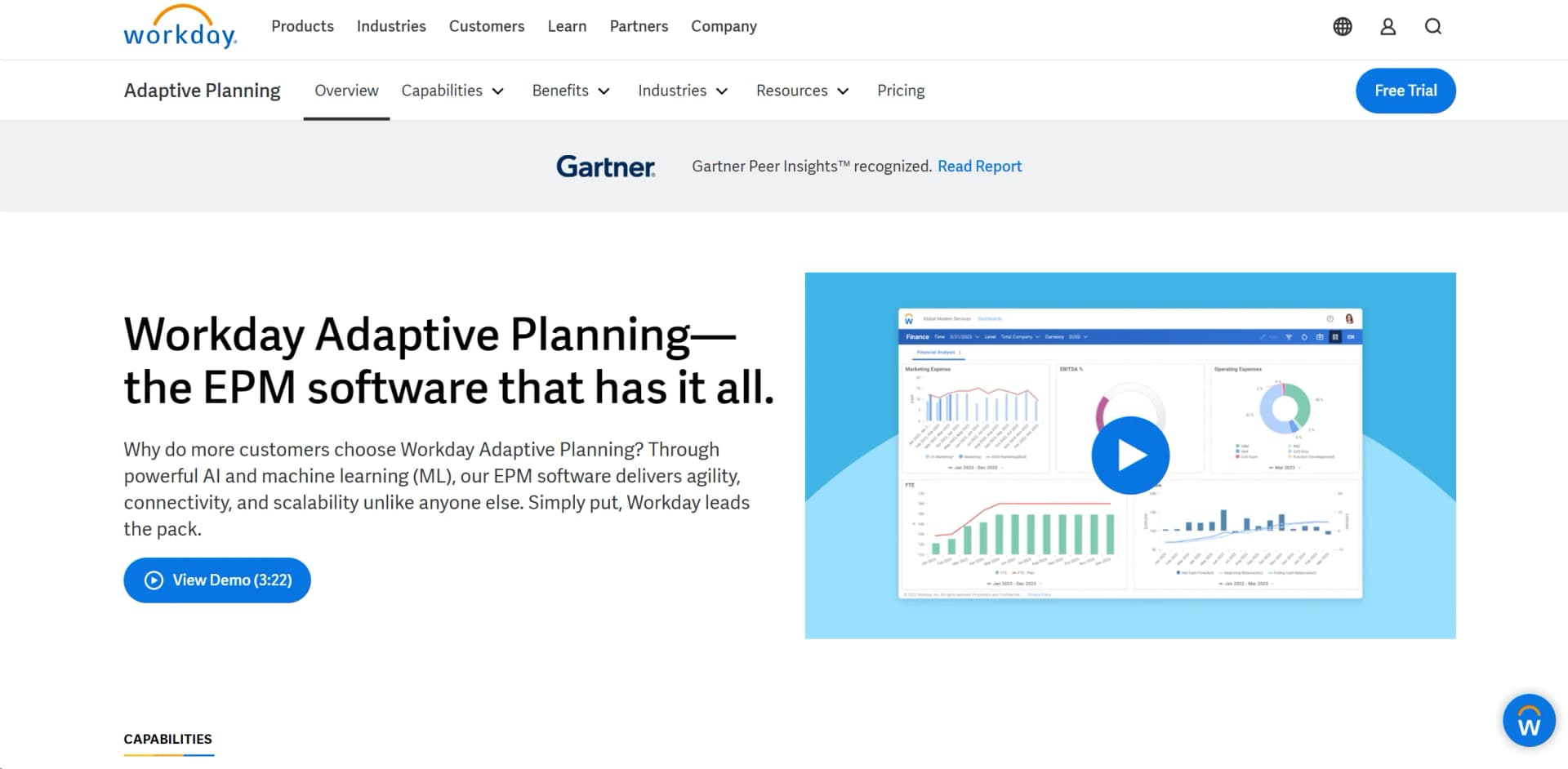
Adaptive Insights, a part of Workday, offers a comprehensive suite of enterprise performance management (EPM) software designed to help businesses streamline their financial, workforce, and operational planning processes. With a strong emphasis on harnessing the power of AI and machine learning, Adaptive Insights provides tools for budgeting, forecasting, scenario planning, and reporting, enabling organizations to make smarter, faster financial and business decisions.
Adaptive Insights stands out due to its comprehensive integration of AI and machine learning within the planning and forecasting processes. This integration not only speeds up data processing but also enhances the accuracy of insights, which is crucial for strategic planning and decision-making. Its ability to seamlessly integrate with a wide range of ERP systems and data sources further sets it apart, making it a versatile choice for diverse business environments.
Adaptive Insights excels in providing robust, AI-enhanced planning capabilities that streamline financial and operational processes across various industries. Its powerful analytics, combined with a user-friendly interface and extensive support for integration, make it an indispensable tool for organizations aiming to enhance their performance management and decision-making efficiency. The platform's adaptability to different business sizes and its comprehensive feature set offers significant advantages, particularly for complex enterprise environments.
Who is Using Adaptive Insights?
Large Enterprises
Utilizing the tool for complex financial consolidation and management.
HR Departments
Employing workforce planning features to align staffing with business objectives.
Healthcare Organizations
Leveraging the tool for operational planning and cost management.
Educational Institutions
Using it for budget management and financial forecasting.
Uncommon Use Cases
Non-profits using it to plan and track funding, grants, and expenditures; Startups using it for dynamic scenario planning to navigate growth phases.
Key Features
Rating Breakdown
Pricing Plans
Free Trial
- Experience Adaptive Insights with a 30-day free trial
Custom Pricing
- Adaptive Insights offers tailored pricing based on the specific needs and scale of the organization
Which Adaptive Insights plan should you pick?
Start with the 30-day trial to evaluate core planning; choose the standard plan for planning and scenarios, then upgrade to consolidation when close and consolidation are required.
Workday Adaptive Planning Free Trial
Good for organizations evaluating core planning, reporting, dashboards, and what-if scenarios before purchasing.
Workday Adaptive Planning
Good for organizations needing company-wide planning, ERP or GL connectivity, unlimited versions, and unlimited what-if scenarios.
Workday Adaptive Planning Close & Consolidation
Good for organizations that need planning combined with financial close and consolidation in one package.
Adaptive Insights Use Cases
Financial planning and forecasting
Model revenue, costs, sales, expenses, budgets, and forecast versions using financial and operational data.
Outcome: A connected financial plan with faster forecasting and analysis.
Workforce planning
Model hiring, transfers, retention, headcount, capacity, skills, and workforce costs.
Outcome: Workforce decisions aligned with financial and strategic goals.
Sales planning
Plan territories, quotas, sales capacity, headcount, incentives, and pipeline forecasts.
Outcome: Better resource allocation and sales coverage.
Scenario planning
Create personal and shareable what-if scenarios, compare assumptions, and commit approved plans.
Outcome: Faster evaluation of risks, opportunities, and business decisions.
Operational planning
Connect demand and supply, project, sales, workforce, and financial plans across departments.
Outcome: Companywide planning based on shared assumptions and data.
Workflow Ideas with Adaptive Insights
Annual budgeting and approval cycle
- 1Import actuals and planning assumptions from spreadsheets or connected systems
- 2Assign planning tasks to users, groups, or organizational levels
- 3Route submissions through sequential approvals and lock approved data
Workforce plan to hiring execution
- 1Model hiring, transfers, retention, and workforce costs
- 2Share the plan with finance, HR, and operational stakeholders
- 3Submit approved hiring plans to downstream Workday processes
Rolling forecast and variance review
- 1Import current actuals and refresh planning models
- 2Compare forecasts and share dashboards or scenarios with stakeholders
- 3Use workflow tasks and notifications to collect revisions and approvals
How Adaptive Insights fits into your stack
ERP Systems
Fully compatible with major ERP systems for streamlined data workflows.
Data Import and Export
Supports extensive data import and export capabilities to and from various formats.
API Access
Offers API access for custom integrations, enhancing flexibility.
Workday Suite
Naturally integrates with other Workday products, offering a cohesive experience.
Pros
- +Enhanced Decision Making: AI-driven insights help in making informed strategic decisions quickly.
- +Flexibility and Scalability: Adapts to the needs of both small businesses and large enterprises, ensuring scalability.
- +User-Friendly Interface: Designed to be intuitive, making it easier for new users to navigate and master.
- +Integration Capabilities: Seamlessly integrates with numerous ERP and third-party systems, enhancing data consistency and availability.
Cons
- −Complexity in Initial Setup: May require a significant setup time to fully integrate with existing systems and customize according to specific business needs.
- −Training Required: Due to its rich features and capabilities, new users often require formal training.
- −Cost Factor: Might be considered expensive for small businesses or startups.
Limitations & when to consider alternatives
Known limitations
- Quote-based pricing. The standard product is listed as pricing varies, so a public recurring price is not provided.
- Free access is time-limited. The pricing page documents a 30-day free trial rather than a permanent free tier.
- Mobile tablet functionality is limited. Tablet support is restricted to selected pages such as sheets, reports, dashboards, processes, and workflows.
- OfficeConnect requires Windows. OfficeConnect and Excel Interface for Planning require Windows and do not support macOS.
- API calls require authentication. The REST API requires authentication for each separate web-service invocation.
Look elsewhere when
- You need a native iOS or Android application.
- You need a standalone desktop application.
- You need a browser extension rather than an Office add-in.
How to Use Adaptive Insights
- 1
For those new to Adaptive Insights, there is a wealth of resources available including detailed tutorials and user guides on the official website. These resources are designed to help users from setup to advanced feature utilization.
Who is Adaptive Insights For?
Finance and FP&A teams
Build budgets, forecasts, financial models, reports, and scenario plans in a unified planning environment.
Sales teams
Plan territories, quotas, sales capacity, headcount, incentives, and pipeline-related forecasts.
HR and workforce planners
Model hiring, transfers, retention, capacity, talent, headcount, and workforce costs.
Operations teams
Connect sales, demand and supply, project, and operational plans to the overall financial plan.
Managers and executives
Use dashboards, reports, shared scenarios, and collaborative workflows to review and guide plans.
Frequently Asked Questions
What is Workday Adaptive Planning?
It is a cloud-based planning and analysis solution for financial, sales, workforce, and other enterprise planning.
Can Adaptive Planning integrate with existing systems?
Yes. It supports connections with ERP, CRM, HCM, cloud warehouses, and other external data sources.
Does Adaptive Planning support collaboration?
Yes. Users can share dashboards, reports, scenarios, hubs, and workflows with people or user groups.
Does Adaptive Planning support single sign-on?
Yes. The platform supports SAML SSO, including configurations with Okta and Workday.
Is there a free version?
The pricing page documents a 30-day free trial; paid product pricing varies and is quote-based.
Can users import spreadsheets?
Yes. Users can upload CSV, XLSX, and other spreadsheet-based source files through import workflows.
Community reviews
Be the first to share your experience.
Sign in to leave a review for Adaptive Insights.
Adaptive Insights Alternatives
Looking for alternatives to Adaptive Insights? Here are similar tools in the same category:
Learn to Master Adaptive Insights
With Skill Leap courses
Get in-depth training on Adaptive Insights and 50+ other AI tools with our expert-led video courses.
Start 7-Day Free Trial