
4mAnalytics
Revolutionizes subsurface utility mapping with advanced AI and real-time data.
Key Takeaways
- What it is
- Revolutionizes subsurface utility mapping with advanced AI and real-time data.
- Best for
- Real-Time Utility Data
- Comprehensive Utility Mapping
- Export Capabilities
- Rating
- 4.6/5
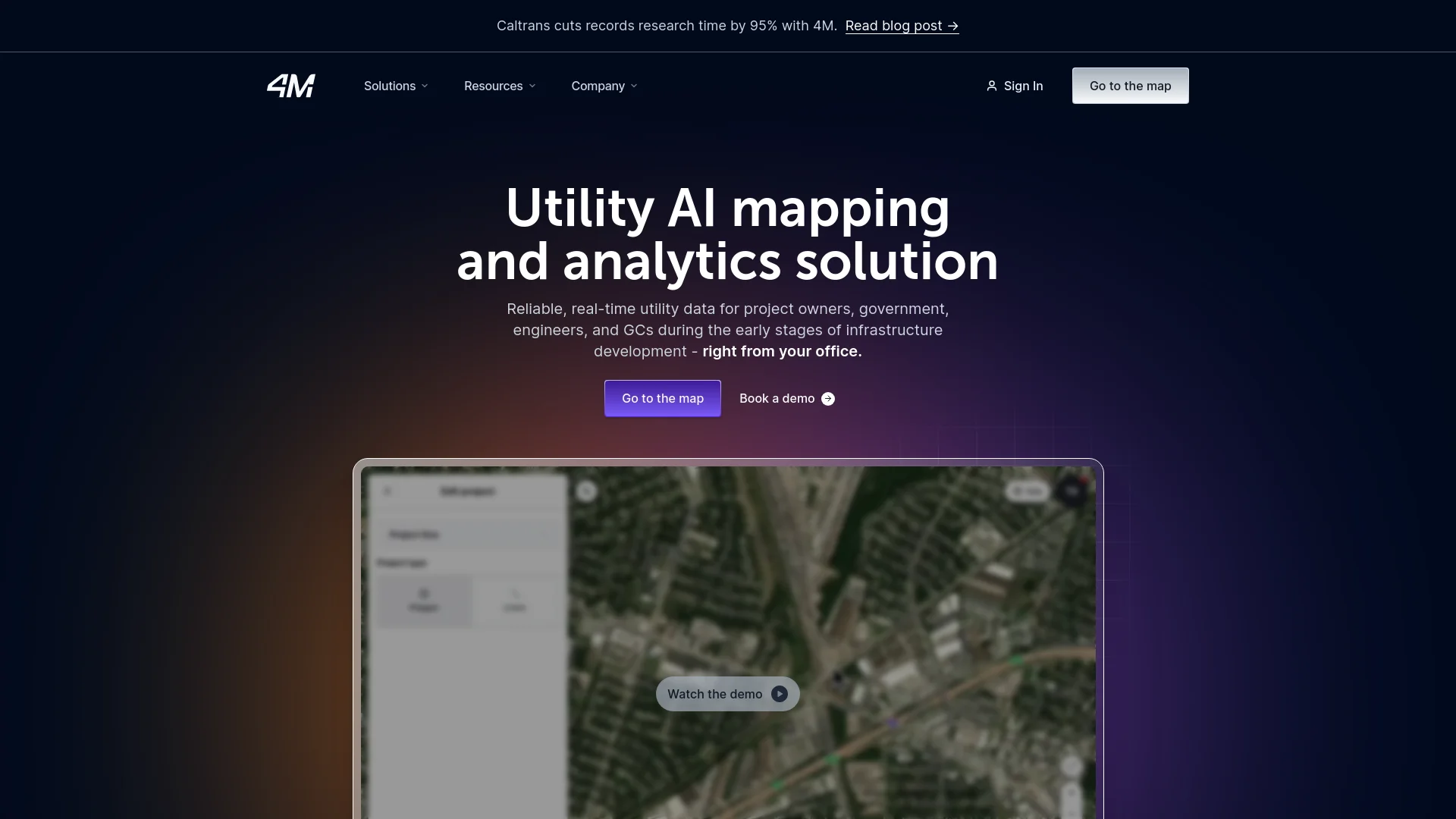
What is 4mAnalytics?
In the evolving landscape of infrastructure development, managing underground utilities can be a daunting task, often laden with uncertainties and risks. That's where 4mAnalytics comes into play, a groundbreaking platform designed to revolutionize the way we approach subsurface utility mapping. By leveraging advanced AI technologies, 4mAnalytics provides detailed, real-time utility data that facilitates efficient planning and risk mitigation from the comfort of your office. This tool is not just a convenience; it's a game-changer, significantly reducing the time and costs associated with utility management in civil engineering and construction projects.
4mAnalytics stands out with its robust utility AI that allows for early risk mitigation during the most crucial stages of construction. Its ability to integrate seamlessly with various CAD tools and provide detailed, actionable insights from the pre-design phase is truly unique in the subsurface utility mapping industry.
4mAnalytics excels in providing state-of-the-art utility mapping solutions, making it an essential tool for anyone involved in infrastructure development. Its innovative use of AI to deliver real-time, accurate data significantly minimizes the risks and costs associated with underground utilities. The platform's user-friendly interface and robust integration capabilities further enhance its appeal, making it a top choice for industry professionals aiming for precision and efficiency in their projects.
Who is Using 4mAnalytics?
Civil Engineers
Employing the tool for comprehensive utility data and conflict management.
General Contractors
Using the platform for effective utility risk mitigation and coordination.
Utility Owners
Managing and overseeing utility data more efficiently.
Project Owners
Leveraging detailed utility mapping for better project planning.
Uncommon Use Cases
Utilized by educational institutions for research in urban planning; adopted by environmental consultants for assessing potential impacts.
Key Features
Rating Breakdown
Pricing Plans
Subscription-Based Model
- Pricing varies based on the scope of the project and specific client needs
Which 4mAnalytics plan should you pick?
Start with Foundation Data for instant early-stage utility intelligence and upgrade to Validated Data when expert-reviewed, higher-confidence information is needed.
Foundation Data
Good for teams needing instant utility mapping, feasibility studies, pursuits, early planning, object detection, and GIS exports.
Validated Data
Good for teams needing expert-reviewed utility locations, expanded attributes, QA/QC, repositioning, and higher-confidence design information.
4mAnalytics Use Cases
Concept planning and site selection
Review utility maps, parcels, right-of-way, environmental layers, and congestion before selecting sites or routes.
Outcome: Identify feasibility issues and risks earlier.
Pursuits and proposals
Gather utility ownership, line, and risk information while preparing bids and project scopes.
Outcome: Price work more intelligently and reduce unknowns.
Preliminary design
Use validated utility data, utility insights, object detection, and GIS/CAD exports during early design.
Outcome: Reduce rework and focus investigations where they matter most.
Utility coordination
Analyze crossings, right-of-way conflicts, easements, and utility ownership across a project area.
Outcome: Surface coordination and permitting risks before construction.
Field investigation preparation
Detect poles, manholes, valves, hydrants, road marks, and other visible utility evidence before mobilizing crews.
Outcome: Target field work more efficiently.
Workflow Ideas with 4mAnalytics
Create and assess a project
- 1Draw or upload the project area
- 2View utility layers and detected objects
- 3Review Utility Insights and assign risk levels
Stream 4M data into GIS
- 1Generate a WFS API key
- 2Copy the WFS endpoint into ArcGIS or QGIS
- 3Filter and visualize streamed utility layers
Prepare for field investigation
- 1Review detected utility objects and road marks
- 2Verify objects with integrated Street View imagery
- 3Export or share project information with field stakeholders
How 4mAnalytics fits into your stack
CAD Software Compatibility
Direct integration with various CAD software enhances workflow efficiency.
Data Formats
Supports a wide range of data formats for easy export and use in different stages of project planning.
Cloud-Based Platform
Ensures that data is accessible from anywhere, facilitating remote work and collaboration.
API Access
Offers API capabilities for custom integrations, making it adaptable to specialized needs.
Pros
- +Cost Efficiency: Reduces record research costs by up to 75%, making it a cost-effective solution for many projects.
- +Time-Saving: Streamlines planning processes with precision, saving up to 90% in record research time.
- +Enhanced Precision: Provides high accuracy in utility mapping, minimizing the risk of unforeseen issues.
- +User-Friendly Interface: Designed for ease of use, allowing both technical and non-technical users to navigate and utilize its features effectively.
Cons
- −Learning Curve: New users may require some time to fully grasp the extensive capabilities of the platform.
- −Internet Dependency: Relies heavily on internet connectivity for accessing and updating data.
- −Limited Historical Data: While excellent for current and future projects, it may have less data available for historical utility records.
Limitations & when to consider alternatives
Known limitations
- Foundation Data has moderate confidence. Foundation Data is based on public records and object detection and does not undergo full QA/QC validation.
- Not a replacement for SUE. 4M states that Foundation Data is not a substitute for Subsurface Utility Engineering services.
- Coverage varies by state. Foundation Data is available in selected states, while other locations may require on-demand or customer-specific requests.
- Object Detection is asynchronous. Object Detection begins after project creation and may take one to two hours before results are available.
- Utility Routing beta limits uploads. The beta version allows users to upload or draw up to four routes.
Look elsewhere when
- You need a native mobile application.
- You need an installed desktop application.
- You need self-service transparent pricing.
How to Use 4mAnalytics
- 1
Explore the extensive resources available on the 4mAnalytics website, including detailed tutorials and webinars that cover everything from basic setup to advanced features.
Who is 4mAnalytics For?
AEC firms
Use utility intelligence for pursuits, preliminary planning, design, QA/QC, and construction preparation.
State and local DOTs
Assess utility conflicts, route alternatives, right-of-way impacts, and project risks before roadway work.
General contractors
Evaluate utility risks, improve bid assumptions, and reduce unexpected utility-related change orders.
Utility owners
Manage network information, plan expansions, and share utility data with engineers, contractors, and other stakeholders.
Engineering and field teams
Use mapped utility evidence, object detection, exports, and integrations to coordinate office and field workflows.
Frequently Asked Questions
What is 4M Analytics?
4M is a web-based Utility AI Platform that combines utility records, imagery, mapping data, and AI-driven analysis for infrastructure planning.
What data does 4M provide?
Foundation and Validated Data include utility lines, ownership, attributes, surface-object detection, parcels, topography, floodplains, and estimated right-of-way information.
Can 4M integrate with GIS and CAD tools?
Yes. 4M provides WFS streaming and exports for platforms and formats including ArcGIS, QGIS, SHP, KML, GPKG, DWG, DXF, and DGN.
Does 4M support team access?
Admins can invite teammates, assign roles, create custom roles, share folders, and provide guests with project-specific access.
How long does Object Detection take?
Object Detection starts automatically after project creation and generally takes one to two hours.
Is Foundation Data a replacement for subsurface utility engineering?
No. Foundation Data provides moderate-confidence planning insights and is not a replacement for full SUE services.
Community reviews
Be the first to share your experience.
Sign in to leave a review for 4mAnalytics.
4mAnalytics Alternatives
Looking for alternatives to 4mAnalytics? Here are similar tools in the same category:
Learn to Master 4mAnalytics
With Skill Leap courses
Get in-depth training on 4mAnalytics and 50+ other AI tools with our expert-led video courses.
Start 7-Day Free Trial