Build a Stunning Website with Claude: 75 Ready-to-Copy Designs
For small business owners, freelancers, creators and founders who want a site that looks like a top agency built it. Browse 75 designs for restaurants, trades, clinics, shops, startups, video studios, online courses and portfolios, plus Black Friday sale pages, open each one live, and copy a prompt that has Claude build it for your business in the Claude desktop app.
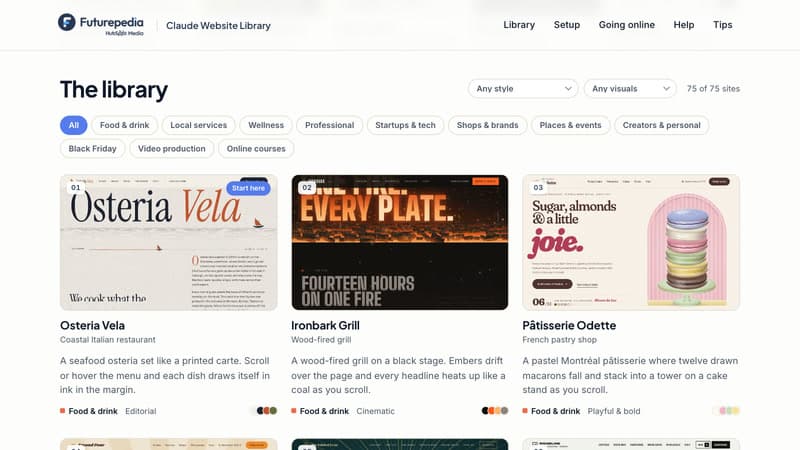
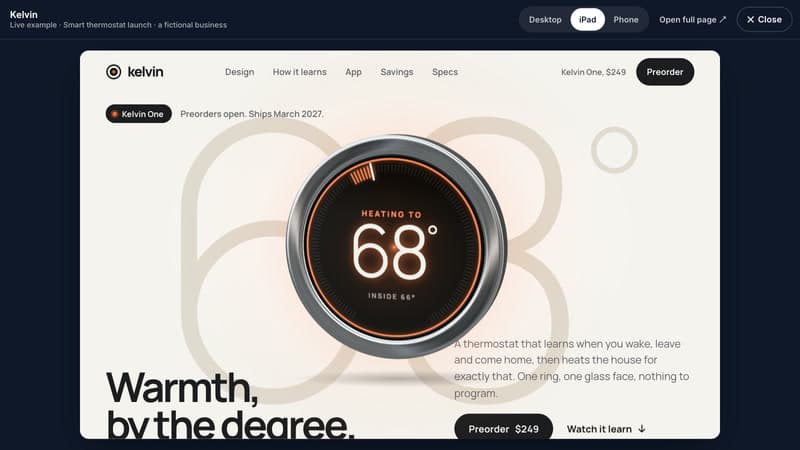
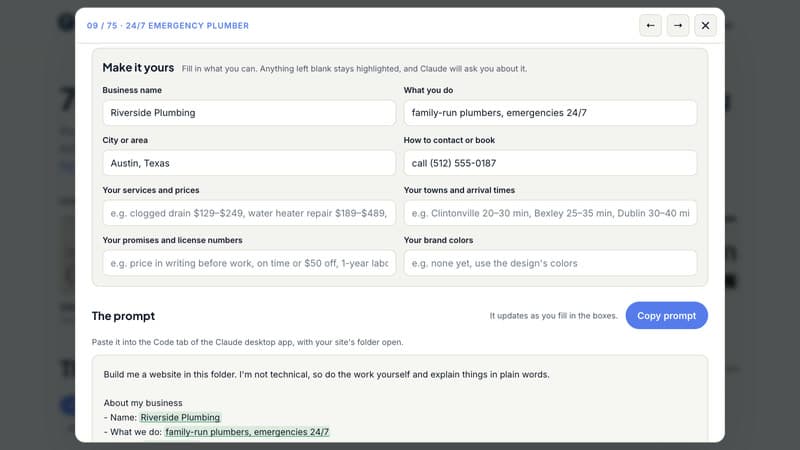
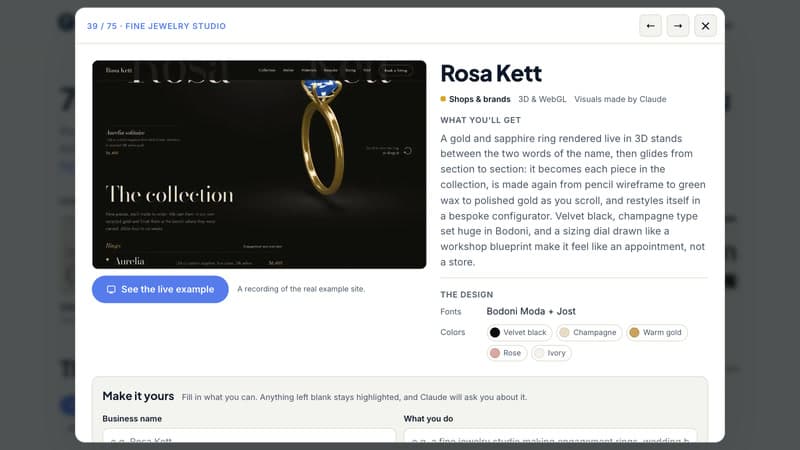
What's Inside
75 ready-to-build website designs: Restaurants, plumbers, salons, dentists, law firms, shops, startups, hotels, video studios, online courses, Black Friday sales, portfolios and more, in 15 styles from quiet luxury and editorial to brutalist and live 3D.
See every site live: Each card has a scroll preview and a live example you can open at desktop, iPad and phone sizes, so you know exactly what you'll get.
Copy-ready Claude prompts: Fill in your business name, what you do, where you are and how people reach you, and copy a finished prompt. Claude builds the whole site, writes the words and checks it on every screen size.
The full design in every prompt: Fonts, colors, layout, sections and the signature animation are all spelled out, so your site comes out polished, not generic.
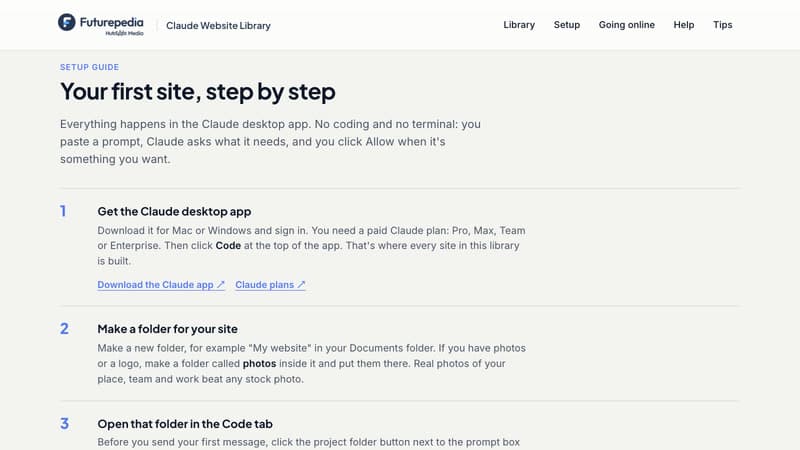
Step-by-step setup guide: Everything happens in the Claude desktop app, with no coding or terminal. Five popular designs to start with.
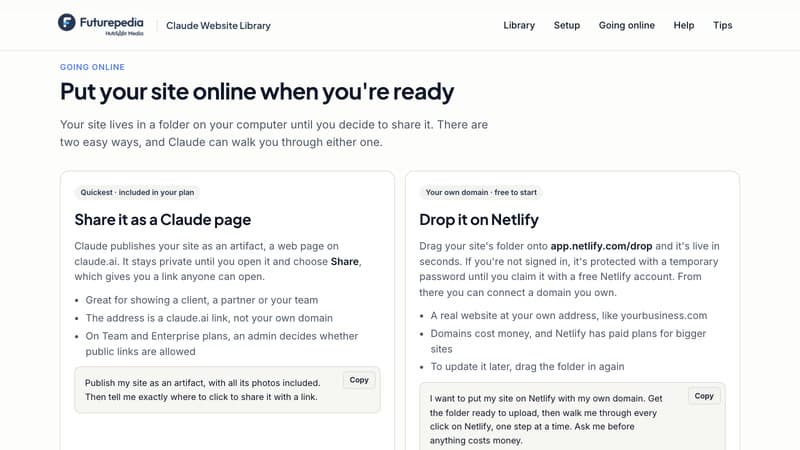
Going online, fixes and follow-ups: Two simple ways to publish your site, paste-able fixes for common problems, and follow-up prompts to add pages, forms and more.
Build Your Website with Claude Today
Sign up free and open the full library in your browser: 75 website designs with live examples, 75 copy-ready prompts with follow-ups, and a plain-English setup guide for the Claude desktop app. Pick a design, paste the prompt, and watch Claude build your site.
Frequently Asked Questions (FAQs)
Who is the Claude Website Library for?
Small business owners, freelancers, creators, founders and anyone who needs a website that looks expensive without hiring an agency. If you can describe your business, Claude can build the site.
What exactly do I get after signing up?
The full library in your browser: 75 website designs, each with a scroll preview, a live example, a copy-ready prompt and follow-up prompts. You also get a step-by-step setup guide, two ways to put your site online, and fixes for the most common problems.
What do I need to use the prompts?
The Claude desktop app for Mac or Windows with a paid Claude plan (Pro, Max, Team or Enterprise). That's it: no other software, no hosting account to start and no coding.
Do I need to know how to code?
No. You paste a prompt in plain English, and Claude does the building, writing and checking. It tells you when you need to click something yourself.
Can I use my own photos, logo and colors?
Yes. Put your photos and logo in a folder called "photos" next to your site, and type your brand colors into the prompt. Most designs need no photos at all, because Claude makes the visuals.
How do I put my site online?
Ask Claude. It can publish your site as a page on claude.ai with a share link, which is included in your plan. Or it can walk you through putting it on your own domain with a free Netlify account (domains themselves cost money). Nothing goes online until you say so.
Are the businesses in the examples real?
No. They're made up, so you can see each design with real-looking words and details. Claude writes your site from your own details, and it never invents reviews, prices or awards for your business.