Set Up the New Claude App the Right Way: The Free Claude 2.0 Setup Kit
For anyone using the rebuilt Claude desktop app who wants more than the basics. Switch on the settings that matter, learn the new layout with a clickable tour, pick the right way to run several sessions at once, keep Claude working while you're away, and add 8 tested community mods, all with copy-paste prompts.
What's Inside
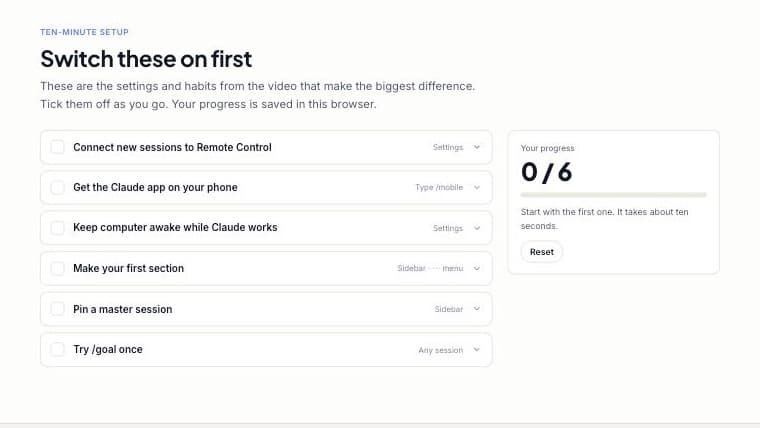
Ten-minute setup checklist: The six settings and habits that make the biggest difference, from Remote Control to pinning a master session. Tick them off as you go.
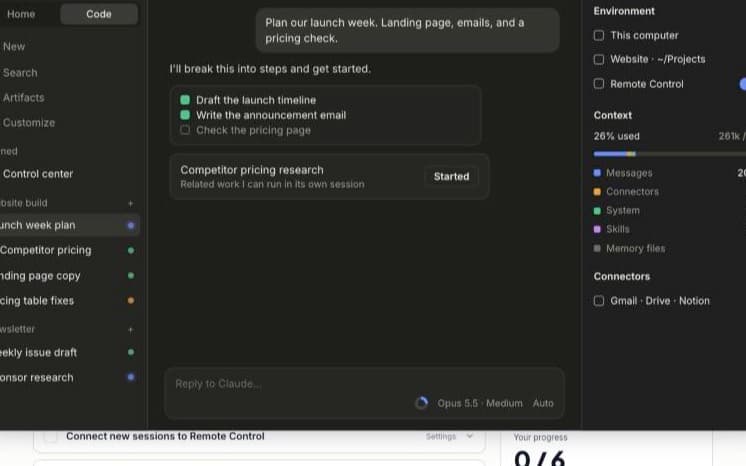
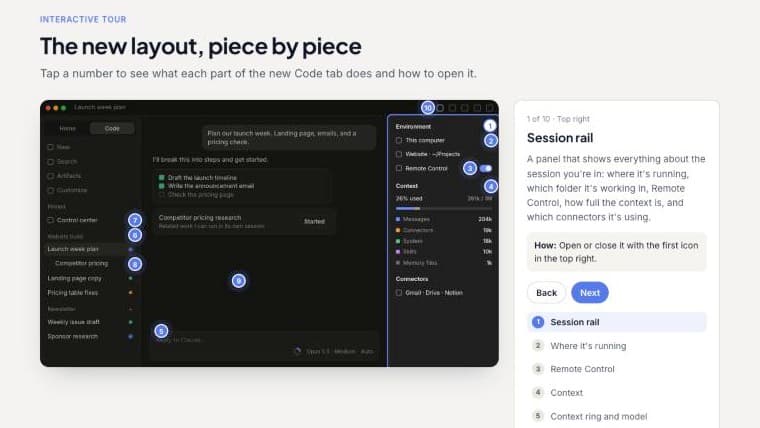
Interactive tour of the new layout: Tap 10 numbered spots on a recreation of the new Code tab to see what each part does and how to open it.
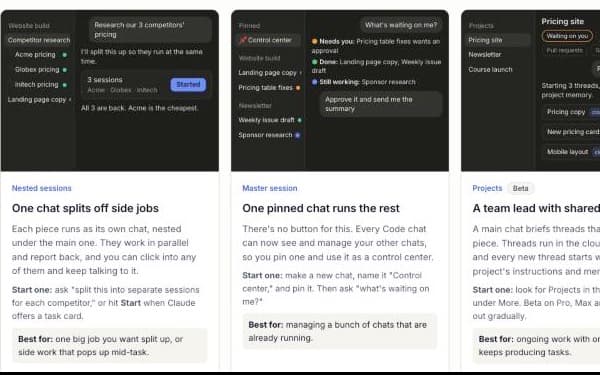
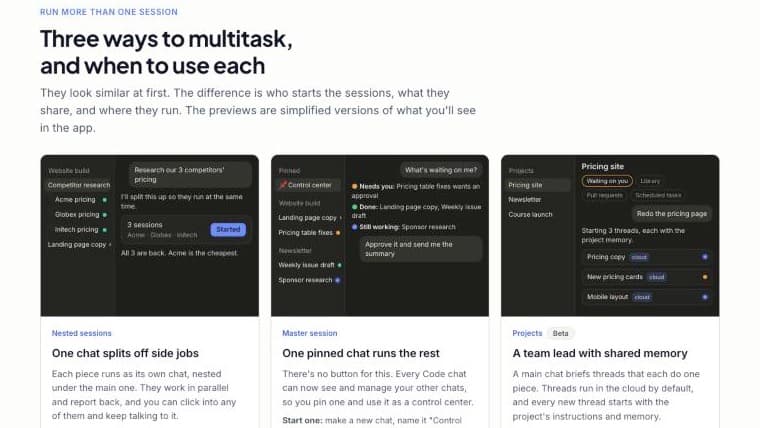
Three ways to multitask: Nested sessions, a master session and Projects, each with an animated preview, plus a three-question picker that tells you which one to use.
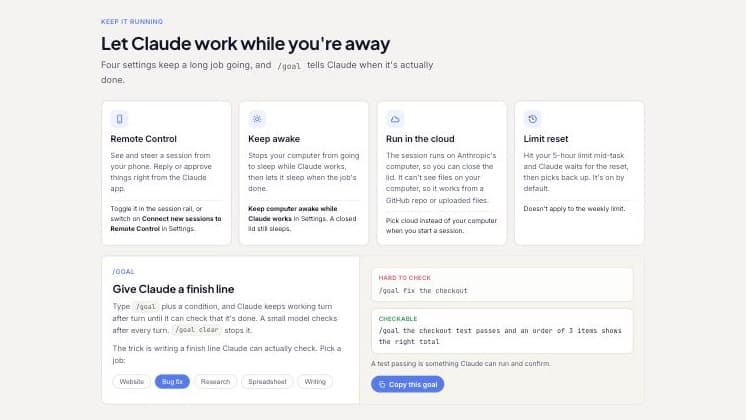
Keep Claude working while you're away: Remote Control, keep awake, cloud sessions and limit reset, plus a /goal builder that writes a finish line Claude can actually check.
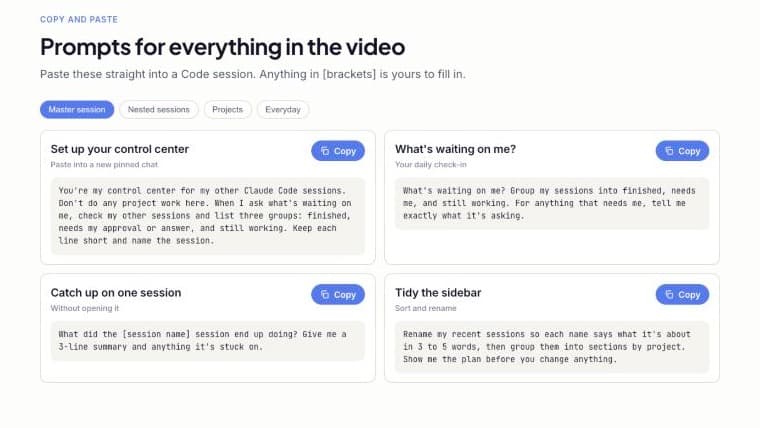
Copy-paste prompts: Ready-to-use prompts for master sessions, nested sessions, Projects and everyday work. Fill in the brackets and paste.
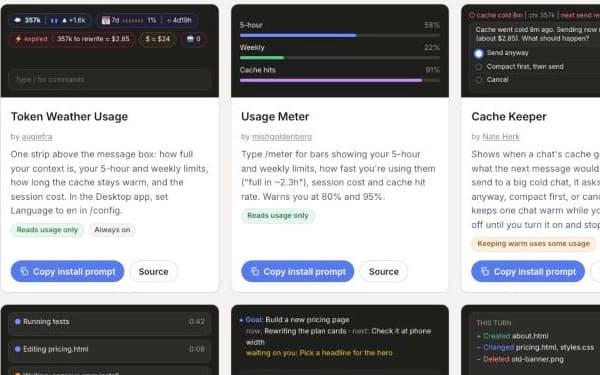
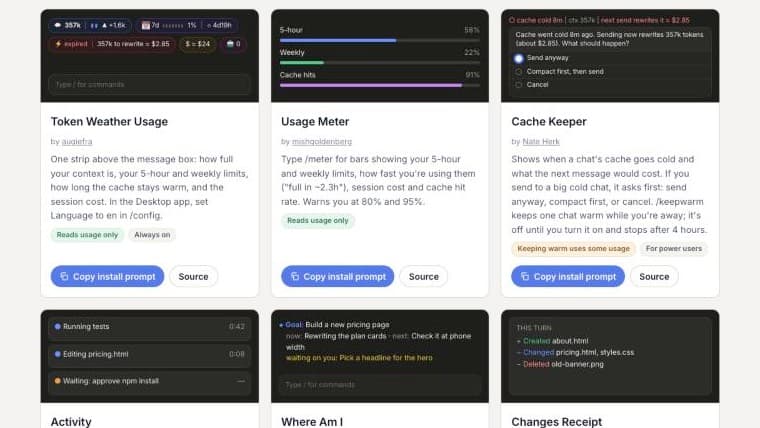
8 tested starter mods: Usage meters, cache warnings, a live recap and a safety net for risky commands. Each one has a copy-paste install prompt and credit to the person who made it.
Get More Out of Claude 2.0 Today
Sign up free and open the full kit in your browser: a ten-minute setup checklist, an interactive tour of the new layout, a guide to running several sessions at once, copy-paste prompts, and 8 tested starter mods with one-click install prompts.
Frequently Asked Questions (FAQs)
Who is the Claude 2.0 Setup Kit for?
Anyone using the new Claude desktop app, from first-timers to people who already use it every day and want to get more done with it. No coding background needed.
What exactly do I get after signing up?
The full kit in your browser: a setup checklist that saves your progress, an interactive tour of the new layout, a guide to multitasking with a picker, a /goal builder, copy-paste prompts and 8 starter mods with install prompts.
What do I need to use it?
The Claude desktop app for Mac or Windows and a paid Claude plan. Some features, like Projects, are still rolling out, and the kit says so where it matters.
Do I need to know how to code?
No. Everything is a setting to switch on or a prompt to paste. Even the mods install by pasting a prompt and letting Claude run the commands for you.
Are the mods made by Anthropic?
No. They are free mods made by people in the community, and each card links to its maker. We picked them out and tested them in the desktop app, and each one says what it can access.
Does any of this cost extra?
The kit is free. A couple of the mods make a small model call or keep a chat warm, which uses a little of your plan, and their cards point that out.